“StrapMoore” has been added to your cart. View cart
Coupon code applied successfully.
Free Mystery Gift (Value Deducted From Total Automatically) has been added to your cart!
UP TO 58% OFF
ONsite Relay A Coupler Bundle
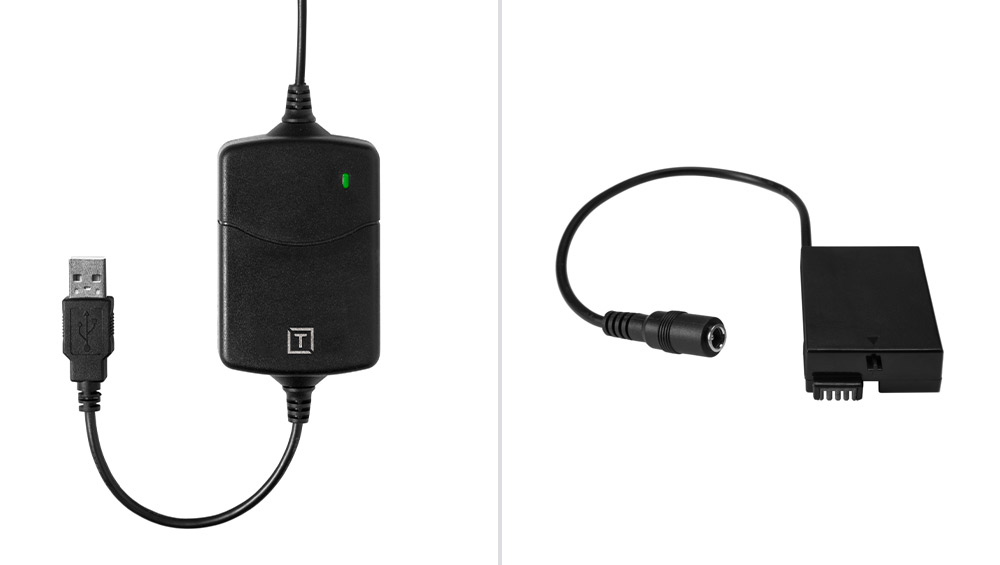
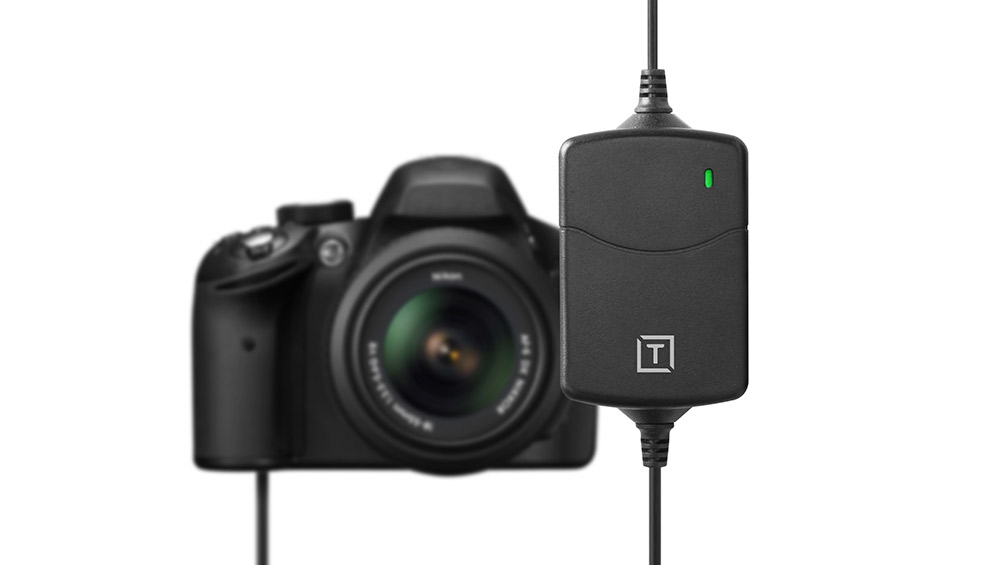
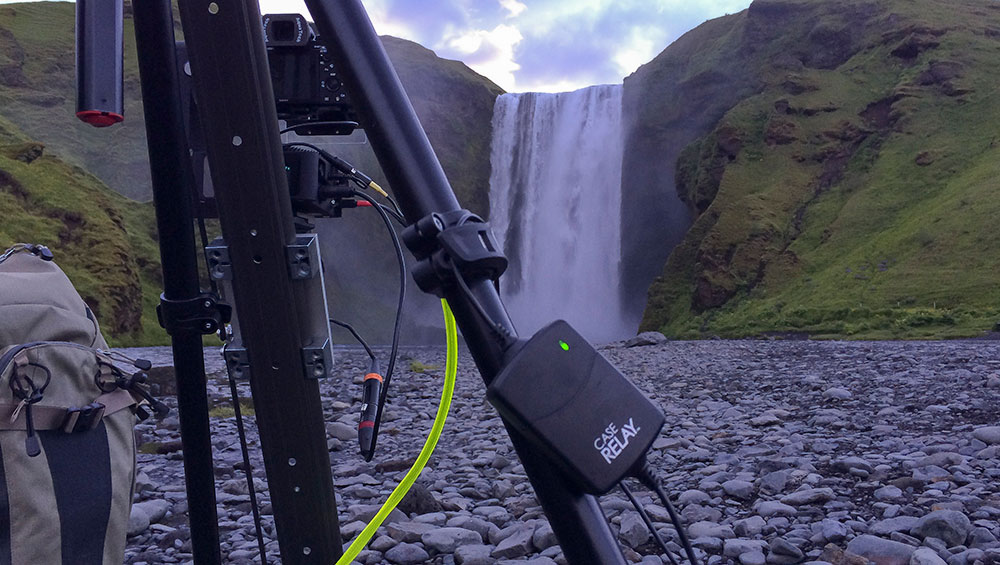
ONsite Relay A Camera Power System (CPS) lets you power your camera continually with an external battery pack or wall power, providing peace of mind knowing you have an uninterrupted power source for your camera.
With ONsite Relay A, you’ll never run out of power and never need to stress about forgetting your camera batteries. If you’re shooting and get low on battery power, simply swap out external batteries throughout your shoot. ONsite Relay A’s internal UPS battery will keep your camera powered while you exchange external batteries. Utilizing a wall outlet or external batteries, you could in theory shoot forever with consistent power flowing to your camera through ONsite Relay A.
How does it work?
Simply insert the Relay Camera Coupler directly into the camera battery port, attach it to the ONsite Relay A Camera Power System and power your camera with any 5V 2.1A USB battery pack or an AC power source using a USB wall adapter. Because Relay also has its own secondary internal 1200 mAh battery, if your external battery runs low you can easily hot swap the external battery and not lose power to the camera.
ONsite Relay A is compatible currently with many Canon, Nikon, Sony, Panasonic, Fujifilm, Olympus, and Black Magic cameras and can be powered by any 5V USB power bank any 2.1+A USB Wall Adapter or any Dtap (VMount) battery system. It can also power any monitors and accessories that use the Sony NPFL Series batteries.
Key Features:
The ONsite Relay A Camera Power System contains a 1,200 mAh battery, smaller than a traditional camera battery but enough power so you can swap out power sources mid-shoot and maintain 100% uptime.
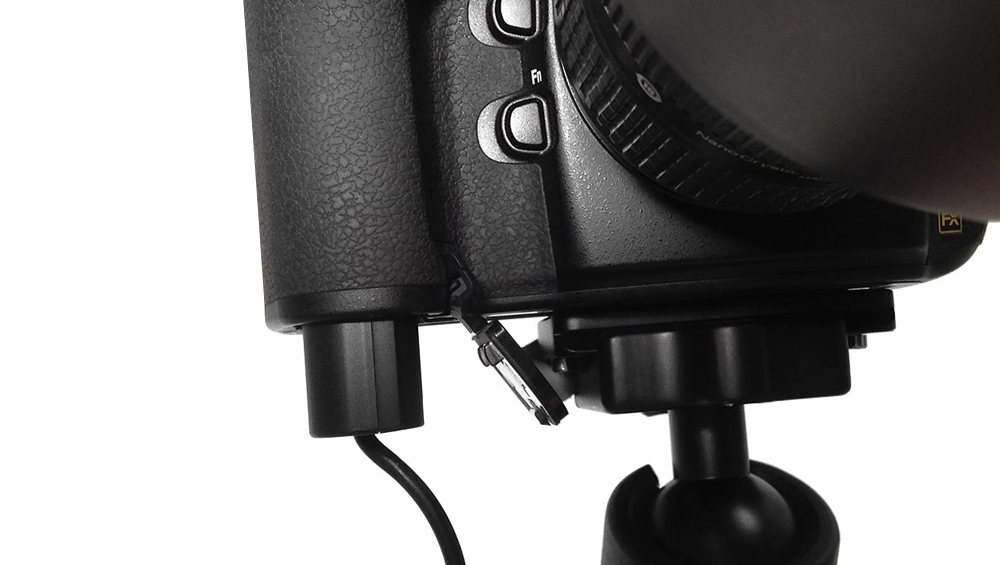
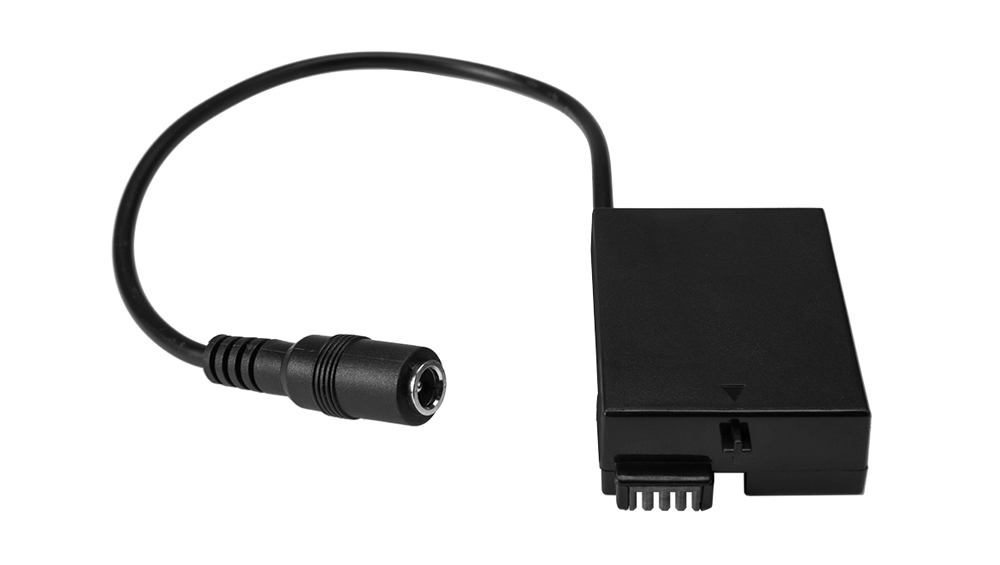
The ONsite Relay A Coupler is designed to replace your camera battery and is not considered an after-market battery, just containing wiring. The Coupler cabling runs out the rubber trap door on your camera battery compartment or battery grip, and connects to the ONsite Relay A Camera Power System unit.
ONsite Relay A Camera Power System (CPS) lets you power your camera continually with an external battery pack or wall power (sold separately), providing peace of mind knowing you have an uninterrupted power source for your camera.
Relay Coupler is simply an insert for your camera battery cavity that enables powering the camera via ONsite Relay A Camera Power System. The coupler does not contain a battery or hold a charge.
What is the Proper Way to Connect the ONsite Relay A? Here’s the Recommended Connection Sequence:
Keeping the cables unconnected, insert Relay Camera Coupler into camera, completely close door.
Connect the ONsite Relay A to the power source.
Connect the Relay Camera Coupler to the ONsite Relay A
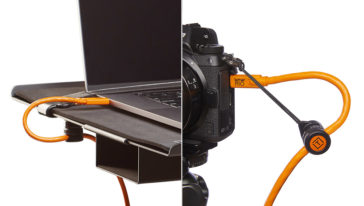
“We do Dog Show Event photography. The ONsite Relay A attached to the 10000mh battery powers the D750 that is tethered to our laptop. Before I got it we would go thru about 5 or 6 Nikon batteries in a day long assignment.
– B. Kurtis, Tether Tools Customer
Suggested Uses:
ONsite Relay A is ideal for time-lapse photography, astro-photography, or any photography that requires extended shooting time such as nature, fashion, landscape, architecture and more.
ONsite Relay A is ideal for video production as you can swap the External Battery Bank, without having to stop shooting to change camera batteries.
Use it to power Photobooths to ensure consistent uptime throughout an event.
https://vimeo.com/179645487
Timelapse by Ron Risman
Timelapse Pro Ron Risman sets up a three access motion control timelapse in Newcastle, New Hampshire. Learn more
“It’s perfect to power my second Sony A7S II camera during weddings. Because I’m not with eyes on the camera most of the time, it allows me to connect any power pack. The most important thing is to allow swapping power banks without loss of power and corrupted files.”
– P. Portela, Tether Tools Customer
National Parks at Night Timelapse
National Parks at Night Calls ONsite Relay A a “Game-Changer” and “The Best New Piece of Gear for Night Photographers” Read more
“I’ve used it to shoot a three months time lapse!!!!!!! It was a place without electric power so it has been super useful!!!!!!!”
– D. Pepe, Tether Tools Customer
The ONsite Relay A should always be fully charged before use. To do so, use a 5 V | 2 A (minimum) USB wall adapter to charge the ONsite Relay A for 3-6 hours. Once charged, the ONsite Relay A battery indicator should be green and the unit is ready for use.
No. The ONsite Relay A system is three parts; 1. The coupler inserted in the battery compartment, and 2. the coupler connected to a fully charged ONsite Relay A, and 3. the Relay connected to a power source.
Connection sequence- Keeping the cables unconnected, insert coupler into camera, completely close door. Connect the ONsite Relay A to the power source. Connect the coupler to ONsite Relay Ay.
The issue is with the power level display only. The camera will continue to get power from the Relay as long as the Relay is charged and connected to an external power supply. The Relay Coupler is not relaying the correct power levels to the Sony A7II family of cameras as the power decreases. Initially, it reads properly, but the power meter will keep decreasing no matter if the Relay is charging. If the power meter on the camera decreases to 0%, the Relay will still power the camera. You will need to monitor power levels using the ONsite Relay Ay LED and external battery.
If you turn the camera off and reconnect the Relay, the power percentage indicator will go back to the true level then decrease again. This does not affect the first generation of A7.
On certain cameras it’s imperative to first connect the Relay Camera Coupler and ONsite Relay A first before inserting the Relay Camera Coupler into your camera.
Since most cameras use 8V power system, ONsite Relay A can support your camera if you have access to a suitable camera coupler. If there’s a coupler not on our supporting list that you’d like Tether Tools to sell please email us at customersupport@tethertools.com.
No. Since the ONsite Relay A trickle charges the internal battery, there may be times where the ONsite Relay A’s internal battery is completely charged and not pulling power from the external battery. If the external battery turns off, when the ONsite Relay A goes to grab more power from it, it may not be able to get any. Most external batteries will turn back on when detecting a need to supply power, so this is a case by case situation.
As long as the voltage is 5V the external battery pack is safe to use with the ONsite Relay A. The printed voltage on your power bank is the max capacity the port can output. The final output of the ONsite Relay A is fix to 8V, so it will not hurt your camera.
Yes, you can but the lower power input, the shorter the continuous power supply such as video recording time. For 5V 2A, we are confident that it is enough to power to continuously video recording with no stops. If you’re using a 5V 1A or 5V 500mA external battery you may have to break a moment if the ONsite Relay A battery is empty.
No, the ONsite Relay Ay is safe to use for your camera. It’s important to note that the Relay Camera Coupler (the piece that is inserted into your camera battery port) does not contain a battery.
The ONsite Relay A’s internal lithium battery is best charged at temperatures between 0°C to 45°C (32°F to 113°F) and discharged in temperatures between –20°C to 60°C (–4°F to 140°F). Do not charge when weather is below freezing. The ONsite Relay A’s internal lithium battery will charge and perform well at higher temperatures but may experience shorter life.
Traditionally, when your camera battery dies, you have to stop your time-lapse, video or studio session, pull out your battery and put a new one in. With the ONsite Relay A that’s a problem of the past. Simply disconnect the battery pack from ONsite Relay A and power your camera with a 5V USB external battery pack or USB wall adapter. Your camera never loses power and you never stop shooting.
ONsite Relay Ay will work with any 5V USB external battery pack. Tether Tools offers the Rock Solid External Battery Pack which is a 10,000 mAh rechargeable power source.
ONsite Relay A can either be plugged into a 5V USB external battery pack or as an alternative into a wall outlet using a USB wall adapter. The wall adapter should provide at least 2.1 amps of power. The Tether Tools Dual USB AC wall adapter offers 2.4 amps and two USB ports to power multiple devices at once. In this setup, you may want to use a USB extension cable between the ONsite Relay A and the wall outlet for added length.
ONsite Relay A’s indicator light will show one of three colors – green, yellow or red. This is an indication of the charge in the ONsite Relay A. Green means it’s fully charged. Yellow means it’s 70-30% charged and red means it’s less than 30%. If ONsite Relay A is flashing, that means it’s not connected to a power source.
The ONsite Relay A Camera Power System is compatible with many Canon, Nikon, Sony, Panasonic, Fujifilm, and Olympus cameras. To use the ONsite Relay A, you’ll need a Relay Camera Coupler for your specific camera. To find the correct Relay Camera Coupler, check the compatibility chart at www.tethertools.com/relay.
The camera should have a rubber trapdoor. Feed the coupler cable through this rubber slot and then close the door completely. Battery door must close all the way for coupler to work.
If your camera can be charged with 7-9V voltage, the Relay will can support them. Approximately 95% of cameras use 7-9 V power supply systems, so Relay can support most cameras if they have a coupler. Certain cameras such as the Canon 1D series use 11V input, which Relay can’t support.
Relay Camera Couplers from Tether Tools work in tandem with the ONsite Relay C and ONsite Relay A to keep your camera powered continually with an external USB battery pack, D-Tap battery, or wall power.
This website stores cookies on your computer. These cookies are used to collect information about how you interact with our website and allow us to remember you. We use this information in order to improve and customize your browsing experience and for analytics and metrics about our visitors. Accept
This website uses cookies to improve your experience while you navigate through the website. Out of these, the cookies that are categorized as necessary are stored on your browser as they are essential for the working of basic functionalities of the website. We also use third-party cookies that help us analyze and understand how you use this website. These cookies will be stored in your browser only with your consent. You also have the option to opt-out of these cookies. But opting out of some of these cookies may affect your browsing experience.
Necessary cookies are absolutely essential for the website to function properly. These cookies ensure basic functionalities and security features of the website, anonymously.
Cookie
Duration
Description
cookielawinfo-checkbox-analytics
11 months
This cookie is set by GDPR Cookie Consent plugin. The cookie is used to store the user consent for the cookies in the category "Analytics".
cookielawinfo-checkbox-functional
11 months
The cookie is set by GDPR cookie consent to record the user consent for the cookies in the category "Functional".
cookielawinfo-checkbox-necessary
11 months
This cookie is set by GDPR Cookie Consent plugin. The cookies is used to store the user consent for the cookies in the category "Necessary".
cookielawinfo-checkbox-others
11 months
This cookie is set by GDPR Cookie Consent plugin. The cookie is used to store the user consent for the cookies in the category "Other.
cookielawinfo-checkbox-performance
11 months
This cookie is set by GDPR Cookie Consent plugin. The cookie is used to store the user consent for the cookies in the category "Performance".
viewed_cookie_policy
11 months
The cookie is set by the GDPR Cookie Consent plugin and is used to store whether or not user has consented to the use of cookies. It does not store any personal data.
Functional cookies help to perform certain functionalities like sharing the content of the website on social media platforms, collect feedbacks, and other third-party features.
Performance cookies are used to understand and analyze the key performance indexes of the website which helps in delivering a better user experience for the visitors.
Analytical cookies are used to understand how visitors interact with the website. These cookies help provide information on metrics the number of visitors, bounce rate, traffic source, etc.
Advertisement cookies are used to provide visitors with relevant ads and marketing campaigns. These cookies track visitors across websites and collect information to provide customized ads.