


Every professional photographer has experienced it.
The lighting is dialed in. Your camera settings are perfect. The client is watching the monitor as each image appears on screen. Then, in an instant, someone brushes against the tether cable. The connection drops. Image transfer stops.
The momentum you’ve worked so hard to build comes to a halt.
Whether you’re photographing a national advertising campaign, a fast-paced fashion editorial, school portraits, or product photography in the studio, your tethered connection is one of the most important and often overlooked parts of your workflow. For years, photographers have invested in faster cameras, sharper lenses, better lighting, and more powerful software. Yet one of the smallest components in the entire production process, the connection between the camera and the computer, has often been left unprotected.
That’s why we’re introducing the TetherGuard LeverLock Plus Tripod Plate, a camera-side cable management and quick-release device designed to help professionals protect valuable camera ports, reduce accidental disconnects, and create a cleaner, more reliable tethered workflow. Built from years of customer feedback and real-world production experience, LeverLock Plus represents the next evolution of professional tethered capture.
Why Camera Port Protection Matters In A Tethered Photography Workflow

A tethered shoot depends on consistency. Images need to transfer. The camera needs to stay recognized by the software. The team needs confidence that every frame will arrive where it needs to go.
The camera port sits at the center of that process.
Modern USB-C camera ports are built for fast data transfer, but they are not designed to absorb repeated cable pulls, sideways pressure, or movement from a busy set. Over time, small tugs can create connection problems. In a worst-case scenario, a damaged camera port can take a camera out of service and interrupt paid production work.
Protecting that port helps reduce:
- Accidental disconnects during active shooting
- Cable strain at the camera body
- Interrupted image transfer
- Delayed camera recognition in tethering software
- Downtime while the team reconnects and resets
- Expensive repair risk from repeated stress on the port
If you are new to the workflow, Tether Tools also has a helpful overview of what tethered photography is and why photographers use it. This article goes one step deeper into the physical connection that keeps that workflow reliable.
What Happens When A Tethering Cable Gets Pulled?
On set, cable movement is hard to avoid. Photographers move between angles. Assistants adjust lights. Stylists step in and out. Clients gather around a workstation. Even in a controlled studio, the tethering cable can be bumped, stepped over, wrapped around a tripod leg, or pulled by the weight of the cable itself.
When that force goes directly into the camera port, three things can happen.
First, the cable can disconnect and stop image transfer. Second, the software may need time to recognize the camera again. Third, the port itself absorbs stress it was never meant to handle repeatedly.
That is the difference between simply using a camera tethering cable and building a complete tethered photography workflow. The cable matters, but the way the cable is secured matters too.
The Hidden Cost of DIY Cable Management
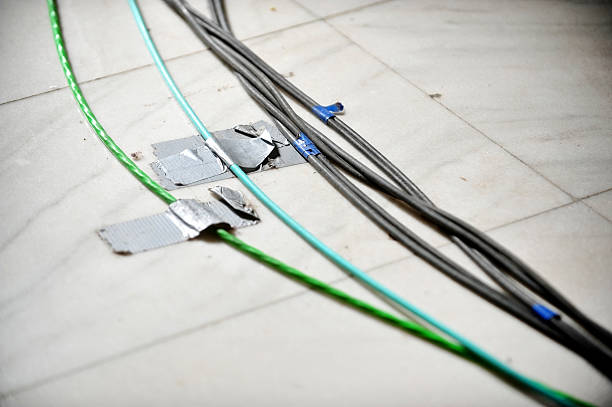
Walk onto almost any production set and you’ll find photographers solving the same problem in remarkably similar ways.
- Some use gaffer tape
- Others rely on clips, cable wraps, or improvised strain relief
- Many simply hope nothing catches the cable before the shoot wraps
While these approaches may appear to work, they’re ultimately reactive solutions designed to compensate for a problem instead of eliminating it. As productions become more dynamic with photographers moving between handheld shooting, tripod work, overhead angles, and collaborative client review the limitations of improvised cable management become increasingly apparent.
DIY solutions often:
- Shift during active shooting
- Require constant repositioning
- Place stress directly on the camera’s USB-C port
- Offer little protection when a cable is unexpectedly pulled
Instead of treating cable management as an accessory, today’s photographers are beginning to recognize it as an essential part of protecting their equipment and delivering a seamless client experience.
Signs Your Tethered Setup Needs Better Port Protection
A quick way to tell whether your current setup is putting the camera port at risk: look at the connection while the camera is in shooting position.
- Is the cable hanging unsupported straight out of the port?
- Does the cable shift sideways when you rotate or reposition the camera?
- Does the cable rub against the tripod head, rig, or your hand during handheld shooting?
- Do you have enough slack to move without the cable pulling directly on the port?
If the answer to any of those is yes, the port is already absorbing stress it wasn’t designed for — which is exactly the gap LeverLock Plus was built to close.
Start With the Right Camera Tethering Cable Port protection starts with the cable itself. A camera tethering cable that’s too short, or not built for professional data transfer can create stress on the connection before the shoot even begins. Pairing a dependable cable such as TetherPro® Optima 10G with the right camera-side support is where a truly protected tethered workflow begins.
Built from Real-World Feedback. Refined for Today’s Professional Photographer.
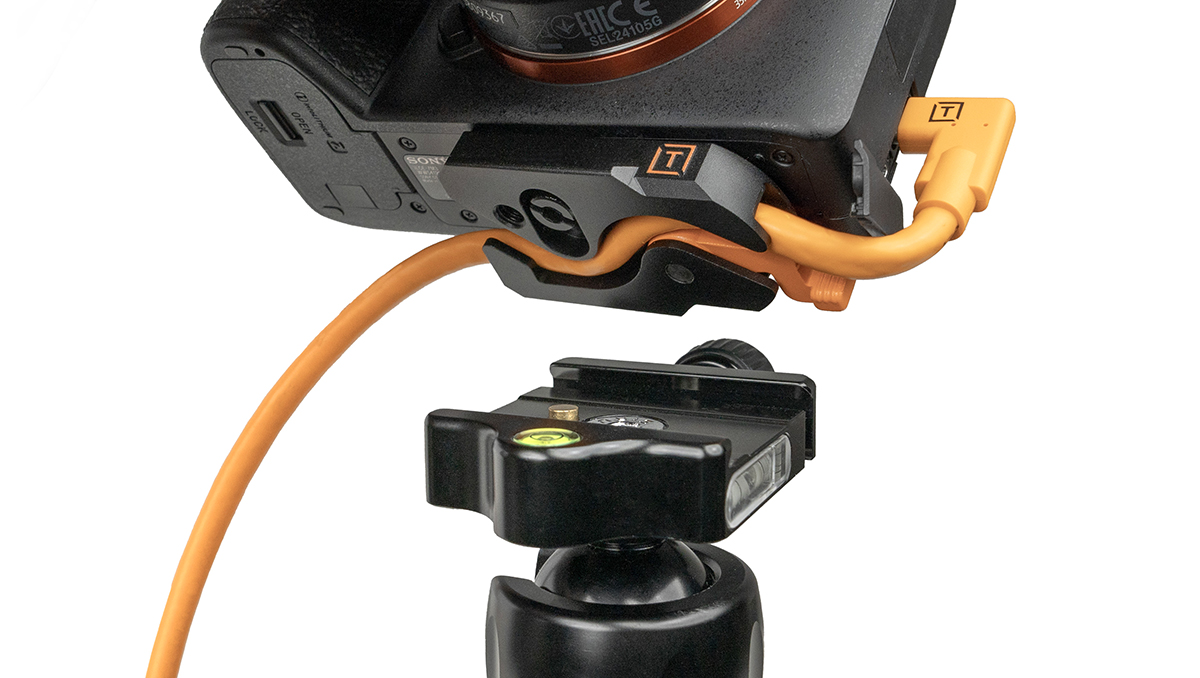
The original LeverLock became a trusted tool for photographers looking to secure tethered connections and reduce strain on their camera ports. But professional workflows continue to evolve and so did the expectations of the photographers using it.
The TetherGuard LeverLock Plus Tripod Plate was engineered to create a stronger, more dependable connection between your camera, tether cable, and tripod while helping protect one of the most vulnerable parts of your camera: the data port.
Rather than relying on tape, clips, or improvised cable routing, LeverLock Plus secures the tether cable directly at the camera using Tether Tools’ proven 5-Point Protection System, helping redirect strain away from sensitive camera ports while maintaining a stable connection throughout active production.
Every enhancement introduced with LeverLock Plus was driven by direct customer feedback and real-world production experience.
Among the most significant improvements are:
- Extended Arca-compatible dovetail for a more secure tripod connection and greater stability.
- Enhanced anti-rotation grip helps reduce unwanted camera movement during shooting.
- Refined cable management channel protects the tether cable and camera port by reducing strain.
- Integrated Quick-Disconnect (QD) compatibility and strap loop enable faster transitions between tripod and handheld shooting.
- Precision-machined all-metal construction built for demanding studio and on-location workflows.
- Integrated 1/4″-20 mounting thread expands compatibility with specialty accessories and custom setups.

Every update serves the same purpose: helping photographers spend less time worrying about their tethered connection and more time focused on creating exceptional work.
Complete Your Workflow with the LeverLock Plus + TetherPro® Optima 10G Cable Kits
Every component of your tethered workflow should work together. That’s why Tether Tools offers the LeverLock Plus + TetherPro Optima 10G Cable Kits, combining two tethering staples into one professional solution.
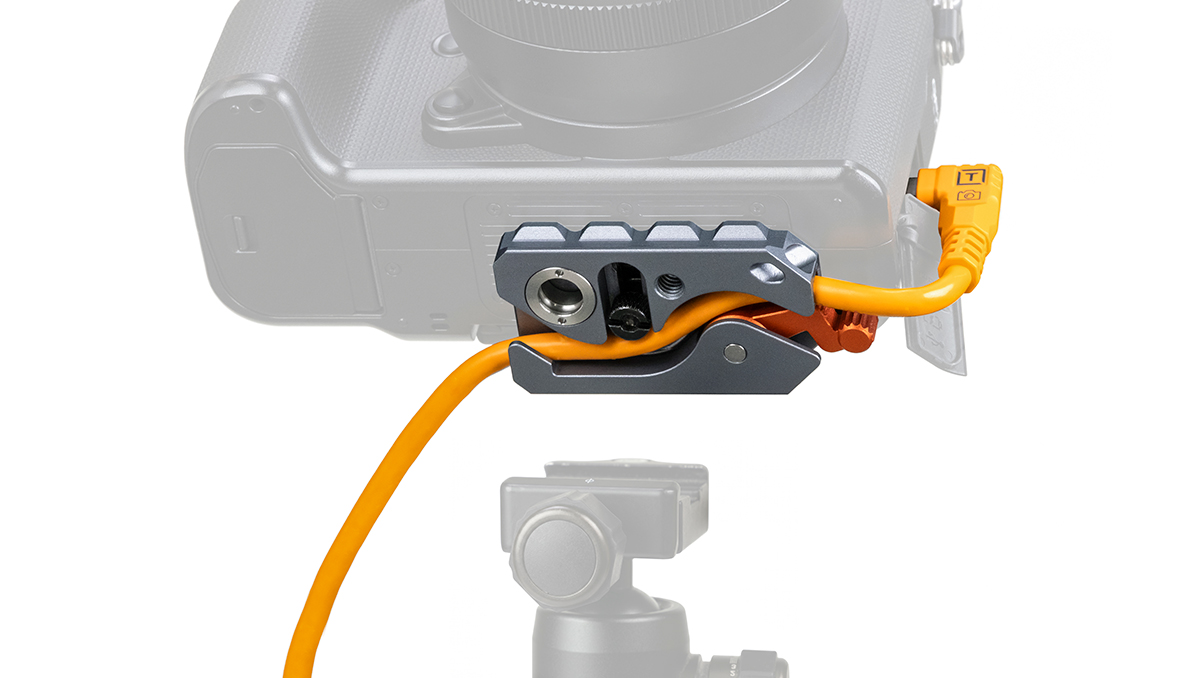

Available with either a 15 ft. (4.6 m) or 31 ft. (9.4 m) TetherPro Optima 10G USB-C Straight-to-Right-Angle Cable, these kits are designed for photographers and digital techs who want to build a reliable tethered workflow.
Together, LeverLock Plus and Optima 10G work as a complete system:
- Secure the cable at the camera with the LeverLock Plus 5-Point Protection System
- Help redirect strain away from delicate USB-C camera ports
- Deliver fast, dependable 10 Gbps data transfer for professional tethered capture
- Support immediate camera recognition with a dedicated data-only architecture that eliminates Power Delivery interference
- Maintain stable performance over extended distances with integrated TetherBoost signal optimization
- Create a cleaner, more organized workspace with purpose-built cable management instead of improvised solutions
Whether you’re tethering directly beside your workstation or shooting across a larger commercial set, these kits help create a workflow that’s designed for consistency from camera to computer.
Tethered Photography Workflow Checklist for Protecting Your Camera Port
Before the shoot starts, take a few minutes to check the physical connection — it’s one of the simplest ways to prevent an avoidable interruption later:
- Confirm the cable matches both the camera and computer ports
- Choose a tethering cable length that gives you room to move without leaving excess slack in foot-traffic paths
- Secure the cable at the camera with a dedicated strain-relief solution like LeverLock Plus
- Route the cable so assistants, clients, and crew are less likely to step on it
- Test camera recognition in your tethering software before the client or subject is on set
- Make one test pull to confirm the cable support absorbs movement before the camera port does
Frequently Asked Questions
What does the LeverLock Plus Tripod Plate do?
LeverLock Plus secures your tether cable at the camera, helping reduce strain on sensitive camera ports, prevent accidental cable disconnects, and create a more stable tethered photography workflow.
Is LeverLock Plus compatible with Arca-Swiss tripods?
Yes. LeverLock Plus features an extended Arca-compatible dovetail for compatibility with Arca-style quick-release systems while also including an integrated 1/4″-20 mounting thread for additional flexibility.
What’s included in the LeverLock Plus Cable Kits?
Each kit includes the TetherGuard LeverLock Plus Tripod Plate, a TetherPro Optima 10G USB-C Straight-to-Right-Angle Cable in either 15-foot or 31-foot lengths, and a ProTab Cable Tie for cable organization.
How do I protect my camera port when shooting tethered?
Use a dedicated tethering cable and add strain relief at the camera. The goal is to keep cable movement from pulling directly on the camera port. LeverLock Plus is designed to secure the tethering cable at the camera and help redirect strain away from the port.
Is gaffer tape enough for tethered photography?
Gaffer tape can help temporarily organize a cable, but it isn’t a complete camera port protection strategy. Tape can loosen or shift, and it may not control where force goes when the cable is pulled. For repeatable professional tethered shooting, a dedicated cable support like LeverLock Plus is more reliable.
Related Reading:
- What is Tethered Photography?
- What Makes TetherPro Optima 10G the Best USB-C Tethering Cable?
- The Ultimate Tethering Best Practices and Troubleshooting Guide
Explore Cable Management Solutions: here
