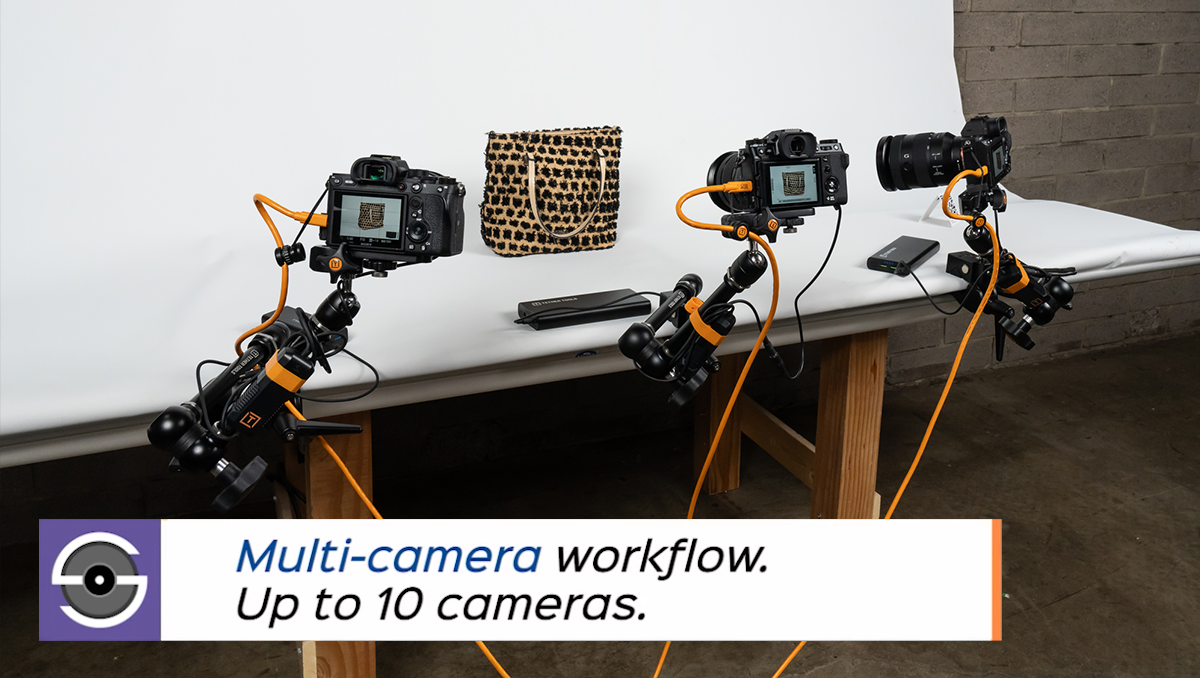
Bring Smart Shooter 6 into a larger production system with the optional API Connection. Designed to allow external software to communicate with Smart Shooter 6 for customized camera control, capture automation and workflow coordination.
Whether you’re building a product photography station, supporting collection digitization or developing a specialized capture application, the API Connection gives your team tools to connect photography with the next step in your process.
Control Capture from Your Application
Send supported commands from an external application to connect cameras, trigger capture, adjust camera settings, initiate autofocus and download or rename photos. Build these actions into a process designed around your production needs.
Available functions depend on the connected camera and the integration.
Keep Your Systems Informed
Receive updates when cameras are detected, camera settings change, photos are captured or image downloads complete. Your integration can use these events to track progress and determine what happens next.
Build Around Your Production Needs
The External API uses ZeroMQ communication and JSON messages. Developer documentation and Python examples provide a starting point for building and testing an integration.
Add the Functionality You Need
Purchase the API Connection alongside Smart Shooter 6 or add it to an existing Smart Shooter 6 license. Additional Multi-Camera licenses are required when using more than one camera simultaneously.
Important: This product provides API access within Smart Shooter 6. It requires a compatible external application or custom development; purchasing the add-on does not create an integration automatically.
Features of Smart Shooter API:
- Connect external software with Smart Shooter 6.
- Send supported camera-control and capture commands.
- Receive camera and photo status updates.
- Incorporate photo download and naming actions into a custom process.
- Use ZeroMQ communication with JSON messages.
- Access developer documentation and Python examples.
Before You Purchase
Smart Shooter 6 is required.
The API Connection is an add-on, not a standalone tethering application. Purchasing it separately does not include the base Smart Shooter 6 license.
Confirm your integration requirements.
Have your developer or software provider review the Smart Shooter 6 API documentation to confirm the commands, events and camera functions your process needs.
Multi-Camera licensing is separate.
API access does not alter the number of cameras that can be used simultaneously in Smart Shooter 6. Add one Multi-Camera license for each camera beyond the first that you intend to use simultaneously.
API access must be enabled.
After the API Connection has been added to your Smart Shooter 6 license, enable it in the External API tab within Options and configure the connection for your integration.
Frequently Asked Questions
1. Do I need the API Connection for everyday tethered photography?
No. It is intended for workflows where another application needs to communicate directly with Smart Shooter 6. For example, a custom product photography system could send a command to take a photo and receive a notification when the image has downloaded. Connecting your camera, capturing images and reviewing them in Smart Shooter 6 does not require the API Connection.
2. Do I need it to move images into my editing application?
A routine file handoff does not automatically require API access. Purchase the API Connection when your integration needs direct two-way communication with Smart Shooter 6.
3. Is the API Connection the same as Script Controls?
No. Script Controls run Python scripts inside Smart Shooter 6. The API Connection allows an external application to communicate with Smart Shooter 6.
4. Will it work automatically with my existing software?
Compatibility depends on the external application and the integration. Confirm support with your developer or software provider before purchasing.
5. What is the difference between an API integration and a Hot Folder?
A Hot Folder lets another application watch a designated folder and automatically import or process new images saved there by Smart Shooter 6.
An API integration connects your software directly to Smart Shooter 6, enabling it to control cameras, send capture commands and receive images and camera or photo updates. This brings capture functionality into your proprietary software.
Use a Hot Folder to pass captured images to another application. Choose the optional API Connection when your software also needs to control or communicate with Smart Shooter 6.