# Tether Tools
> Tether Tools makes tethered photography and digital capture tools, including cables, port protection, workstations, mounts, software, camera power, and kits for studio and location shoots.
> Generated by All in One SEO Pro v5.0.3, this is an llms-full.txt file, used by LLMs to index the site.
## Posts
### [Blog](https://tethertools.com/blog/)
**Published:** April 5, 2010
**Author:** Josh Simons
**Content:**
[](https://www.tethertalk.com "Tether Talk")#### [TetherTalk.com – Online resource for tethered photography](https://www.tethertalk.com "Tether Talke")
[](/plugging-in/what-is-tethered-photography/ "tethering basics")#### [Tethered Photography Basics](/plugging-in/what-is-tethered-photography/ "tethering basics")
[](https://tethertools.com/setting-up-a-cabled-tethered-workstation/ "Setting up a tethered workstation")#### [Setting Up a Cabled Tethered Workstation](https://tethertools.com/setting-up-a-cabled-tethered-workstation/ "Setting up a tethered workstation")
[](/tethering-software/ "Tethering Software Solutions for Mac, PC and Linux Tethered Photography ")#### [Tethering Software](/tethering-software/ "Tethering Software Solutions for Mac and PC Tethered Photography ")
[](/plugging-in/usb-compatibilty/ "Camera Compatibility Guide for TetherPro Cables")#### [Find the correct USB, FireWire or HDMI Cable](/plugging-in/usb-compatibilty/ "Camera Compatibility Guide for TetherPro Cables")
[](/plugging-in/clients/ "Who's Using Tether Tools")#### [Who’s Using Tether Tools](/plugging-in/clients/ "Who's Using Tether Tools")
[](https://tethertools.com/vu-photo-booth/ "Vu PhotoBooth")#### [Vu Photo Booths](https://tethertools.com/vu-photo-booth/ "Vu PhotoBooth")
[](/plugging-in/aerotab/ "AeroTab Universal Tablet Mounting System")#### [AeroTab Universal Tablet Mounting System](/plugging-in/aerotab/ "AeroTab Universal Tablet Mounting System")
[](../../plugging-in/wallee-ipad-modular-case/ "Wallee iPad Modular Accessory System with Interchangeable Cases, Stands and Brackets")#### [Wallee iPad Modular Accessory System](../../plugging-in/wallee-ipad-modular-case/ "Wallee iPad Modular Accessory System with Interchangeable Cases, Stands and Brackets")
[](https://support.apple.com/kb/ht5452 "Identifying iPad models")#### [Identify Your Correct iPad Model](https://support.apple.com/kb/ht5452 "Identifying iPad models")
[](https://tethertools.com/plugging-in/manfrotto-digital-director-supported-cameras/ "Digital Director Supported Cameras")#### [Manfrotto Digital Director Supported Cameras](https://tethertools.com/plugging-in/manfrotto-digital-director-supported-cameras/ "Manfrotto Digital Director Supported Cameras")
[](/about/reviews/ "Recent Tether Tools Reviews")#### [Recent Tether Tools Reviews](/about/reviews/ "Recent Tether Tools Reviews")
[](../../monthly-newsletter/ "Monthly Newsletter")#### [Monthly Newsletter](../../monthly-newsletter/ "Monthly Newsletter")
[](https://tethertools.com/plugging-in/customize-aero/ "Looking for something unique")#### [Looking for something unique or custom?](/plugging-in/introducing-the-tether-table%C2%AE-aero-aero-black/customize-aero/ "customize the Aero")
[](/plugging-in/vu-monitor-mounts-comparison-chart/ "Vu Monitor Mounts Comparison Chart")#### [Vu Monitor Mount Comparison Chart](/plugging-in/vu-monitor-mounts-comparison-chart/ "Vu Monitor Mounts Comparison Chart")
[](https://tethertools.com/install "Wallee iPad Case Installation Video")#### [Wallee iPad Case Installation Video](www.tethertools.com/install "Wallee iPad Case Installation Video")
[](../../plugging-in/assembly/ "Product Assembly")#### [Tether Tools Product Assembly & Instructions](../../plugging-in/assembly/ "Product Assembly")
[](https://tethertools.com/about/frequently-asked-questions-faq/ "tether table")#### [FAQ](https://tethertools.com/about/frequently-asked-questions-faq/ "FAQ")
[](/plugging-in/tether-table%C2%AE/ "tether table")#### [The Tether Table Story](/plugging-in/tether-table%C2%AE/ "tether table")
---
### [Tethering and a Photographer’s Creative Process](https://tethertools.com/blog/tethering-and-a-photographers-creative-process/)
**Published:** September 8, 2020
**Author:** Kevin Jenkins
**Content:**
[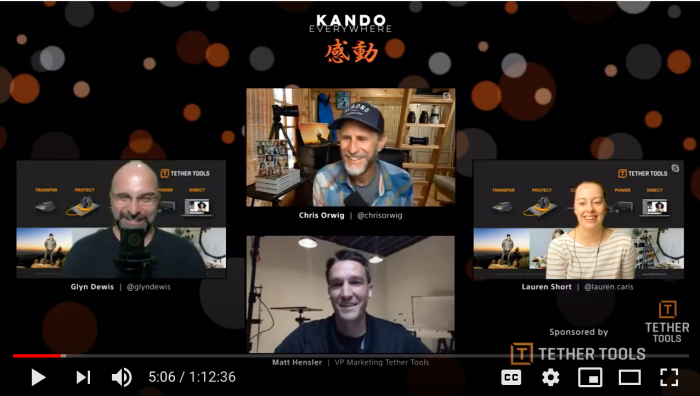](https://www.youtube.com/watch?v=JMpudVq-HmM&t=6s)For months, COVID-19 has prevented us from attending the usual live industry events. Yet, Tether Tools has been glad to stay in front of photographers, alongside our dealers and pros at numerous online events and workshops. Recently, we had the opportunity to engage with the active community of Sony photographers at [Kando Everywhere](https://alphauniverse.com/kando-everywhere/).
From 1:1 discussions, group chats in our virtual booth, and hosted presentation by Tether Tools Top Pros Chris Orwig, Lauren Short and Glyn Dewis, we had a lot of fun collaborating with Sony users around the globe.
One conversation in particular, merits sharing here. Our panel discussion on the topic of Limitless Creativity brought together three very different perspective on the role tethering plays in supporting and enhancing the creative process. While I’d encourage anyone to watch the full session live, these three key takeaways from the discussion are sure to have you thinking about, and applying, tethering in a different light.
## **Before the Workflow, See How Creativity Unfolds**
Tethering creates advantages in directing composition, collaborating with clients, reducing post-production work and in general knowing exactly when you’ve got the shot.
Before going into your technical setup, all three of the pro photographers advised to spend some time with your subject to see how it, and the environment where you’re shooting, inspiring the vision for the image you want to create. Lauren suggests moving around and playing with whatever natural light exists in the environment. You can then use that simple exercise to direct how you set up the rest of your gear.
With your vision in mind, your technical workflow should be set up to help you achieve it.
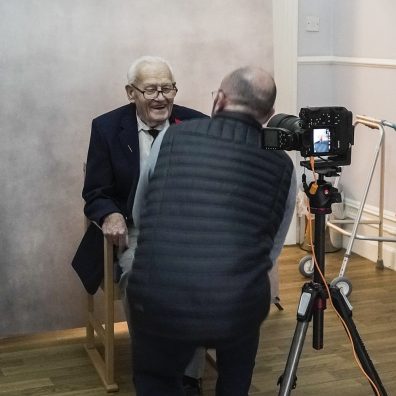Glyn’s tip when shooting people is to spend a few minutes sitting alongside and talking to them. This will give you the chance to engage with your subject, get to know them and put them at ease by humanizing the experience before the set gets filled with gear. **Photo Credit (Left): Glyn Dewis**
With your vision in mind, your technical workflow should be set up to help you achieve it.
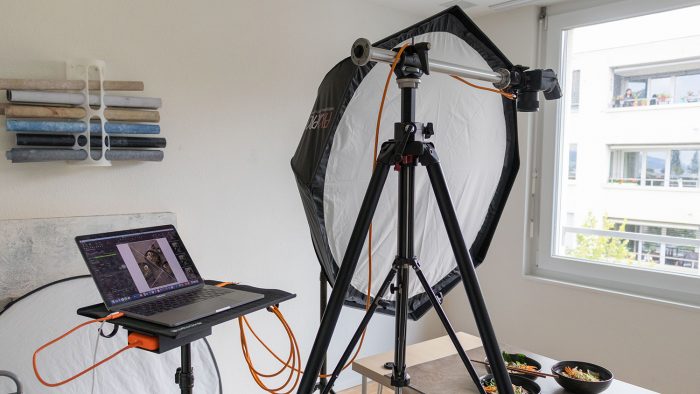Photo Credit: Lauren Short
## Tethering Has Evolved with Technology
Mastering the technical workflow opens creativity even more. In its most basic form, tethering involves a camera that can tether, device with tethering software that will ingest those images, and then a compatible cable that connects the two. Tether Tools is well known for its [bright orange cables](https://tethertools.com/product-category/cables-adapters/).
Beyond that basic setup, the tethered workflow has evolved to become a system that helps photographers not only to transfer images, but also to protect equipment, collaborate with others, keep their gear powered and direct their shoot through software applications that quickly bring the creative vision into focus.
### Get Lauren Short’s Gear
- [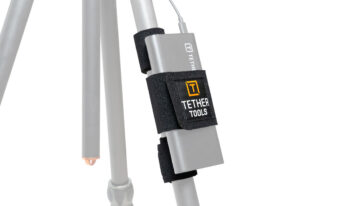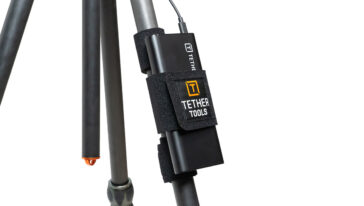## StrapMoore
$19.99](https://tethertools.com/product/strapmoore/)[Add to cart](/wp-admin/admin-ajax.php?action=as_async_request_queue_runner&nonce=89c501d284&add-to-cart=7960)
- [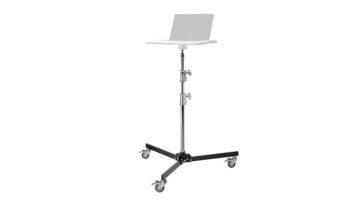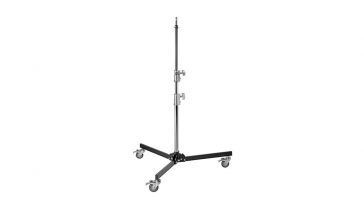## Rock Solid Low Boy Roller
$279.99](https://tethertools.com/product/rock-solid-low-boy-roller/)[Add to cart](/wp-admin/admin-ajax.php?action=as_async_request_queue_runner&nonce=89c501d284&add-to-cart=2453157)
Photo Credit: Lauren Short
### Get Chris Orwig’s Gear
No products were found matching your selection.
- [58% OFF
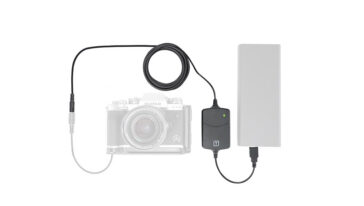
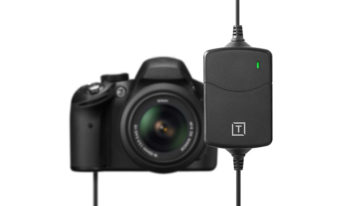
## ONsite Relay A Camera Power System
58% OFF
$119.99 Original price was: $119.99.$49.99Current price is: $49.99.](https://tethertools.com/product/onsite-relay-a-camera-power-system/)[Add to cart](/wp-admin/admin-ajax.php?action=as_async_request_queue_runner&nonce=89c501d284&add-to-cart=2436701)
Photo Credit: Chris Orwig
### Get Glyn Dewis’ Gear
- [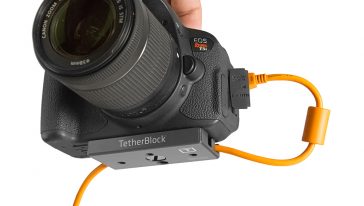## TetherBlock®
$99.99](https://tethertools.com/product/tetherblock/)[Add to cart](/wp-admin/admin-ajax.php?action=as_async_request_queue_runner&nonce=89c501d284&add-to-cart=2467420)
- [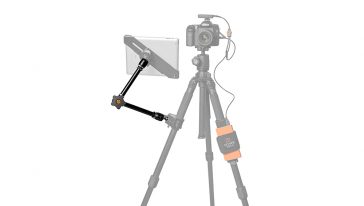## Rock Solid Master Articulating Arm
$89.99](https://tethertools.com/product/rock-solid-master-articulating-arm/)[Read more](https://tethertools.com/product/rock-solid-master-articulating-arm/)
- [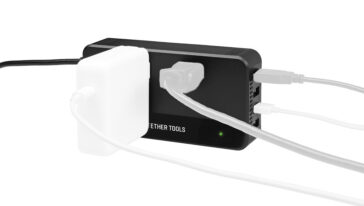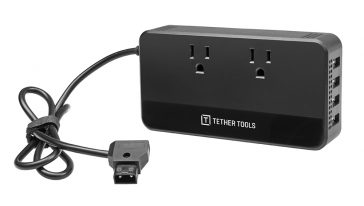## ONsite D-Tap to AC Power Supply
$89.99](https://tethertools.com/product/onsite-d-tap-to-ac-power-supply/)[Select options](https://tethertools.com/product/onsite-d-tap-to-ac-power-supply/) This product has multiple variants. The options may be chosen on the product page
Photo Credit: Glyn Dewis
This advice was shared by Chris from another photographer’s comments that have stuck with him throughout his career. From a business perspective, photographers get commissioned by clients to produce images for any number of reasons. From new products, to family portraits, school photos, high fashion and more, satisfying the client is your number one priority in most shoots.
At the same time, each set is an opportunity to build your skills, evolve your style and push the craft of photography in the world a little bit further. So, for each shoot, be sure you capture the image your client hired you for. Then make sure you get one that feeds your creativity and inspires you to pursue the next shoot.
Photo Credit: Chris Orwig
For those who tether, there is recognition that it is an essential link between the photographer and their process. If you’re interested in hearing more about the symbiotic relationship between tethering and creativity, [view the entire session.](https://www.youtube.com/watch?v=JMpudVq-HmM&t=6s)
[](https://www.youtube.com/watch?v=JMpudVq-HmM&t=6s)
**Categories:** From the Pros, Industry News
**Tags:** Creative Spotlight, Sony Kando
**Hide Automatic Featured Images:** Hide
---
### [dslrBooth Photo Booth Software - The Easy to Use Software Solution for Your DIY Photo Booth](https://tethertools.com/blog/dslrbooth-photo-booth-software-the-easy-to-use-software-solution-for-your-diy-photo-booth/)
**Published:** July 11, 2017
**Author:** Tom Pitts
**Content:**
 Setting up and running a photo booth shouldn’t be a complicated or expensive endeavor, and it isn’t with the help of [dslrBooth photo booth software](https://tethertools.com/product/dslrbooth-photo-booth-software/). Easy to install and run, just fire up your PC or Mac, hook up your Canon, Nikon, or Sony DSLR, or webcam and you’re on your way to a professional photo booth experience. Created by professional photographers for photo booth operators of all skill levels, dslrBooth photo booth software was built from the ground up for the sole purpose of running photo booths. The software uses the latest technology to provide you and your guests high quality prints, and the ability to share photo and GIFs across social media including Facebook, Twitter, SMS text, and email. Best of all, dslrBooth supports you with guidance on their impressive support site, video tutorials and highly experienced support team. **Here’s What Customers Are Saying About dslrBooth Photo Booth Software:**
> **Easy, Snappy, Fun Software** The professional edition is definitely worth your purchase. I had the photo booth setup for New Year’s Eve and it was most certainly the highlight of most people’s evening. There wasn’t one time that I saw that the booth was empty. I highly recommend this software to drive your photo booth! – Simon F **Easy to Install and Easy to Work With** I installed this and within five minutes I had my open air photo booth running, my kids loved especially the green screen option, we had hours of fun. Thanks dslrBooth for making this software easy to work with! – Jovan T
##### **dslrBooth Standard Edition Includes:**
- FREE iPad viewing/sharing app – [fotoShare](https://itunes.apple.com/us/app/fotoshare/id873284399?ls=1&mt=8)
- Fully automated workflow from capture to printing
- Customize prints with text and graphics with built-in template editor
- E-mail, SMS, Facebook, Twitter, and QR Code sharing
- Optimized for touch screens
- Option to add photo effects such as black/white, sepia, other filters
- Male, Female, and Customizable Audio Prompts
- Generate animated GIFs with customizable overlays
##### **dslrBooth Professional Edition Includes:**
**The Professional Edition has all features of the Standard edition plus…** **Green Screen (Chromakey)** Replace a green or blue background with a custom background using state of the art Green Screen technology. The process is completely automated and effortless. **Custom Paper Sizes** In additional to the standard 4×6 paper size, print on 4×8, 5×7, 6×8, 8×10, and any other paper sizes. **Live View** Live View which allows people to see a video of themselves before the camera takes a picture. This is supported by most recent DSLR cameras. **Facebook Pages** Automatic upload of all prints to your Facebook Page in the background while your booth is running. Your guests instantly see all photos and can share them boosting your social reach. **To learn more about dlsrBooth Photo Booth Software visit [www.dslrbooth.com](https://dslrbooth.com/).**##### Need a photo booth kit? The Ultimate Rock Solid PhotoBooth Bundle from Tether Tools has all the hardware you need to create the most incredible photo booth experience for events, wedding or parties. Check it out at www.TetherTools.com!
**Categories:** Photography Styles, Software & Apps
**Tags:** dslrbooth, featured, Photo Booth
**Hide Automatic Featured Images:** Hide
---
### [FUJIFILM X-Pro2 Firmware Update Adds Support for Tethered Shooting](https://tethertools.com/blog/fujifilm-x-pro2-firmware-update-adds-support-for-tethered-shooting/)
**Published:** December 22, 2017
**Author:** Tom Pitts
**Content:**
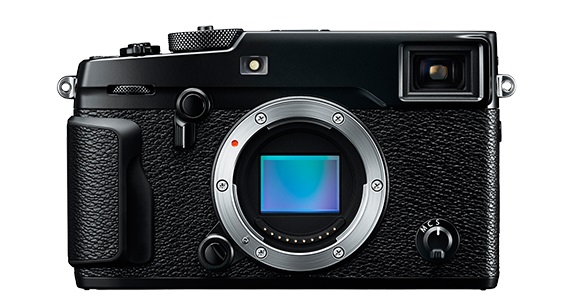Photo Courtesy of FUJIFILM FUJIFILM Corporation released a firmware update for the X-Pro2 that, among other updates, will allow the camera to shoot tethered via various methods. [Read the full firmware update details here.](https://www.fujifilm.com/support/digital_cameras/software/firmware/x/xpro2/index.html) The first is a previously released plug-in for Adobe Lightroom. The plugin will be available from Adobe Add-ons website for US$79.
- [Download Windows version.](https://exchange.adobe.com/addons/products/16991#.Wj02EFWnGUl)
- [Download Mac version.](https://exchange.adobe.com/addons/products/16759#.Wj02ElWnGUk)
Another option is using FUJIFILM X Acquire, which was discussed in a recent [spotlight article](https://tethertalk.com/2017/09/05/photographer-spotlight-nader-abushhab-shoots-tethered-with-the-fuji-xt-2/) with Phoenix photographer Nader Abushab who spoke highly of using the software with his XT-2. In order to shoot tethered with the X-Pro2 you’ll need a USB 2.0 to Micro-B 5 Pin cable. The TetherPro USB 2.0 to Micro-B 5-Pin Cable (15ft/4.6m) has a reinforced Ferrite core to filter out signal noise and reduce transmission errors and full-lined shielding to protect against external signal interference. **Here’s some more details about the tethering plug-in for FUJIFILM to Lightroom.**##### *(1) Featuring the “Camera Mode” and “PC Mode” to control shooting on camera or from computer*
In Camera Mode, the camera is held in hand or set up on a stand. The images taken will be transferred directly and saved onto the computer for use in Lightroom. Adjustment of exposure and other shooting settings, as well as the shutter release, is carried out on the camera. In PC Mode, users can check the viewfinder image of a remotely-setup camera in the LIVE VIEW window, operate the camera and adjust its settings on the computer screen. The user can also take images and have them transferred directly and saved onto a computer for use in Lightroom. Adjustment of exposure and other shooting settings and the shutter releases are carried out from the connected computer. ##### *(2) Featuring the “Control Panel” to check captured image and to control camera*
The Control Panel PREVIEW window allows users to check transferred images in quicker than before. The Control Panel also allows users to check shooting angles with LIVE VIEW, to set shooting conditions from the computer, to operate interval/bracketing shootings and to backup/restore all the camera settings.
**Categories:** Software & Apps
**Tags:** featured, fujifilm, FUJIFILM X-Pro2
**Hide Automatic Featured Images:** Hide
---
### [Choosing the Right Mobile Tethering App: A Guide for Professionals ](https://tethertools.com/blog/choosing-the-right-mobile-tethering-app-a-guide-for-professionals/)
**Published:** April 17, 2025
**Author:** Hailey Barrus
**Content:**
In the dynamic world of photography, image transfer from mirrorless and DSLR cameras to mobile phone and tablet apps have become helpful tools for photographers seeking efficiency and flexibility. Understanding the capabilities of these Camera Specific Mobile tethering apps can significantly impact your workflow or simply offer an occasional alternative to your tried and true workflow. Understanding the benefits and drawbacks of each can help you make an informed decision on which software will work best for your needs.
| **Feature** | **Capture One Mobile** | **Sony Imaging Edge** | **Sony Creators’ App** | **Canon Camera Connect** | **Nikon SnapBridge** | **Fujifilm XApp** | **Leica FOTOS** | **Phocus Mobile** |
|---|---|---|---|---|---|---|---|---|
| Remote Shooting (Live View) | ✅ | ✅ | ✅ | ✅ | ✅ | ✅ | ✅ | ✅ |
| Image Transfer | ✅ | ✅ | ✅ | ✅ | ✅ | ✅ | ✅ | ✅ |
| Cloud Integration | ✅ | ❌ | ✅ | ✅ | ✅ | ❌ | ✅ | ❌ |
| Camera Settings Backup/Restore | ✅ | ✅ | ✅ | ❌ | ✅ | ✅ | ❌ | ❌ |
| RAW Support | ✅ | ✅ | ✅ | ✅ | ✅ | ✅ | ✅ | ✅ |
| Editing Tools | ✅ | ❌ | ❌ | ❌ | ❌ | ❌ | ✅ | ✅ |
| Firmware Updates | ❌ | ❌ | ✅ | ✅ | ✅ | ✅ | ✅ | ✅ |
| Cable Tethering | ✅ | ✅ | ❌ | ❌ | ❌ | ❌ | ❌ | ✅ |
| Platform | iOS | iOS/Android | iOS/Android | iOS/Android | iOS/Android | iOS/Android | iOS/Android | iOS |
## Capture One Mobile: The Professional’s Choice
[](https://www.captureone.com/en/products/capture-one-mobile)**[Capture One Mobile](https://www.captureone.com/en/products/capture-one-mobile "Capture One Mobile")** stands out with its robust feature set, including live view remote shooting, seamless image transfer, cloud integration, and comprehensive editing tools. Its ability to back up and restore camera settings ensures consistency across shoots, making it an ideal choice for professionals who demand precision and reliability. Let’s compare Capture One Mobile to the free Camera Manufacturer’s apps for wireless and cable tethering to an iPad, iPhone, and tablet.
## Brand-Specific Apps Solutions
### [Sony Imaging Edge](https://creatorscloud.sony.net/catalog/en-us/ie-mobile/index.html "Sony Imaging Edge") & [Creators’ App](https://creatorscloud.sony.net/catalog/en-us/creatorsapp/index.html "Creators' App"):
[](https://creatorscloud.sony.net/catalog/en-us/ie-mobile/index.html)Imaging Edge
- Sony offers two apps catering to different needs. **[Imaging Edge](https://creatorscloud.sony.net/catalog/en-us/ie-mobile/index.html "Imaging Edge")** provides basic remote shooting and image transfer, while **[Creators’ App](https://creatorscloud.sony.net/catalog/en-us/creatorsapp/index.html "Creators' App")** adds cloud integration and camera settings management. However, they lack advanced editing tools.
[](https://creatorscloud.sony.net/catalog/en-us/creatorsapp/index.html)Creator’s App### Canon Camera Connect:
[](https://www.usa.canon.com/mobile-apps/camera-connect?srsltid=AfmBOopgpFlK-Xgb_XF_iijR8eAZ-Bzrzeng1sNEuL2zgE3we_tp0wJ-)
- **[This app](https://www.usa.canon.com/mobile-apps/camera-connect?srsltid=AfmBOopgpFlK-Xgb_XF_iijR8eAZ-Bzrzeng1sNEuL2zgE3we_tp0wJ- "This app")** offers reliable remote shooting and image transfer capabilities, with added cloud integration. It’s a solid choice for Canon users seeking straightforward functionality.
### Nikon SnapBridge:
[](https://snapbridge.nikon.com/)
- **[SnapBridge](https://snapbridge.nikon.com/ "SnapBridge")** excels in automatic image transfer and remote shooting. Its ability to pair with multiple cameras and integrate with Nikon’s cloud services makes it suitable for photographers managing multiple devices.
### Fujifilm XApp:
[](https://www.fujifilm-x.com/global/products/software/xapp/)
- **[Fujifilm’s XApp](https://www.fujifilm-x.com/global/products/software/xapp/ "Fujifilm's XApp")** offers seamless wireless communication, remote control, and camera settings backup. While it lacks cloud integration, its user-friendly interface and reliable performance have been well-received.
### Leica FOTOS:
[](https://leica-camera.com/en-US/photography/leica-fotos)
- **[Leica FOTOS](https://leica-camera.com/en-US/photography/leica-fotos "Leica FOTOS")** provides wireless tethering, live preview, and integration with editing apps like Adobe Lightroom. It’s designed for Leica users seeking a cohesive mobile workflow.
### Phocus Mobile:
[](https://www.hasselblad.com/phocus/phocus-mobile/)
- Tailored for Hasselblad users, **[Phocus Mobile](https://www.hasselblad.com/phocus/phocus-mobile/ "Phocus Mobile")** offers advanced camera control, RAW image processing, and editing tools. Its recent updates have enhanced its capabilities, making it a powerful companion for high-end photographers.
## Making the Right Choice
Selecting the appropriate mobile app depends on your specific needs and the equipment you use. For professionals requiring comprehensive features and cross-platform compatibility, Capture One Mobile is a compelling option. However, brand-specific apps offer tailored solutions that integrate seamlessly with their respective camera systems.
## Mobility is Your Creative Edge
[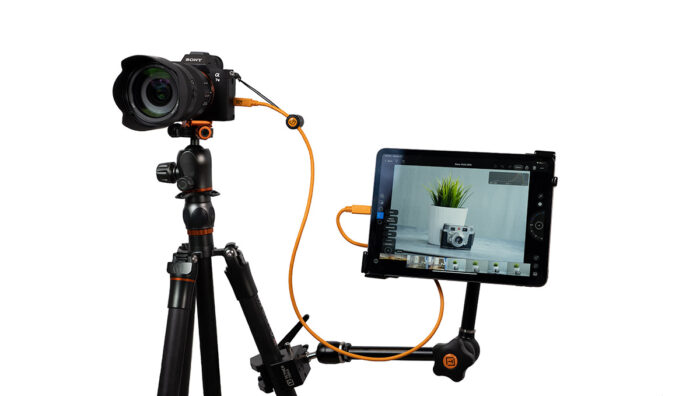](https://tethertools.com/product/mobile-tablet-tethering-kit/)Mobile Tablet Tethering Kit[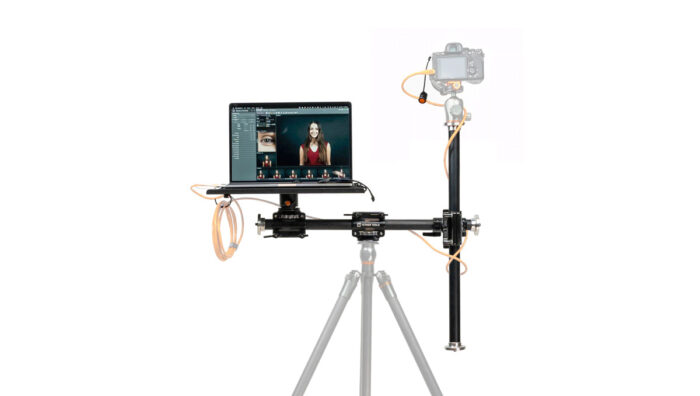](https://tethertools.com/product-category/all-in-one-portable-studio-tethering-kit/)All in One Portable Tethering KitAt Tether Tools, we understand the importance of reliable and efficient workflows. Our range of accessories is designed to complement these apps, ensuring that your tethering experience is seamless, whether you’re in the studio or on location.
| **Feature** | **Mobile Tethering Kit** | **All-In-One Portable Studio Tethering Kit** |
|---|---|---|
| **Mounts an iPad** | ✅ Includes AeroTab, Clamp &Arm to mount to stands | ✅ Mount the AeroTab on the Tripod CrossBar |
| **Mounts a Laptop** | ❌ | ✅ Includes Tether Table Aero platform |
| **Weight** | Approx. 2.5 lbs (1.13 kg) | Approx. 13.5 lbs (6.12 kg) |
| **Weight Capacity** | Supports tablets up to 2.2 lbs (1 kg) | Supports laptops + gear up to 30 lbs (13.6 kg) |
| **Portability (Backpack / Carrying Case)** | ✅ Packs easily into a backpack | ✅ Comes with a custom carrying case |
| **Compatible with Tether Tools Tripod Roller** | ✅ | ✅ |
Whether you’re capturing portraits in a client’s home, shooting fashion on location, or running tech on a high-stakes commercial set, mobility isn’t a luxury—it’s a necessity.
With the **Mobile Tethering Kit,** you’re traveling light and fast with just an iPad setup—perfect for quick previews, client reviews, or run-and-gun style setups.
On the other hand, the **All-In-One Portable Studio Kit** transforms any space into a full tethered workstation with both laptop and the capability to mount a tablet or iPad—ideal for those who need the horsepower of a laptop and the versatility of an iPad, all on a durable, rolling setup.
[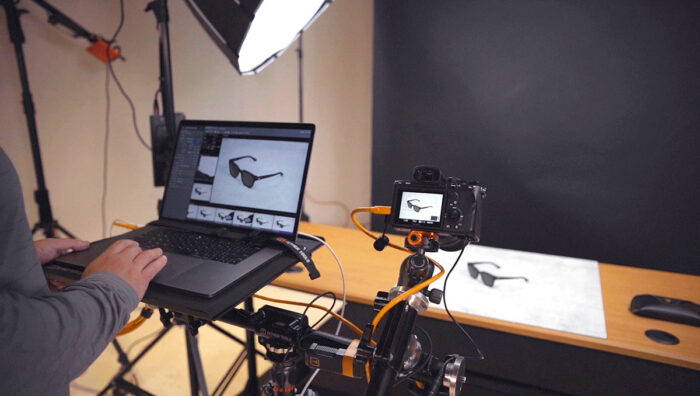](https://tethertools.com/product-category/all-in-one-portable-studio-tethering-kit/)Both kits are designed with portability, durability, and creative flexibility in mind, empowering photographers, digital techs, and studios to build smarter, more efficient mobile workstations—anywhere the shoot takes them.
\*\*All information is accurate to our best knowledge at the time of publishing. If you see an update that needs to be made to any feature set, please contact us at **customersupport@tethertools.com**. Thank you.\*\*
**Categories:** Camera Compatibility, Mobile Tethering, Software & Apps
---
### [Mobile Tethering For iPad with Capture One](https://tethertools.com/blog/tethering-now-available-for-ipad-ipad-pro-with-capture-one-app/)
**Published:** October 11, 2022
**Author:** Kevin Jenkins
**Content:**
[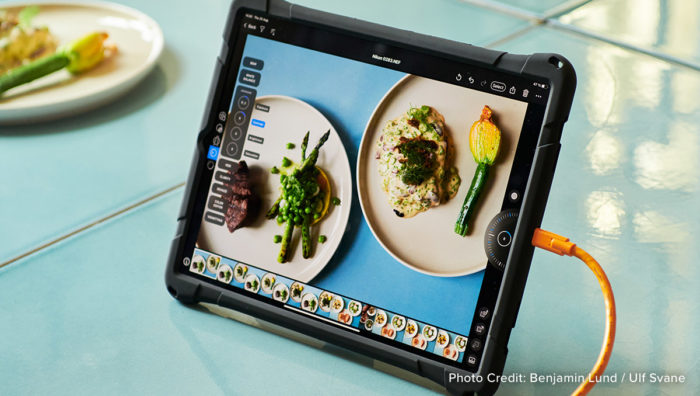](https://tethertools.com/wp-content/uploads/2022/10/capture_one_mobile_on_ipad_pro_benjamin_lund_ulf_svane-4-1200x678-1.jpg)Adding tethering to your photography workflow helps increase efficiency, productivity, and collaboration during your shoot. With the recent release of **[Capture One for iPad](https://www.captureone.com/en/products/capture-one-for-ipad)**, being able to take your tethered workflow on the go has never been easier!
## Benefits of adding Capture One for iPad to your photography workflow
Capture One for iPad allows photographers to have the freedom to start their workflow anywhere, anytime. You now have all the tools you need right at your fingertips to work quickly and efficiently. By being able to tether to an iPad, with either a [**TetherPro Cable**](https://tethertools.com/product-category/cables-adapters/) or wirelessly, photographers now have the chance to kickstart their editing process while out on the go and have the option to pick up where they left off on their desktop using the Cloud Transfer.
To keep the iPad secure and close by during your shoot, you can utilize the **[Frio Bigi](https://friophoto.com/product/frio-grasp-bigi/)** or **Aero Tab** to keep the iPad screen close to your camera. To mount the iPad, you can mount directly to the tripod with the **AeroTab** or utilize the AeroTab, arm, and clamp of the **AeroTab Master Kit**. To increase safety in your tethered workflow, pair your gear with the [**TetherGuard Thread Mount**](https://tethertools.com/product/tetherguard-thread-mount-support/) and **[Camera Support](https://tethertools.com/product/tetherguard-camera-support/)** to make sure that your cables stay secure and safe during your photography shoot.
[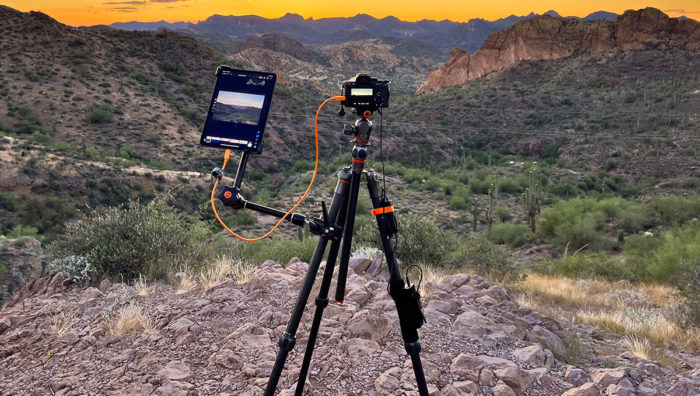](https://tethertools.com/product-category/ipad-tablet-mounts/)## How to utilize Capture One for iPad and tethering in your next photography shoot
[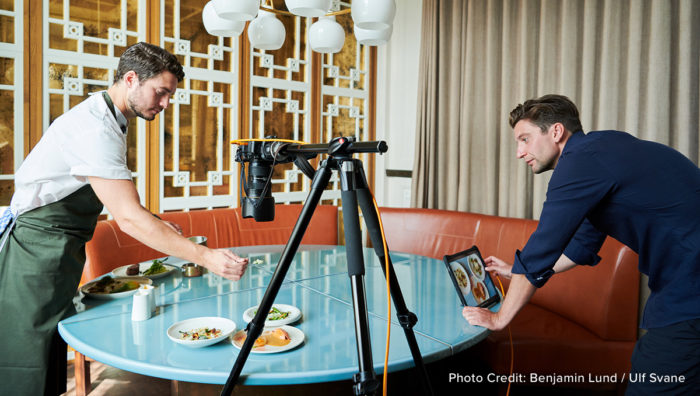](https://tethertools.com/wp-content/uploads/2022/10/capture_one_mobile_on_ipad_pro_benjamin_lund_ulf_svane-5-1200x678-1.jpg)The new software from Capture One allows photographers to go from shoot to delivery out in the field quickly with tethered shooting to iPad. Photographers can now reference images in the moment on a bigger screen, ensuring sharpness and quality, without bringing along a larger setup. This is a perfect addition for street photographers, wedding photographers, travel photographers, and on-site shoots to quickly show images to clients.
Being able to show images as they are being captured makes collaboration easier and increases client confidence while out on a shoot. Photographers now can deliver photos quickly and directly by being able to edit and export immediately from the iPad.
## Streamlined COP for iPad vs. Capture One Pro
With Capture One for iPad, you can import, tether, edit, and organize your images while on the go. Capture One for iPad includes a more streamlined set of features compared to Capture One Pro. For those used to working with Capture One Pro’s full version, you won’t be able to use sessions and a few other features are limited. Learn more [**here**](https://www.captureone.com/en/products/capture-one-for-ipad).
### Get The Gear
- [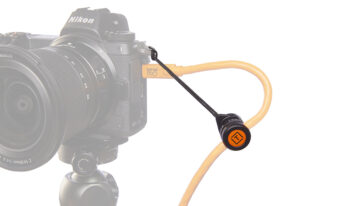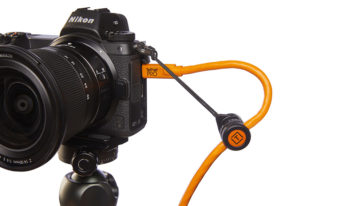## TetherGuard® Camera Support
$18.99](https://tethertools.com/product/tetherguard-camera-support/)[Add to cart](/wp-admin/admin-ajax.php?action=as_async_request_queue_runner&nonce=89c501d284&add-to-cart=2554274)
- [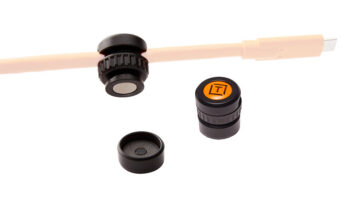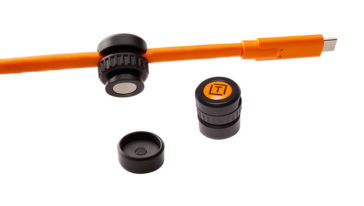## TetherGuard® Cable Support 2 pack
$18.99](https://tethertools.com/product/tetherguard-cable-support-2-pack/)[Add to cart](/wp-admin/admin-ajax.php?action=as_async_request_queue_runner&nonce=89c501d284&add-to-cart=2554267)
- [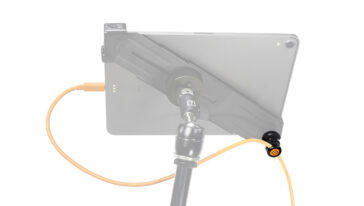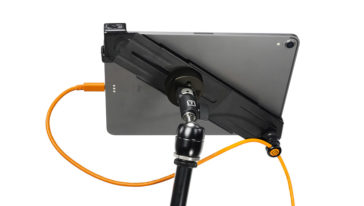## TetherGuard® Thread Mount Support
$20.99](https://tethertools.com/product/tetherguard-thread-mount-support/)[Add to cart](/wp-admin/admin-ajax.php?action=as_async_request_queue_runner&nonce=89c501d284&add-to-cart=2554286)
**Categories:** Industry News, Mobile Tethering, Tethering Setups
**Hide Automatic Featured Images:** Hide
---
### [Unwrap the Magic of Photography with Tether Tools' Ultimate Holiday Gift Guide](https://tethertools.com/blog/unwrap-the-magic-of-photography-with-tether-tools-frio-and-spekular-your-ultimate-holiday-gift-guide-in-2023/)
**Published:** October 3, 2023
**Author:** Hailey Barrus
**Content:**
Are you ready for a season of spectacular gift giving? Tether Tools, in collaboration with Spekular and Frio, is here to make your photographer wish list come true with our fantastic holiday finds!
Whether you’re a product photographer, portrait photographer, commercial photographer, food photographer, or a fashion photographer, we’ve got just the gear to light up your holidays. Let’s dive into the ultimate holiday gift guide that’s sure to bring smiles and joy to you and your creative friends and family!
## [Lindsay Adler Ultimate Tethering Kit](https://tethertools.com/product/lindsay-adler-ultimate-tethering-kit/ "Lindsay Adler Ultimate Tethering Kit")
[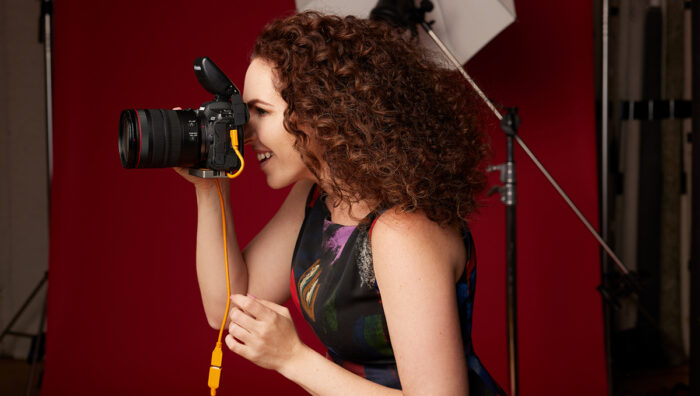](https://tethertools.com/product/lindsay-adler-ultimate-tethering-kit/)“With a right angle adapter on each camera, I love that I can quickly disconnect and reconnect a new camera to get various focal lengths in each session,” says Lindsay Adler, Fashion & Portrait Photographer.
[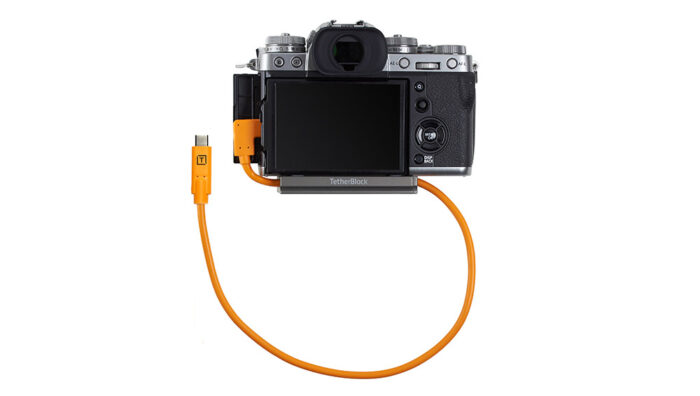](https://tethertools.com/product-category/tetherblock/)The **[Lindsay Adler Ultimate Tethering Kit](https://tethertools.com/product/lindsay-adler-ultimate-tethering-kit/ "Lindsay Adler Ultimate Tethering Kit")** includes your choice of [**TetherBlock** ](https://tethertools.com/product/tetherguard-leverlock-plate/ "TetherBlock ")cable management (standard or arca style) securing your cable to your camera, preventing accidental disconnections, and protecting your gear from potential damage.
## [ONsite Portable Power Kit](https://tethertools.com/product/onsite-portable-power-kit/ "ONsite Portable Studio Lighting Power Kit")
[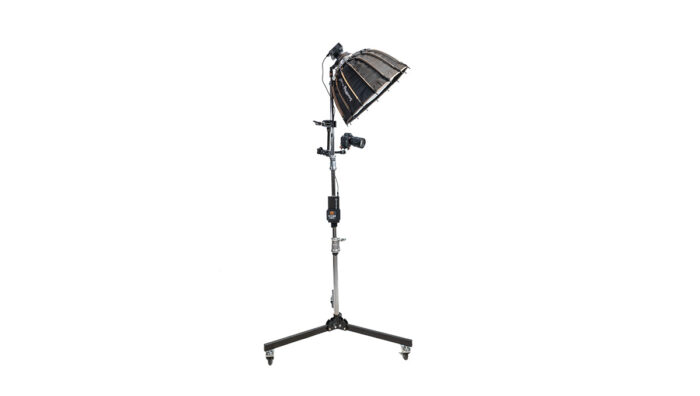](https://tethertools.com/product/onsite-portable-power-kit/)The **[ONsite Portable Power Kit](https://tethertools.com/product/onsite-portable-power-kit/ "ONsite Portable Studio Lighting Power Kit")** combines the ONsite 150W Dual USB-C battery pack and StrapMoore to conveniently connect power to any stand you use to power your computer. Add on the Rock Solid Master Articulating Arm + Clamp Bundle, Rock Solid Tripod Roller, and Rock Solid Camera to create a mobile studio setup ideal for quick shots with a portable key light. The battery is powerful enough to charge a Macbook Pro 1.6x, and provides 25,600 mAh to power any USB-C chargeable lights, up to 100W.
[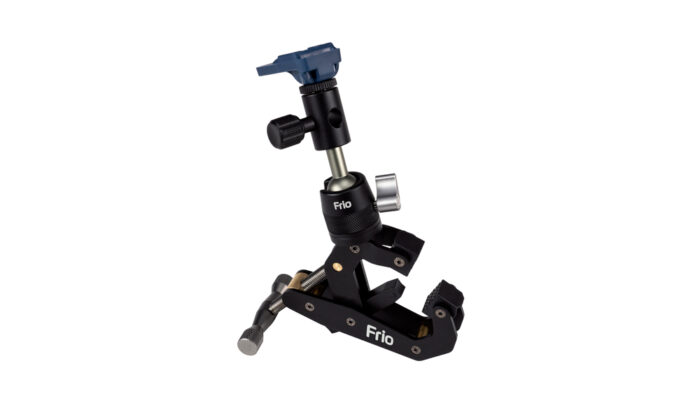](https://tethertools.com/product/frio-grasp/)The **[ONsite Portable Power Kit](https://tethertools.com/product/onsite-portable-lighting-power-kit/ "ONsite Portable Studio Lighting Power Kit")** includes the **[Frio Grasp](https://tethertools.com/product/frio-grasp/ "Frio Grasp")** which can mount to any round or flat surfaces including table edges, stair railings, poles, c-stands, and more! The mount can hold smart phones, lights, microphones, and even your camera! With the Frio Grasp’s adjustable stabilizer claw you can create a third contact point for secure mounting.
## [TetherBoost Pro USB-C 31 ft. Cable System](https://tethertools.com/product/tetherboost-pro-31-ft-9-4m-usb-c-cable-system/ "TetherBoost Pro USB-C 31 ft. Cable System")
[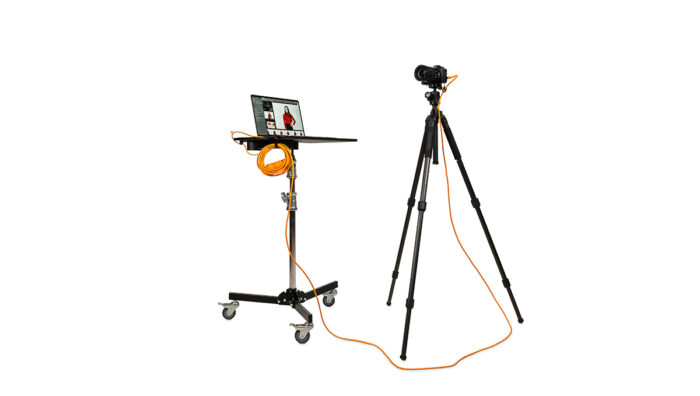](https://tethertools.com/product/tetherboost-pro-31-ft-9-4m-usb-c-cable-system/)The **[TetherBoost Pro 31 ft (9.4m) USB-C Cable System](https://tethertools.com/product/tetherboost-pro-31-ft-9-4m-usb-c-cable-system/ "TetherBoost Pro 31 ft (9.4m) USB-C Cable System")** gives photographers the distance needed to tether from 15 ft up to 31 ft while maintaining lightning-fast image transfer speeds. A secure connection and protective case keep gear in top condition on every shoot.
[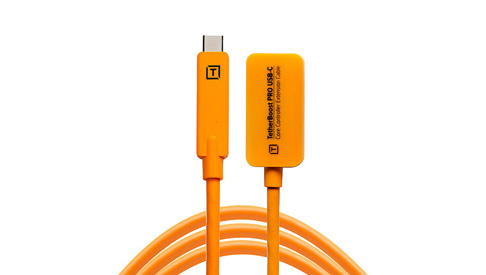](https://tethertools.com/product/tetherboost-pro-usb-c-core-controller-extension-cable/)The **[TetherBoost Pro 31 ft. (9.4m) USB-C Cable System](https://tethertools.com/product/tetherboost-pro-31-ft-9-4m-usb-c-cable-system/ "TetherBoost Pro 31 ft. (9.4m) USB-C Cable System")** includes the **[TetherBoost Pro USB-C Core Controller Extension Cable](https://tethertools.com/product/tetherboost-pro-usb-c-core-controller-extension-cable/ "TetherBoost Pro USB-C Core Controller Extension Cable")** which enables you to tether up to 31’ while maintaining high transfer rates and exceptional connection stability.
## AeroTab Master Kit
[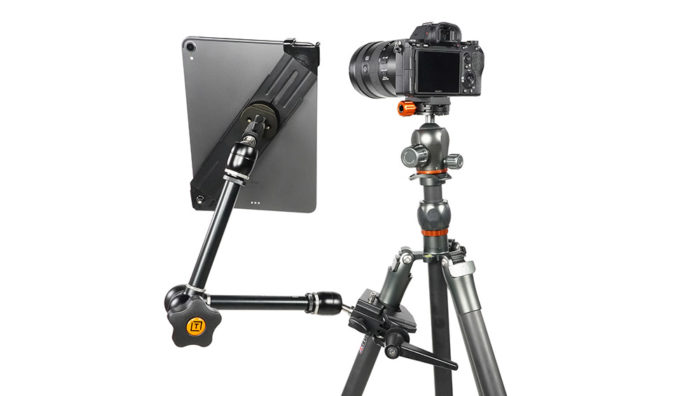](https://tethertools.com/product/aerotab-master-kit/)The **AeroTab Master Kit** offers unlimited options for mounting tablets to a tripod leg, light stand and more. The AeroTab’s secures the tablet, while the Master Clamp and Arm ensure the perfect viewing angle for the screen.
[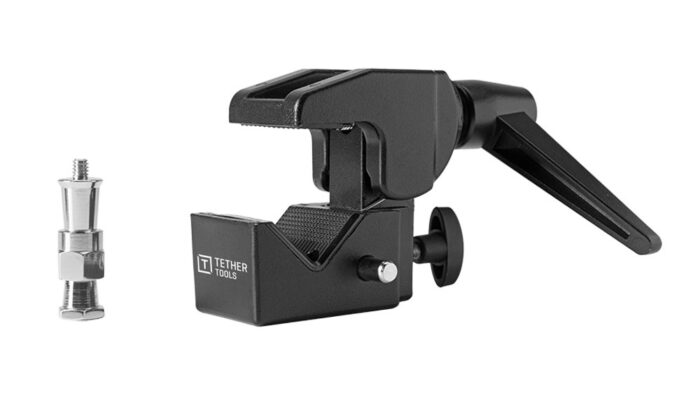](https://tethertools.com/product/rock-solid-master-clamp/)The **AeroTab Master Kit** includes the **[Rock Solid Master Clamp](https://tethertools.com/product/rock-solid-master-clamp/ "Rock Solid Master Clamp")** which is an indispensable piece of equipment designed to mount arms and gear to a wide array of round or flat surfaces
## [Frio Reach Kit](https://tethertools.com/product/frio-reach-kit/ "Frio Reach Kit")
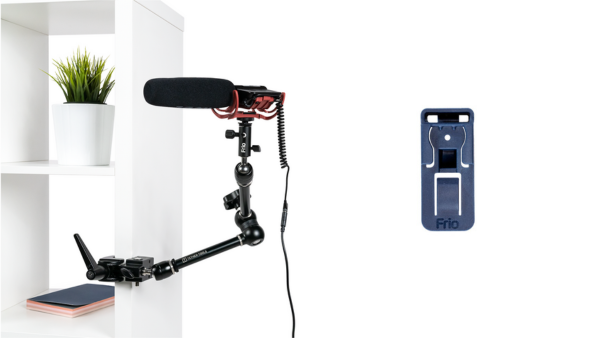The **[Frio Reach Kit](https://tethertools.com/product/frio-reach-kit/ "Frio Reach Kit")** is designed to securely hold photo and video gear. It’s clamp can attach to an array of round or flat surfaces. With a baby pin, 1/4″-20, 3/8″ and removable Frio Hold cold shoe, you can mount lights, reflectors, mics, cameras, tech and other items at ay angle. This flexible and portable kit can be folded into your bag for quick, on-the-go set ups.
The **[Frio Reach Kit ](https://tethertools.com/product/frio-reach-kit/ "Frio Reach Kit ")**includes the[ **Frio Hold** ](https://tethertools.com/product/frio-hold/ " Frio Hold ")is a versatile cold shoe mount. You can mount any shoe with ⅜”-16 or ¼”-20 threads including flashes, light panels, microphones, and more. Its strong polymer construction also alleviates inadvertent flashes and shorts.
## [ONsite Relay C Camera Power System Bundle](https://tethertools.com/product/onsite-relay-c-camera-power-system-bundle/ "ONsite Relay C Camera Power System Bundle")
[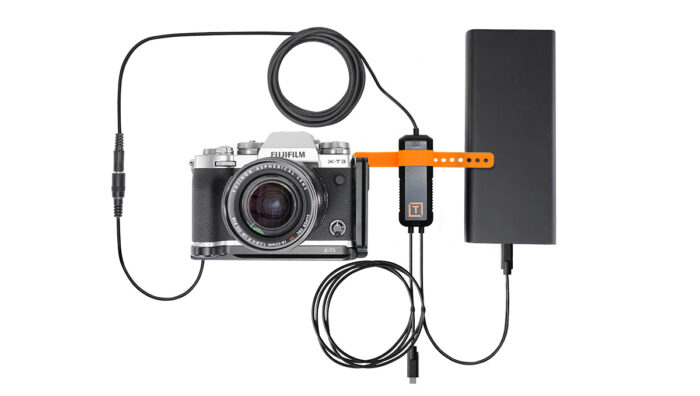](https://tethertools.com/product/onsite-relay-c-camera-power-system-bundle/)The [**ONsite Relay C Camera Power System** **Bundle**](https://tethertools.com/product/onsite-relay-c-camera-power-system-bundle/ "ONsite Relay C Camera Power System Bundle") lets you power your camera continually with any external USB-C battery or AC wall power, providing peace of mind knowing you have an uninterrupted power source for your camera for streaming as well as long days of video or photo shoots.
[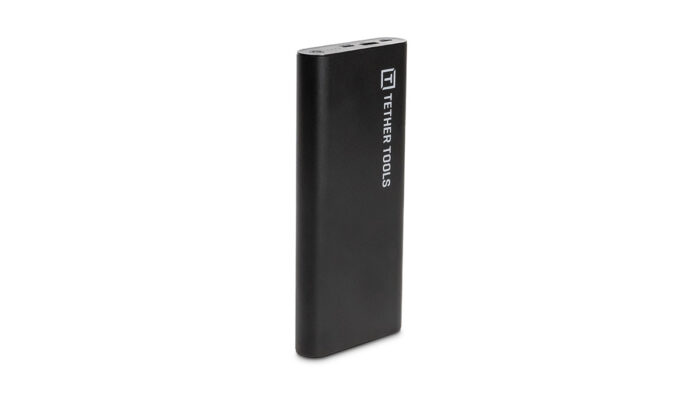](https://tethertools.com/product/onsite-usb-c-150w-pd-25600-mah-battery-pack/)The **[ONsite Relay C Camera Power System Bundle](https://tethertools.com/product/onsite-relay-c-camera-power-system-bundle/ "ONsite Relay C Camera Power System Bundle")** includes the **[ONsite USB-C 150W PD Battery Pack](https://tethertools.com/product/onsite-usb-c-150w-pd-25600-mah-battery-pack/ "ONsite USB-C 150W PD Battery Pack")** which boasts high-capacity Power Delivery (PD) that is required for USB-C charging devices such as MacBook Pro, MacBook Air, iPad Pro, phones and other devices.
## [All-In-One Portable Studio Tethering Kit](https://tethertools.com/product/all-in-one-portable-studio-tethering-kit/ "All-In-One Portable Studio Tethering Kit")
[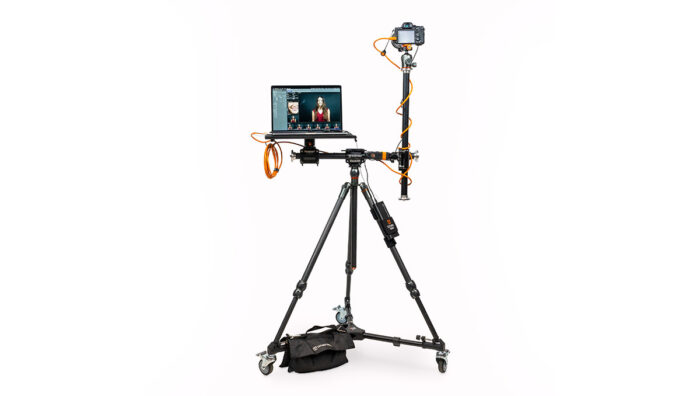](https://tethertools.com/product/all-in-one-portable-studio-tethering-kit/)As a photographer it is important to have a workstation that fits your specific needs during a shoot. The **[All-In-One Portable Studio Tethering Kit](https://tethertools.com/product/all-in-one-portable-studio-tethering-kit/ "All-In-One Portable Studio Tethering Kit")** is a mobile, modular tethering system with the ability to quickly adjust from portrait to profile, to flay lay while remaining tethered to your laptop.
[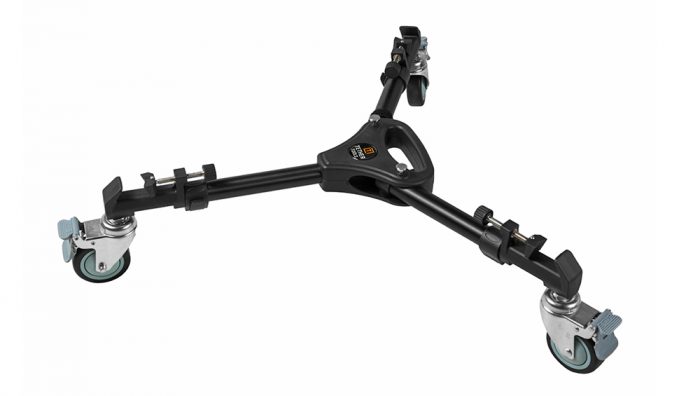](https://tethertools.com/product/rock-solid-tripod-roller/)Rock Solid Tripod Roller[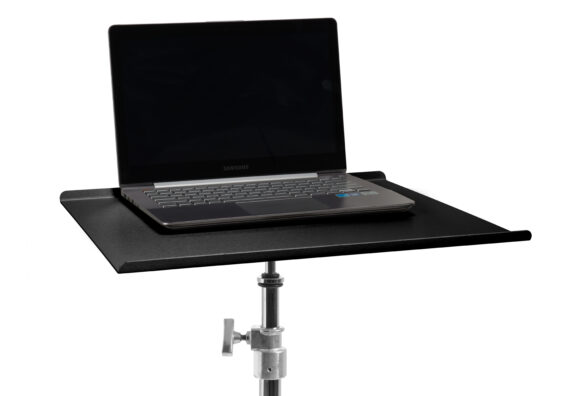](https://tethertools.com/product/tether-table-aero/)Tether Table AeroThe **[All-In-One Portable Studio Tethering Kit](https://tethertools.com/product/all-in-one-portable-studio-tethering-kit/ "All-In-One Portable Studio Tethering Kit")** includes the **[Rock Solid Tripod Roller](https://tethertools.com/product/rock-solid-tripod-roller/ "Rock Solid Tripod Roller")** which gives wheels to most any tripod and offers mobility for the **[Tether Table Aero](https://tethertools.com/product/tether-table-aero/ "Tether Table Aero")**, monitors, tablets, cameras, and other production gear.
## [Ultimate Tethering Workstation](https://tethertools.com/product/ultimate-tethering-bundle/ "Ultimate Tethering Workstation")
[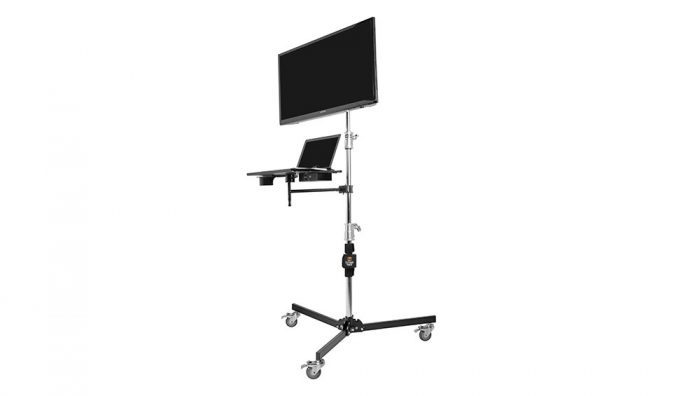](https://tethertools.com/product/ultimate-tethering-bundle/)The **[Ultimate Tethering Workstation](https://tethertools.com/product/ultimate-tethering-bundle/ "Ultimate Tethering Workstation")** contains everything you need to create the best possible tethering experience in-studio and on location for both your craft and your client.
[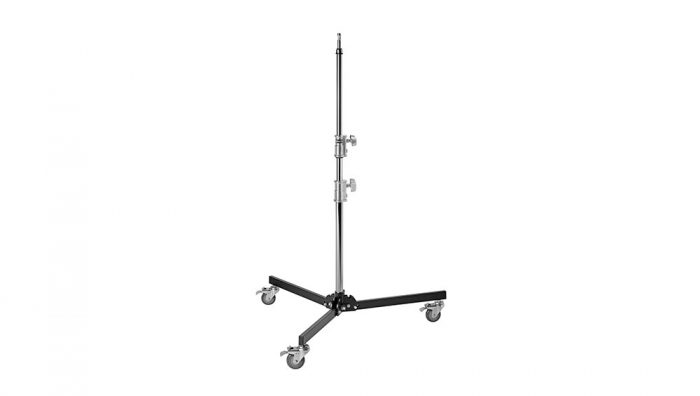](https://tethertools.com/product/rock-solid-low-boy-roller/)The **[Rock Solid Low Boy Roller](https://tethertools.com/product/rock-solid-low-boy-roller/ "Rock Solid Low Boy Roller")** provides photographers the freedom to move your studio lights, workstations, and gear with ease.
## [Spekular KYU-6 LED Light Wraps](https://spekular.com/store/#kyu-6 "Spekular KYU-6 LED Light Wraps")
[](https://spekular.com/store/#kyu-6)The **[KYU-6 LED Light Wraps](https://spekular.com/store/#kyu-6 "KYU-6 LED Light Wraps")** are your go-to lighting solution for all your photography needs. With its versatile design, you can use it for product photography, portraits, and more. The KYU-6 comes in both a bi-color and RGB option, includes 5 different brightness levels, and 5 different effects modes. Various creator kits available.
[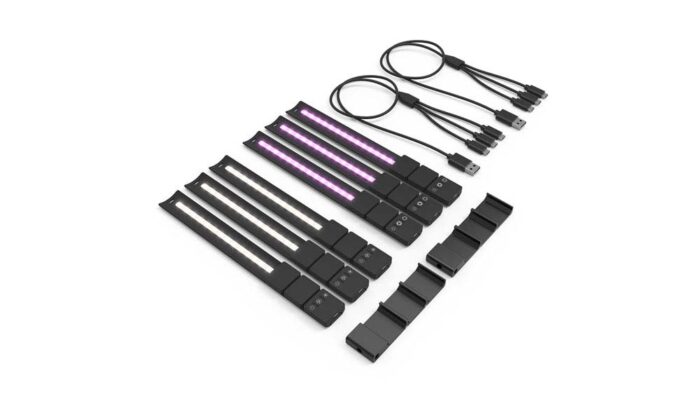](https://spekular.com/product/kyu-6-filmmakers-pro-kit/)[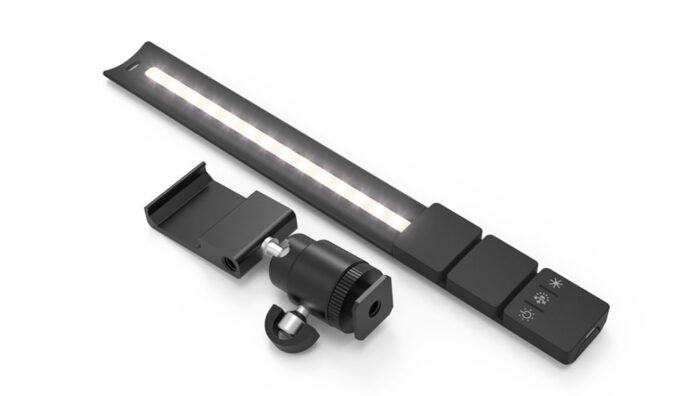](https://spekular.com/product/kyu-6-vloggers-kit/)The KYU-6 LED Light Wraps come in varying kits including the **[KYU-6 Vlogger’s Kit](https://spekular.com/product/kyu-6-vloggers-kit/ "KYU-6 Vlogger's Kit")** and **[KYU-6 Filmmaker’s Pro Kit](https://spekular.com/product/kyu-6-filmmakers-pro-kit/ "KYU-6 Filmmaker's Pro Kit")**.
## [Spekular LightBlaster Optical Snoot](https://spekular.com/product/light-blaster/ "Spekular LightBlaster Optical Snoot")
[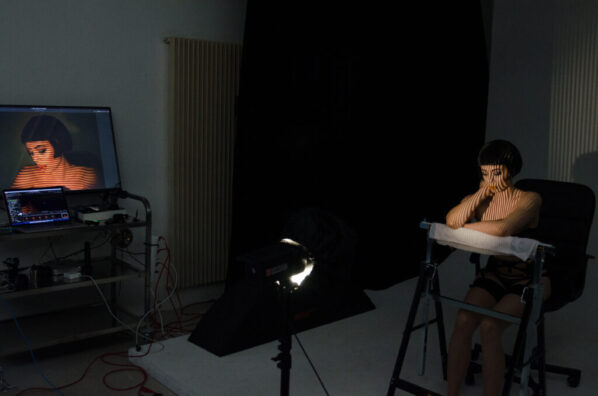](https://spekular.com/product/light-blaster/)The **[Light Blaster Optical Snoot](https://spekular.com/product/light-blaster/ "Light Blaster Optical Snoot")** allows photographers to project designs, patterns, and images onto their subject or background. The various types of gobos and kits lets you create stunning visual effects and to any shoot.
[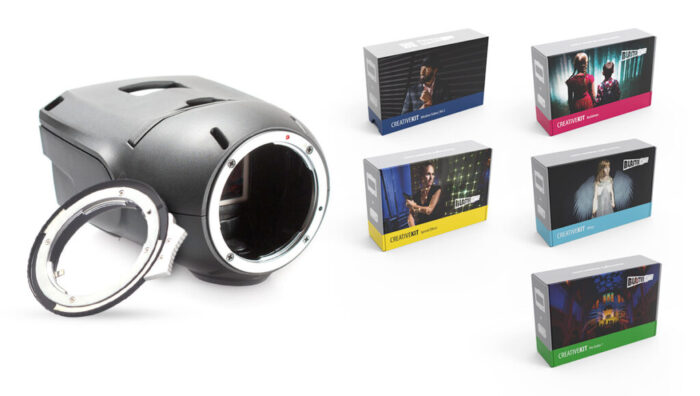](https://spekular.com/product/light-blaster-optical-snoot-strobe-projection-system-for-nikon-f-lenses/)[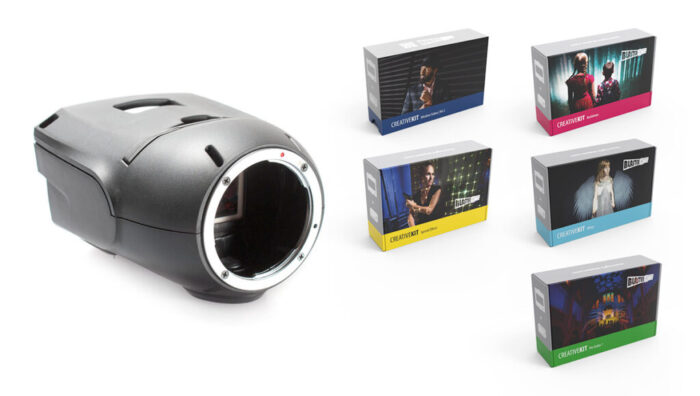](https://spekular.com/product/light-blaster-optical-snoot-strobe-projection-system-for-canon-eos-ef-lenses/)Featuring[ **Light Blaster Optical Snoot for Nikon F Lenses**](https://spekular.com/product/light-blaster-optical-snoot-strobe-projection-system-for-nikon-f-lenses/ " Light Blaster Optical Snoot for Nikon F Lenses")– With Creative Gobos for Nikon F Lenses and **[Light Blaster Optical Snoot for Canon EOS/EF Lenses](https://spekular.com/product/light-blaster-optical-snoot-strobe-projection-system-for-canon-eos-ef-lenses/ "Light Blaster Optical Snoot for Canon EOS/EF Lenses")**– With Creative Gobos for Canon EOS/EF Lenses.
So, this holiday season, give the gift of creativity and inspiration to the photographers in your life with **[Tether Tools](https://tethertools.com/ "Tether Tools")**, **[Frio](https://friophoto.com/ "Frio")**, and **[Spekular](https://spekular.com/ "Spekular")**‘s gear. From stocking stuffers to game-changing gear, we’ve got the presents that will light up their photography world! Don’t forget to check out our awesome holiday deals starting November 6th through the end of the year for major discounts on popular Tether Tools, Frio, and Spekular gear!
## Our Favorite Gear from Other Brands
**Spider Holster**
**[Spider Holster](http://www.spiderholster.com "Spider Holster")** will also be putting on some epic holiday deals for Black Friday and Cyber Monday. Use code: BF23 to receive 25% off your order November 19th through December 2nd at [www.spiderholster.com](http://www.spiderholster.com "www.spiderholster.com").
**ThinkTank**
**[ThinkTank’s ](https://www.thinktankphoto.com/ "ThinkTank's ")**Black Friday & Cyber Monday Sales start November 21st and run through November 27th, during this time ThinkTank will be offering 25% Off Airport International, Airport Advantage Rollers, and MORE!
[](https://www.thinktankphoto.com/)**Fundy Software**
**[Fundy Software](https://www.fundydesigner.com/ "Fundy Software")** will be having some rocking deals too from November 16th through November 27th.
Take your print designs and business to the next level with Fundy Designer’s Hottest Black
Friday deal! Discover the #1 software used by the world’s most successful photographers to
generate income. Automate your designs and experience easy sales with all the tools built into
Fundy Designer. Save time, simplify your workflow, AND increase your profitability.
● Design an entire album in 10 minutes with Auto Design
● Share & sell your designs with ease using the Multi-Design Proofer
● Create custom slideshows, stories, and carousels in seconds with the Social Design App
● Design custom studio magazines & cards in minutes with templates that include
prewritten text.
[](https://www.fundydesigner.com/)
Save **40% on EVERYTHING during our Black Friday Sale**, our biggest sale of the year! The
discount is applied at checkout. Try it out by downloading the free unlimited trial **[here.](https://cart.fundycentral.com/register?path=trial&_ga=2.56893418.177531405.1698074682-1466889477.1689269892 "here.")**
**Categories:** Industry News, Tech Tips
---
### [Shooting Tethered with the Canon 5D Mark IV](https://tethertools.com/blog/shooting-tethered-with-the-canon-5d-mark-iv/)
**Published:** August 25, 2016
**Author:** Tom Pitts
**Content:**
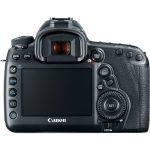
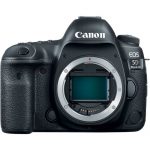
Lightroom has added support for tethering the 5D Mark IV with version 6.8 of Lightroom. However, they note a card must be in the camera for tethering to work properly. **Tethering a [Canon 5D Mark IV](https://tethertools.com/camera/canond-5d-mark-iv/) to your computer couldn’t be easier with the help of Tether Tools gear! Shoot tethered with the Canon 5D Mark IV using our [TetherPro USB 3.0 SuperSpeed Micro-B Cable](https://tethertools.com/product/tetherpro-usb-3-0-superspeed-micro-b-cable/),** and be sure to add a [TetherBoost Pro Core Controller](https://tethertools.com/product/tetherboost-pro-core-controller/) to your shopping cart to avoid dropped signals. The TetherBoost Pro System provides consistent power to maintain a stable connection for tethered image transfer when using a DSLR or medium-format digital back system connected to a computer via USB 3.0 cables – now at distances up to 65 feet. This streamlined solution alleviates current frustrations among photographers experiencing dropped signals when shooting with USB 3.0 cameras and computers. ##### The Camera – Canon 5D Mark IV
Continuing on in their legacy of powerful workhorse cameras, Canon has released the 5D Mark IV DSLR which is an outstanding still photography option and an able 4K-capable video machine. This multimedia maven offers a newly developed 30.4MP full-frame CMOS sensor paired with the DIGIC 6+ image processor in order to balance fine detail and resolution with low-light performance and sensitivity. It is able to work within a native range of ISO 100-32000, which can then be expanded to an impressive ISO 50-102400, for sharp, low-noise images in a variety of conditions. Along with these improvements to image quality, users will enjoy a performance boost across the board with an enhanced AF system, built-in Wi-Fi, NFC, and GPS, and much more. In order to deliver detailed images quickly and effectively the 5D Mark IV leverages the power of the DIGIC 6+ image processor, which can handle up to 7 frames per second during continuous shooting. It also uses a 150,000-pixel RGB+IR metering sensor to evaluate the scene and subjects for accurate exposures under a variety of different lighting conditions. An improved 61-point High Density Reticular AF furthers the camera’s speed by tracking and locking onto subjects quickly and accurately for tack sharp photos. A new AF area select button is now available as well for near immediate access to this setting. Video benefits from the addition of Dual Pixel CMOS AF and Movie Servo AF to smoothly rack focus during a shot. Shooters can even make use of the 3.2″ 1.62m-dot touchscreen LCD to simply tap to adjust the focus point. Furthermore, now that the camera has DCI 4K (4096 x 2160) video recording at up to 30 fps, users can snag 8.8MP stills from the video for an even faster capture option. Tied into the Dual Pixel sensor architecture is a brand new feature for Canon: Dual Pixel RAW, which allows for fine tuning of certain image parameters, including bokeh shift and focus micro adjustment, after the image is taken. The body has been further refined for comfort and ease of access, as well as durability and weather resistance. The Canon N3 remote port has been relocated to the front of the camera body and they have added both GPS and Wi-Fi with NFC to make this model a connected camera.
- 30.4MP Full-Frame CMOS Sensor
- DIGIC 6+ Image Processor
- 3.2″ 1.62m-Dot Touchscreen LCD Monitor
- DCI 4K Video at 30 fps; 8.8MP Still Grab
- 61-Point High Density Reticular AF
- Native ISO 32000, Expanded to ISO 102400
- Dual Pixel RAW; AF Area Select Button
- Dual Pixel CMOS AF and Movie Servo AF
- 7 fps Shooting; CF & SD Card Slots
##### The Gear – Tether Tools [Pro Tethering Kit](https://tethertools.com/product/pro-tethering-kit/) for Canon 5D Mark IV

- Tether Table Aero Traveler
- TetherPro USB 3.0 SuperSpeed Micro-B Cable, 15’ Cable
- JerkStopper Tethering Kit
- Aero ProPad
- SecureStrap
- AeroXDC
- StrapMoore Extender
- Tether Tools Cable Organization Case (Standard)
##### Powering Your Canon 5D Mark IV
Instead of purchasing multiple expensive proprietary camera batteries, or just want peace of mind knowing that your camera won’t die during a long shoot take a look at the [Case Relay Camera Power System](https://tethertools.com/product/onsite-relay-a-camera-power-system/) from Tether Tools. It can provide uninterruptible power for your camera using any standard 5V USB battery pack or a wall outlet. The Canon 5D Mark IV utilizes the Relay Camera Coupler CRCE6.
> [Case Relay Coupler Bundle](https://tethertools.com/product/case-relay-coupler-bundle/)
**To learn more about shooting tethered including how to create better images and work more efficiently while keeping your files safe and secure by incorporating an archival tethering system into your workflow [download the Ultimate Tethering Guide](https://tethertalk.com/2015/09/25/the-ultimate-photo-tethering-guide-from-tether-tools-and-asmp/) – FREE from Tether Tools and the American Society of Media Photographers (ASMP).**
**Categories:** Industry News
**Tags:** 5D Mark IV, Canon, Canon 5D Mark IV
**Hide Automatic Featured Images:** Hide
---
### [Fix Dropped Tethering Connections: Troubleshooting Guide](https://tethertools.com/blog/troubleshooting-tips-for-dropped-connections-while-tethering/)
**Published:** May 2, 2024
**Author:** Hailey Barrus
**Content:**
When it comes to high-demand photography shoots, especially those involving large image files, having a reliable tethering connection is crucial. The **[TetherPro 5G ](https://tethertools.com/product-category/cables-adapters/usb-c-cables/ "TetherPro 5G ")**cables have been a trusted option for many photographers, but as camera technology evolves and file sizes increase—often pushing 200MB per image—the need for faster data transfer speeds becomes paramount. Enter the **[TetherPro Optima 10G cables](https://tethertools.com/product-category/cables-adapters/usb-c-gen-2-cables/ "TetherPro Optima 10G cables")**, designed specifically to handle the demands of today’s high-speed, high-resolution image workflows. With transfer rates up to 10 Gbps, these cables ensure that even the largest files are moved quickly and reliably, minimizing downtime during critical moments.
As camera manufacturers adopt USB-C and implement varying ports and protocols, the **[Optima 10G line](https://tethertools.com/product-category/cables-adapters/usb-c-gen-2-cables/ "Optima 10G line")**’s focus on data-only transfer, removing power delivery that can sometimes cause dropped connections, ensures stable, uninterrupted tethering.
## **[Getting Started](#Getting-Started "Getting Started") & [Tethering Best Practices](#Tethering-Best-Practices "Tethering Best Practices") \| [Power Delivery Settings](#Power-Delivery-Settings-By-Camera "Power Delivery Settings") \| [Camera & Computer Tether Troubleshooting](#Camera-And-Computer-Troubleshooting "Camera & Computer Tether Troubleshooting") \| [Advanced Troubleshooting](#Advanced-Troubleshooting-Tips "Advanced Troubleshooting")**
Getting started and keeping a solid connection are easy in tethered shooting when you have the basics covered. And a little know-how some quick trouble-shooting steps will keep your connection solid through your most demanding shoots. We’ve broken this [resource guide](https://tethertools.com/wp-content/uploads/2024/08/TT-ConnectivityTroubleshootingGuide_2024_08.pdf "resource guide") down into digestible sections to help you get the information and support you need fast. We recommend you read through from top to bottom, and then bookmark this page for future reference.
## Getting Started
- **Step 1:** Turn on your computer and login. Keep camera powered off.
- **Step 2**: Connect your cable at both the camera and computer ports. Protect sensitive data ports by securing each end with a **[Cable Management Device](https://tethertools.com/product-category/cable-management/)**[.](https://tethertools.com/product-category/cable-management/)
- **Step 3:** Open tethering software you will use to receive images.
- **Step 4**: Start tethered capture session in software.
- **Step 5:** Turn on the camera. Software should detect connected camera.
- **Step 6:** Set up session with your file naming and saving preferences. Begin shooting to see images appear in software.
## Tethering Best Practices
## Important Camera Settings
- **Step 1:** **Ensure “Sleep Mode” is turned off on your camera**: The computer needs to recognize the camera at all times during a tethered shoot. If your camera goes into sleep mode, the computer may not recognize it and cause the tethered connection to drop.
- **Step 2: Make sure your camera battery is fully charged**: If your camera battery charge is low, you may find that tethering connections drop frequently.
- **Step 3: Turn off the USB Power Supply in your camera’s settings**: This setting can disrupt image transfer and cause only power to be transferred between the computer and camera. See below to disable this function for your camera make and model:
## Power Delivery Via USB-C
With cameras that have USB-C ports, the ability to power the camera or charge the battery via USB can be a convenient feature. However, this can sometimes lead to connection issues during tethering. If you’re using a TetherPro 5G cable, it’s essential to manually **turn off** USB Power Delivery or Charging in your camera settings to avoid instability and ensure a reliable connection. On the other hand, with the **[TetherPro Optima 10G cables](https://tethertools.com/product-category/cables-adapters/usb-c-gen-2-cables/ "TetherPro Optima 10G cables")**, you don’t have to worry about turning off power delivery—these cables are designed specifically for seamless data transfer, eliminating that extra step and providing a hassle-free tethering experience.
## Settings by Camera. Click Arrow to expand:
### Nikon Cameras
- **Nikon Z30:** Setup Menu: Camera Setup → USB Power Delivery → **OFF**
- **Nikon Z5:** Setup Menu → USB Power Delivery → **OFF**
- **Nikon Z6 II:** Setup Menu: Camera Setup → USB Power Delivery → **OFF**
- **Nikon Z7 II:** Setup Menu: Camera Setup → USB Power Delivery → **OFF**
- **Nikon Z8:** Setup Menu → USB Power Delivery → **OFF** \| Dual USB-C Ports
- **Nikon Z9:** Setup Menu → USB Power Delivery → **OFF**
- **Nikon Z f:** Setup Menu → USB Power Delivery → **OFF**
- **Nikon Z fc:** Setup Menu → USB Power Delivery → **OFF**
### Sony Cameras
- **Sony a1:** Setup → USB → USB Power Supply → **OFF**
- **Sony a6700:** Setup → USB → USB Power Supply → **OFF**
- **Sony a7 III:** Setup → USB Power Supply → **OFF**
- **Sony a7 IV:** Setup → USB → USB Power Supply → **OFF**
- **Sony a7c:** Setup → USB Power Supply → **OFF**
- **Sony a7c II:** Setup → USB → USB Power Supply → **OFF**
- **Sony a7c R:** Setup → USB → USB Power Supply → **OFF**
- **Sony a7R III:** Setup → USB Power Supply → **OFF**
- **Sony a7R IV:** Setup → USB → USB Power Supply → **OFF**
- **Sony a7R IVa:** Setup → USB → USB Power Supply → **OFF**
- **Sony a7R V:** Setup → USB → USB Power Supply → **OFF**
- **Sony a7S III:** Setup → USB Power Supply → **OFF**
- **Sony a9 II:** Setup → USB → USB Power Supply → **OFF**
- **Sony a9 III:** Setup → USB → USB Power Supply → **OFF**
- **Sony FX3:** Setup → USB → USB Power Supply → **OFF**
- **Sony FX30:** Setup → USB → USB Power Supply → **OFF**
- **Sony ZV-1 II:** Setup → USB → USB Power Supply → **OFF**
- **Sony ZV-E1:** Setup → USB → USB Power Supply → **OFF**
- **Sony ZV-E10:** Setup → USB Power Supply → **OFF**
### FujiFilm Cameras
- **FujiFilm GFX 100 II:** SETUP → Network/USB Settings → USB Power Supply / COMM Setting → **USB Power Supply OFF/Comm ON**
- **FujiFilm GFX 100s:** SETUP → Connection Setting → USB Power Supply Setting → **OFF**
- **FujiFilm 50s II:** SETUP → Connection Setting → USB Power Supply Setting → **OFF**
- **FujiFilm X100V:** SETUP → Connection Setting → USB Power Supply Setting → **OFF**
- **FujiFilm X100VI:** SETUP → Network/USB Settings → USB Power Supply / COMM Setting → **USB Power Supply OFF/Comm ON**
- **FujiFilm X-E4:** SETUP → Connection Setting → USB Power Supply Setting → **OFF**
- **FujiFilm X-H2:** SETUP → Network/USB Settings → USB Power Supply / COMM Setting → **USB Power Supply OFF/Comm ON**
- **FujiFilm X-H2S:** SETUP → Network/USB Settings → USB Power Supply / COMM Setting → **USB Power Supply OFF/Comm ON**
- **FujiFilm X-PRO3:** SETUP → Connection Setting → USB Power Supply Setting → **OFF**
- **FujiFilm X-S10:** SETUP → Connection Setting → USB Power Supply Setting → **OFF**
- **FujiFilm X-S20:** SETUP → Network/USB Settings → USB Power Supply / COMM Setting → **USB Power Supply OFF/Comm ON**
- **FujiFilm X-T3:**: SETUP → Connection Setting → USB Power Supply Setting → **OFF**
- **FujiFilm X-T4:** SETUP → Connection Setting → USB Power Supply Setting → **OFF**
- **FujiFilm X-T5:** SETUP → Network/USB Settings → USB Power Supply / COMM Setting → **USB Power Supply OFF/Comm ON**
### Panasonic Cameras
- **Panasonic LUMIX:** **DC-GH5M2**, **DC-GH6**, **DC-S1**, **DC-S1H**, **DC-S1R**, **DC-S5 II**, **DC-S5 IIX**, **DC-S5**: Setup Menu → In/Out → USB → USB Power Supply → **OFF**
### Hasselblad Cameras
- **Hasselblad CFV II 50C:** Main Menu → General Settings → Power → Power from Computer USB → **OFF (Unchecked)**
- **Hasselblad 907X 100C:** Main Menu → General Settings → Power → Power from Computer USB → **OFF (Unchecked)**
- **Hasselblad H6D:** Main Menu → General Settings → Display → Power Modes and Timeouts → Power from USB → **OFF (Unchecked)**
- **Hasselblad X1D:** Main Menu → General Settings → Power Modes and Timeouts → Power from USB → **OFF (Unchecked)**
- **Hasselblad X1D II 50C:** Main Menu → General Settings → Power → Power from Computer USB → **OFF (Unchecked)**
### Leica Cameras
- **Leica SL2:** Camera Settings → USB Charging→ **OFF** \| *\*Affects charging while camera is off*
- **Leica SL2-S:** Camera Settings → USB Charging→ **OFF** \| *\*Affects charging while camera is off*
- **Leica SL3:** Camera Settings → USB Charging→ **OFF**
- **Leica M11:** Camera Settings → USB Charging→ **OFF \| \*Affects charging while camera is off**
- **Leica Q3:** Camera Settings → USB Charging→ **OFF**
### Olympus Cameras
- **Olympus OM-D E-M1 Mk III:** Custom Menu D4 → USB Mode → Dedicated PD setting / Mutually exclusive to computer connection
- **Olympus OM-D E-M1X:** Custom Menu D→ USB Mode → Dedicated PD setting / Mutually exclusive to computer connection
### Phase One Cameras
- **IQ2:** Power Management → Battery Charging → OFF
- **IQ3:** Power Management → Charging from PC → OFF
## Camera Models that currently do NOT allow you to turn off your power delivery:
- **[Canon R Series](https://tethertools.com/blog/connection-issues-with-canon-r-series-cameras/)**
- Nikon: D6, D780, Z6, Z7
- FujiFilm: GFX100, GFX50R, X-A7, X-T200
- Panasonic: DC-GH5, DC-GH5S
- Hasselblad: X2D100C
- Olympus: OMI, OM-DE MI Mk II
- Pentax: K-3lll
- Phase One: XF IQ4
- Sigma: FP, FP-L
*We recommend reviewing this informative blog post if your camera does not have the ability to turn off Power Delivery:* <https://tethertools.com/blog/connection-issues-with-canon-r-series-cameras/>
Some camera manufacturers’ settings do affect how the camera behaves when connected via USB. In some cases, these settings can prevent the camera from being recognized properly by tethering software. Please be sure to check your camera manual for unique tethered connection settings.
> ---
## Camera & Computer Tether Troubleshooting
If you encounter connection hiccups while tethering your camera, don’t worry; you’re not alone. Certain things can impact your ability to keep a stable connection. Here are a few trouble-shooting steps you can take to solve common issues and get your tethering setup running smoothly.
### Step 1: Confirm Software and System Support
It’s crucial to ensure compatibility between your camera model, tethering software, and computer system. Check the manufacturer’s website or user manuals to confirm that your camera model is supported. Additionally, ensure that your tethering software is up to date and compatible with your operating system.
- 1a. Check the manufacturer’s website or user manuals to confirm that your camera model is supported for tethering.
- 1b. Check your software to ensure your camera’s files are supported for image upload and tethered capture.
- 1c. Ensure that your tethering software is up to date and compatible with your operating system. (Operating system updates can interfere with software functions.)
Always use the latest version of your tethering software. Updates often include bug fixes and improved compatibility with new camera models. Visit the software provider’s website or use the built-in update feature to download and install the newest version.
### Step 2: Update Camera Firmware
Camera firmware updates can resolve connectivity issues and improve performance. Check the camera manufacturer’s website for any available firmware updates for your camera model and follow the instructions to install them.
### Step 4: Establish Connection
When establishing a stable connection while tethering follow these simple steps:
1. Turn on your computer
2. Connect your TetherPro cable to both your camera and computer
3. Secure the cable on both the camera and computer side with proper cable management like the TetherBlock Arca or TetherGuard to prevent accidental disconnection
4. Open your tethering software and start your tethered session
5. Ensure correct file naming and saving settings as directed
6. Turn your camera on and wait for the software to detect it before starting your shoot
### A few special notes:
- Nikon, Canon and other users may need to remove a nearly full card from your camera to maintain a connection. Ensure you have set your file naming and folder saving settings to your desired destination(s).
- USB-spec suggests that the longest base cable that should be used for tethered photography is 16ft (5m). Every additional 16ft (5m) you will want to have a TetherBoost Pro Core Controller or Active Extension cable in the line.
## Advanced Troubleshooting Tips
### Turn Camera Off
Sometimes, a simple reboot can resolve connectivity issues. Turn off your camera and wait a few moments before turning it back on.
### Avoid Using Adapter Cables, Extension Cables, or Hubs
While troubleshooting, it’s best to connect your camera directly to the computer without using adapter cables, extension cables, or hubs. These additional components can introduce interference and disrupt the connection.
### Ensure A Secure Connection
Check that the cable is securely plugged into both the computer and camera ports. Loose connections can cause intermittent connectivity problems.
### Disconnect and Restart Tethering Software
Close your tethering software and restart it to refresh the connection. Once the software is running, reconnect your camera, turn it on, and attempt to start the tethered session again.
## Still Facing Issues?
If you’ve followed these troubleshooting steps and are still experiencing problems, don’t hesitate to reach out to our **Technical Support Team** at **technicalsupport@tethertools.com**. Additionally, you may find helpful insights in our supporting articles, such as **[“Connection Issues with the Canon R Series Cameras”](https://tethertools.com/blog/connection-issues-with-canon-r-series-cameras/ ""Connection Issues with the Canon R Series Cameras"")**.
Don’t let connection issues hinder your tethered shooting experience. With these troubleshooting tips and our dedicated support resources, you’ll be back to capturing stunning images in no time. Happy tethering!
**Categories:** Tech Tips, Troubleshooting
**Tags:** Canon, Tethering Cables
**Hide Automatic Featured Images:** Hide
---
### [How to Shoot Tethered in Lightroom (CC vs Classic)](https://tethertools.com/blog/tethering-in-lightroom-cc-vs-lightroom-classic-cc/)
**Published:** August 4, 2021
**Author:** Tom Pitts
**Content:**
When it comes to tethered shooting in Lightroom, photographers are often confused by Adobe’s two versions of the software: **[Lightroom (CC)](https://helpx.adobe.com/lightroom-classic/help/import-photos-tethered-camera.html "Lightroom (CC)")** and **[Lightroom Classic](https://helpx.adobe.com/lightroom-classic/help/import-photos-tethered-camera.html "Lightroom Classic")**. If you’re trying to figure out how to **tether your camera to Lightroom**, or you’ve searched for “**Lightroom CC tethering**” and hit a wall—you’re not alone.
This guide explains the differences, capabilities, and current limitations of **tethering with Lightroom**, so you can find the right setup for your photography workflow.
## What Is Tethering in Lightroom?
**[Tethering in Lightroom](https://helpx.adobe.com/lightroom-classic/help/import-photos-tethered-camera.html "Tethering in Lightroom")** means connecting your camera directly to your computer so that images instantly import into Lightroom as you shoot. It’s a must-have feature for studio photographers, product shooters, portrait artists, and anyone who wants to review images in real time on a larger screen.
## Lightroom CC vs Lightroom Classic: What’s the Difference?
| Feature | Lightroom (CC) | Lightroom Classic |
|---|---|---|
| Platform | Cloud-based (works on desktop, mobile, and web) | Desktop-only (Windows/Mac) |
| Image Storage | Cloud sync | Local drive |
| Tethering Support | No native tethering | Full tethered capture support |
| Ideal For | Mobile editing, cloud backup | Professional tethered shooting |
##### Bottom line: If you want to use tethered capture in Lightroom, you must use Lightroom Classic, not Lightroom CC.
## Tethered Shooting in Lightroom Classic: Step-by-Step
[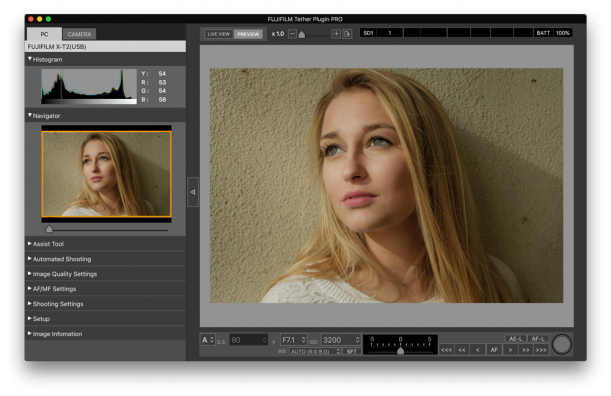](https://tethertools.com/wp-content/uploads/2018/07/tether-shooting-pro-lightroom-screenshot.png)To get started with **[tethering in Lightroom Classic](https://helpx.adobe.com/lightroom-classic/help/import-photos-tethered-camera.html "tethering in Lightroom Classic")**, follow these steps:
1. **Connect your supported DSLR or mirrorless camera** via USB cable to your computer.
2. Open **Adobe Lightroom Classic**.
3. Navigate to **File > Tethered Capture > Start Tethered Capture**.
4. Configure the **Tethered Capture Settings** (session name, file naming, destination folder).
5. Click **OK** to begin the session.
6. Use the **floating tether bar** to monitor, capture, and annotate images as they come in.
For detailed compatibility and camera support, refer to Adobe’s official [**tethering guide**](https://helpx.adobe.com/lightroom-classic/help/import-photos-tethered-camera.html).
## Recommended Tethering Workflow: Lightroom Classic + Smart Shooter
[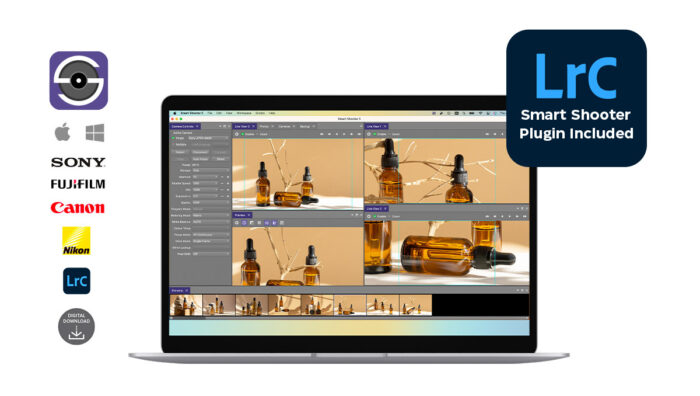](https://tethertools.com/wp-content/uploads/2023/05/smart_shooter-5_product_front_logos-1200x678-1.jpg)If you’re a Sony or Nikon user, **[Lightroom Classic tethering](https://helpx.adobe.com/lightroom-classic/help/import-photos-tethered-camera.html "Lightroom Classic tethering")** gets even more powerful when you integrate it with **[Smart Shooter.](https://tethertools.com/product/smart-shooter/?gad_source=1&gad_campaignid=20612317335&gbraid=0AAAAADyw3yVNxlc26BwYDgFLPVdVmuNG2&gclid=CjwKCAjw9anCBhAWEiwAqBJ-cyVZXNNt4G-FGIyCDLDXXvWF7SmJXf15XZq7WuP_dh08UNpTXcuH4BoCg5MQAvD_BwE "Smart Shooter.")** The **Smart Shooter plug-in for Lightroom Classic** enhances tethering with:
- **Live View support**
- **Multiple camera control**
- **Customizable Workstations**
- **Custom scripts and automation**
- **Barcode/QR code scanning**
- **Dual save** (to card and computer)
- **Automatic application of Lightroom presets**
- **Loupe and multi-loupe view**
Try**[ Smart Shooter with a free 30-day trial](https://tethertools.com/smart-shooter-trial/ " Smart Shooter with a free 30-day trial")**
## Why Can’t You Tether in Lightroom CC?
Since Adobe’s 2017 update, **[Lightroom CC](https://helpx.adobe.com/lightroom-classic/help/import-photos-tethered-camera.html "Lightroom CC")** (the cloud-based version) does **not support tethered capture**. This version is built for mobile convenience and cloud editing—not for real-time, wired shooting.
If you’re searching “**how to tether camera to Lightroom CC**,” the truth is: **you can’t**—not natively. The solution is to use **[Lightroom Classic](https://helpx.adobe.com/lightroom-classic/help/import-photos-tethered-camera.html "Lightroom Classic")**, or third-party apps that allow remote sync and import to Lightroom CC after capture.
---
## Supported Cameras for Lightroom Classic Tethering
Adobe regularly updates its list of **supported cameras for tethering**. Canon and Nikon have the most robust support, while other brands may require workarounds or additional software. Popular supported models include:
- Canon EOS R, R5, 5D Mark IV, 6D II
- Nikon D850, Z6, Z7
- Sony tethering is enabled via **[Smart Shooter plug-in](https://tethertools.com/product/smart-shooter/?gad_source=1&gad_campaignid=20612317335&gbraid=0AAAAADyw3yVNxlc26BwYDgFLPVdVmuNG2&gclid=CjwKCAjw9anCBhAWEiwAqBJ-cyVZXNNt4G-FGIyCDLDXXvWF7SmJXf15XZq7WuP_dh08UNpTXcuH4BoCg5MQAvD_BwE "Smart Shooter plug-in")**
Check Adobe’s official list for full compatibility:
**[Tethering Support List](https://helpx.adobe.com/lightroom-classic/help/import-photos-tethered-camera.html)**
**Categories:** Getting Started, Software & Apps
**Tags:** Adobe Lightroom, featured
---
### [Nikon D750 Tether Cable: UC-E6 & UC-E15 Compatible](https://tethertools.com/blog/nikon-d750-tethering-cable/)
**Published:** September 12, 2014
**Author:** Josh
**Content:**
[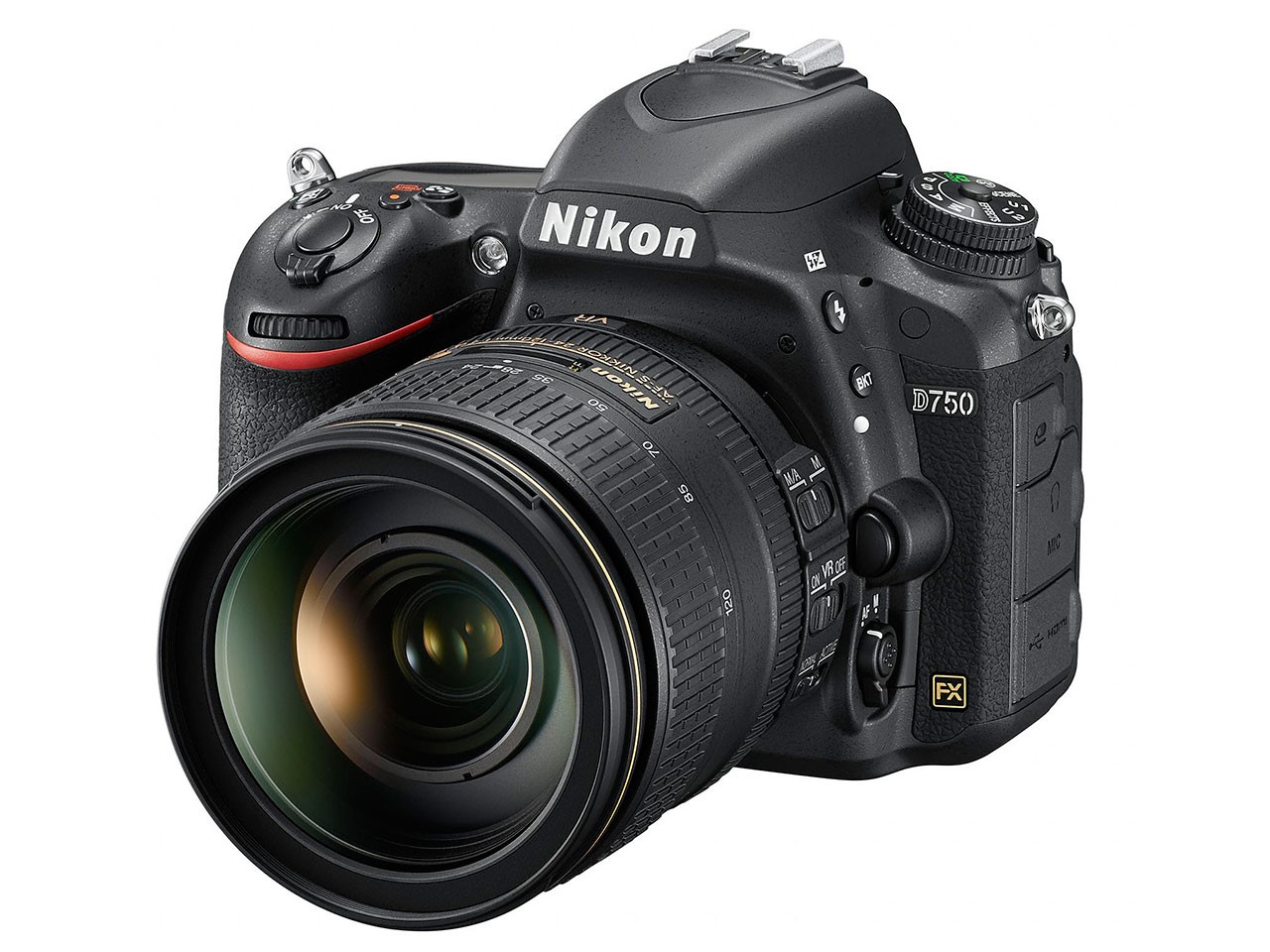](https://tethertalk.com/2014/09/12/nikon-d750-tethering-cable/nikon-d750-usb-tethering-uc-e6-uc-e15-cable/)Photo courtesy of Nikon The Nikon D750 is a Hi-Speed USB 2.0 DSLR camera and compatible with the TetherPro USB A to Mini B 8 pin cable. Available in high-visibility orange or black, the TetherPro cable features gold-plated connectors for corrosion resistance, ensuring consistent and reliable conductivity. A ferrite core is also included to filter out signal noise and reduce transmission errors. Additionally, all TetherPro cables are fully shielded to protect against external signal interference. The [**TetherPro USB A to Mini B 8 Pin**](https://www.shop.tethertools.com/TetherPro-USB-20-A-Male-to-Mini-B-8-Pin-CU542.htm "Tether Tools | TetherPro USB 2.0 Mini B 8 Pin"), available in various lengths including 15 feet (4.6m), connects to the Nikon D750 via the USB Mini-B port located on the side of the DSLR body. This cable is designed and manufactured to highest USB specifications, ensuring delivery of excellent performance. [**USB specifications**](https://www.usb.org/home "USB | Homepage") recommend limiting the length of a passive USB cable to 15 feet. If you plan to tether your camera longer than 15 feet, you will need an active extension. [**USB Active Extension, available in 16, 32, 49 or 65 feet (5, 9.7,15 or 20m)**](https://tethertools.com/product/tetherpro-usb-2-0-active-extension-cable-16-32-49-or-65-feet/ "Tether Tools | USB Active Extension Cable"), used in conjunction with your passive USB cable, will boost the signal, reduce transmission errors and lower noise, enabling the longer tethering distances when needed. Be sure to check out our complete line of [**JerkStopper cable retention devices**](https://tethertools.com/product/jerkstopper-tethering-kit/ "Tether Tools | JerkStopper Cable Management"). The JerkStopper removes stress and strain from the camera and computer plugs. This ensures the plugs stay in, and also prevents cable and/or equipment damage. For additional resources on camera and cable compatibility, please review our [**Camera Compatibility Guide**](https://tethertools.com/plugging-in/usb-compatibilty/). Can’t find the right cable? **[Let us know and we will help you find it](https://tethertools.com/products-page/products-page/plugging-in/specific-cable/).**
**Categories:** Getting Started
**Tags:** Nikon, Tethering Cables
**Hide Automatic Featured Images:** Hide
---
### [How to Tether Your Camera to Lightroom Mobile on iPad](https://tethertools.com/blog/how-to-shoot-tethered-to-an-ipad-via-lighroom-mobile/)
**Published:** September 3, 2015
**Author:** Tom Pitts
**Content:**
Tethered shooting is a core workflow for many professional photographers in portraiture, product, fashion, commercial, and architectural photography where real-time image review is critical. While Lightroom Mobile does not support [direct, cable-based tethering from a camera to an iPad](https://tethertools.com/blog/understanding-mobile-tethering/), it does enable a practical and flexible workflow that allows photographers to shoot tethered to Lightroom on a computer and view those images instantly on an iPad, iPhone, or Android device. This approach combines the stability of traditional tethered capture with the mobility and collaboration benefits of tablets and phones, making it a valuable option for many modern photography sets. ## **How Lightroom Mobile Works with Tethered Shooting**
Lightroom Mobile is part of Adobe’s cloud-based Lightroom ecosystem. Instead of connecting your camera directly to an iPad, Lightroom Mobile acts as a synced viewing and editing extension of your primary tethered workstation. Lightroom Mobile Tethering Workflow:
1. **Connect your camera to a laptop or desktop** using a [reliable, high-speed tethering cable](https://tethertools.com/product-category/cables-adapters/usb-c-gen-2-cables/)
2. **Shoot tethered into Lightroom** (Lightroom Classic or Lightroom Desktop)
3. **Enable cloud syncing** for the active catalog or collection
4. **Images sync automatically** and appear on Lightroom Mobile on or iPad or iPhone
Images typically appear on mobile devices shortly after capture, depending on internet connectivity and file size.## **HDR Capture and Reviewing RAW File on Mobile Devices**
One of the biggest advantages of this workflow is full RAW file support across devices. When shooting directly with supported mobile devices, Lightroom Mobile also supports HDR image capture in RAW, providing increased dynamic range and greater flexibility in post-processing.
- Images shot tethered to Lightroom sync as full-resolution RAW files, not previews
- Lightroom Mobile supports non-destructive RAW editing, with changes syncing back to desktop automatically
- Exposure, white balance, color, and detail can be accurately reviewed on a tablet display while shooting
While mobile HDR capture isn’t a replacement for tethered camera workflows, it can complement hybrid shooting setups.## **Lightroom Mobile on Android Devices**
Lightroom Mobile is available on both iOS and Android, and the tethered-sync workflow works the same across platforms. On supported Android phones and tablets, Lightroom Mobile offers comparable capabilities as the iOS version of the app. This makes Lightroom Mobile a viable solution for photographers working with mixed-device teams or those who prefer Android hardware for on-set review.## **When to Use Lightroom Mobile for Tethered Workflows**
This workflow is especially useful in scenarios where mobile viewing and collaboration matter more than direct capture on the tablet itself. Common use cases include:
- **Client review on set** without crowding around a laptop
- **Studio environments** where an iPad can be mounted for easy viewing
- **On-location shoots** where mobility and flexibility are important
- **Collaborative teams**, allowing stylists, assistants, or art directors to review images live
- **Education and demonstrations**, where images need to be displayed clearly as they’re captured
While Lightroom Mobile doesn’t replace a full desktop tethering setup for heavy editing or file management, it significantly extends the reach of your end-to-end [tethered workstation system](https://tethertools.com/product/aerotrac-workstation-system/). ## **Mobile Apps For Direct Cable Tethering to Tablets**
While Lightroom Mobile relies on a computer-based tethering workflow, other mobile apps do support direct camera-to-tablet tethering via cable, allowing photographers to shoot straight to an iPad or tablet without a laptop in the setup. These solutions can be useful for photographers who want:
- Direct USB-C tethering
- Live view and camera control on a tablet
- Lightweight, computer-free workflows
Photographers can create flexible, modern workflows that adapt to both studio and on-location shoots, especially when paired with [professional-grade tethering cables](https://tethertools.com/product-category/cables-adapters/) and mobile mounting solutions designed for on-set use. Compare Lightroom Mobile with other professional mobile tethering options, including options for tethering with cable, in our full guide on [Choosing the Right Mobile Tethering App: A Guide for Professionals](https://tethertools.com/blog/choosing-the-right-mobile-tethering-app-a-guide-for-professionals/).
**Categories:** Getting Started, Tethering Setups
**Tags:** Adobe Lightroom, Terry White
**Hide Automatic Featured Images:** Hide
---
### [Shooting Tethered with the Nikon D850](https://tethertools.com/blog/shooting-tethered-with-the-nikon-d850/)
**Published:** August 24, 2017
**Author:** Tom Pitts
**Content:**
Tethering a Nikon D850 to your computer is quick, simple, and easy with Tether Tools gear! Shoot tethered with the Nikon D850 using our [TetherPro USB 3.0 SuperSpeed Micro-B cable](https://tethertools.com/product/tetherpro-usb-3-0-superspeed-micro-b-cable/), and be sure to add a TetherBoost Pro USB 3.0 Core Controller to your shopping cart to avoid dropped signals.
The TetherBoost Pro USB 3.0 Core Controller provides consistent power to maintain a stable connection for tethered image transfer when using a DSLR camera connected to a computer via USB 3.0 cables. This streamlined solution alleviates frustrations among photographers experiencing dropped signals when shooting with USB 3.0 cameras and computers.
## The Camera – [Nikon D850](https://www.nikonusa.com/en/nikon-products/product/dslr-cameras/d850.html)
Proving that speed and resolution can indeed coexist, the Nikon D850 is a multimedia DSLR that brings together robust stills capabilities along with apt movie and time-lapse recording. Revolving around a newly designed 45.7MP BSI CMOS sensor and proven EXPEED 5 image processor, the D850 is clearly distinguished by its high resolution for recording detailed imagery. The back-illuminated design of the sensor is able to acquire greater detail and clarity when working in low-light conditions, and the sensor also forgoes an optical low-pass filter for improved sharpness. Working in conjunction with the sensor is the EXPEED 5 image processor, which together afford a 7 fps continuous shooting rate for up to 51 consecutive frames, an expandable sensitivity range from ISO 32 to 102400, and 4K UHD video recording using either a DX crop or the entire area of the full-frame sensor. An 8K time-lapse recording mode is also available, as well as additional specialized recording modes for digitizing film negatives and for focus stacking applications. Benefitting the imaging capabilities is an advanced Multi-CAM 20K 153-point AF system, which debuted with the flagship D5 and offers 99 cross-type sensors for refined focusing accuracy in a variety of lighting conditions. Checking off a number of boxes for multimedia image-makers, the D850 positions itself as not only a high-resolution DSLR but also as a camera for speed, movies, and low-light shooting needs.
Balancing the versatile imaging features, the D850 is also equally refined in its physical design. A large optical pentaprism offering a wide field of view and 0.75x magnification affords photographers a bright, clear, and realistic view for critical shooting needs. Conversely, a 3.2″ 2.36m-dot LCD touchscreen is also available for live view shooting, playback, and menu navigation, and features a tilting design to suit working from high and low angles. A weather-sealed design is also employed, to suit working in a variety of environmental conditions, and the optional MB-D18 grip can be added to boost overall shooting times and continuous shooting rates.
- 45.7MP FX-Format BSI CMOS Sensor
- EXPEED 5 Image Processor
- 3.2″ 2.36m-Dot Tilting Touchscreen LCD
- 4K UHD Video Recording at 30 fps
- Multi-CAM 20K 153-Point AF System
- Native ISO 25600, Extended to ISO 102400
- 7 fps Shooting for 51 Frames with AE/AF
- 8K Time-Lapse, Negative Digitizer Mode
- 180k-Pixel RGB Sensor, Focus Shift Mode
## The Software – What software should you use to shoot tethered with the Nikon D850?
There are several software options for Nikon shooters including Adobe Lightroom, Capture One, and Smart Shooter. Learn more about these and more options in the [Software category on TetherTools.com.](https://tethertools.com/product-category/software/)
The Case Air Wireless Tethering System is also an option, and we’re currently working on making the Case Remote app compatible with this new camera.
## The Gear – Starter and Pro Tethering Kits
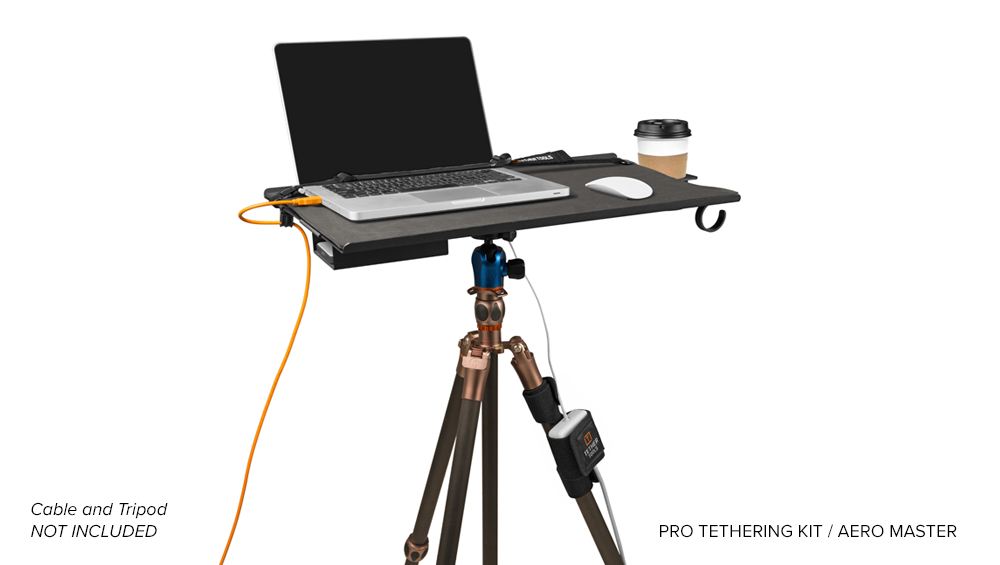### Starter Tethering Kit
The [Starter Tethering Kit](https://tethertools.com/product/starter-tethering-kit/) from Tether Tools will help you seamlessly transition into a tethered workflow and provides the basics you need to get started.
### The Starter Tethering Kit includes:
- One (1) TetherPro USB 3.0 SuperSpeed Micro-B Cable 15′ (4.6m)
- One (1) JerkStopper Camera Support
- One (1) JerkStopper USB Support
- One (1) Tether Tools Cable Organization Case (Standard)
- One (1) Package JerkStopper ProTab Cable Ties – Small (10pk)
### Pro Tethering Kit
The [Pro Tethering Kit](https://tethertools.com/product/pro-tethering-kit-tables/) is the ideal setup for a professional tethered photography workflow. Take your photography and professional image to the next level by enhancing productivity, improving efficiency, and increasing safety in your workstation.
Upgrade to the Pro Tethering Kit if you already own a [Starter Tethering Kit](https://tethertools.com/product/starter-tethering-kit/) or [TetherPro Cable](https://tethertools.com/product-category/cables-adapters/).
### The Pro Tethering Kit Includes:
- One (1) Tether Table Aero Master or Traveler
- One (1) LAJO-4 ProBracket
- One (1) Aero ProPad
- One (1) Aero Cup Holder
- One (1) Aero SecureStrap
- One (1) Aero XDC
- Three (3) Aero Clip-on Hooks
- One (1) JerkStopper Clip-on Support
- One (1) StrapMoore
- One (1) Tether Table Aero Storage Case
**To learn more about shooting tethered including how to create better images and work more efficiently while keeping your files safe and secure by incorporating an archival tethering system into your workflow [download the Ultimate Tethering Guide](https://tethertalk.com/2015/09/25/the-ultimate-photo-tethering-guide-from-tether-tools-and-asmp/) – FREE from Tether Tools and the American Society of Media Photographers (ASMP).**
**Categories:** Industry News
**Tags:** Nikon, Nikon D850
**Hide Automatic Featured Images:** Hide
---
### [How to Attach an External Hard Drive to Your Laptop](https://tethertools.com/blog/how-to-easily-mount-your-external-hard-drive-to-a-laptop/)
**Published:** September 8, 2017
**Author:** Bob Davis
**Content:**
There’s rarely a safe place for photographers to put a portable external hard drive when using their laptop. Of course, if you’re using a [Tether Table Aero](https://tethertools.com/tether-table-aero-system/), you can simply use an [Aero XDC](https://tethertools.com/product/aero-xdc/) and securely store your external hard drive underneath the table. That being said, if you’re viewing or editing photos on the go or at home, you might quickly realize there’s no convenient place to put the external hard drive and be assured that while in use it will be safe from a spilled drive or getting knocked off your lap or desk. With just a couple pieces of gear from Tether Tools, you can create a slick mounting solution for securing your external hard drive to the back of your laptop. You’ll first attach, a [RapidStrip](https://tethertools.com/product/rapidstrips-for-tether-tools-rapidmounts/) to the back of the Rock Solid LoPro Phone Mount than press firmly to the back of your laptop. Secure the external hard drive in the mount, then connect the cable. You can remove the external hard drive from the [Rock Solid LoPro Phone Mount](https://tethertools.com/product/rock-solid-lopro-phone-mount/) as frequently as needed, and the LoPro Phone Mount will stay securely attached to the laptop lid for the next time you get your external hard drive out. Keep in mind that the LoPro Phone Mount isn’t now a permanent fixture on your laptop, you can remove and the RapidStrips won’t leave any sticky residue behind.
> [TetherPro USB 3.0 to Micro-B](https://tethertools.com/product/tetherpro-usb-3-0-superspeed-micro-b-cable/)
> [Rock Solid LoPro Phone Mount](https://tethertools.com/product/rock-solid-lopro-phone-mount/)
> [RapidStrips for Tether Tools RapidMounts](https://tethertools.com/product/rapidstrips-for-tether-tools-rapidmounts/)
**Categories:** Photography Styles
**Tags:** LoPro Phone Mount
---
### [From Idea to On-Set Essential: Photographers Are Putting Tether Tools Tripod Hammocks to Work](https://tethertools.com/blog/tripod-hammocks-photography-gear-storage/)
**Published:** October 1, 2026
**Author:** Hailey Barrus
**Content:**
Every photographer knows the routine.
You are in position, the camera is ready, and then you need another lens. Or a battery. A filter. A cable. A memory card.
Back to the camera bag you go.
It is a small interruption, but over the course of a shoot, those moments add up. Meanwhile, there is an area sitting almost completely unused right beneath the camera: the space between the tripod legs.
That simple observation helped inspire the newest additions to the Tether Tools lineup: the [**Tripod Hammock Sport**](https://tethertools.com/product/tripod-hammock-sport/) and [**Tripod Hammock Multi-Pro**](https://tethertools.com/product/tripod-hammock-multi-pro/).
Designed to turn unused tripod space into convenient camera gear storage, the two Tripod Hammocks keep essential equipment organized, off the ground, and within reach.
Since launching in September, however, the most interesting part has been seeing what happened once photographers actually put them to work. From portrait and commercial sets to wildlife photography in the field, early users are finding their own reasons to keep a Tripod Hammock attached to their gear.
## It Started With a Space Photographers Weren’t Using
Tether Tools gear is built around a straightforward philosophy: **solve real problems photographers encounter while working.**
The Tripod Hammocks apply that thinking to one of photography’s most familiar pieces of equipment.
Instead of adding another stand, table, cart, or bag to a shooting area, the idea was to make better use of something already there.
[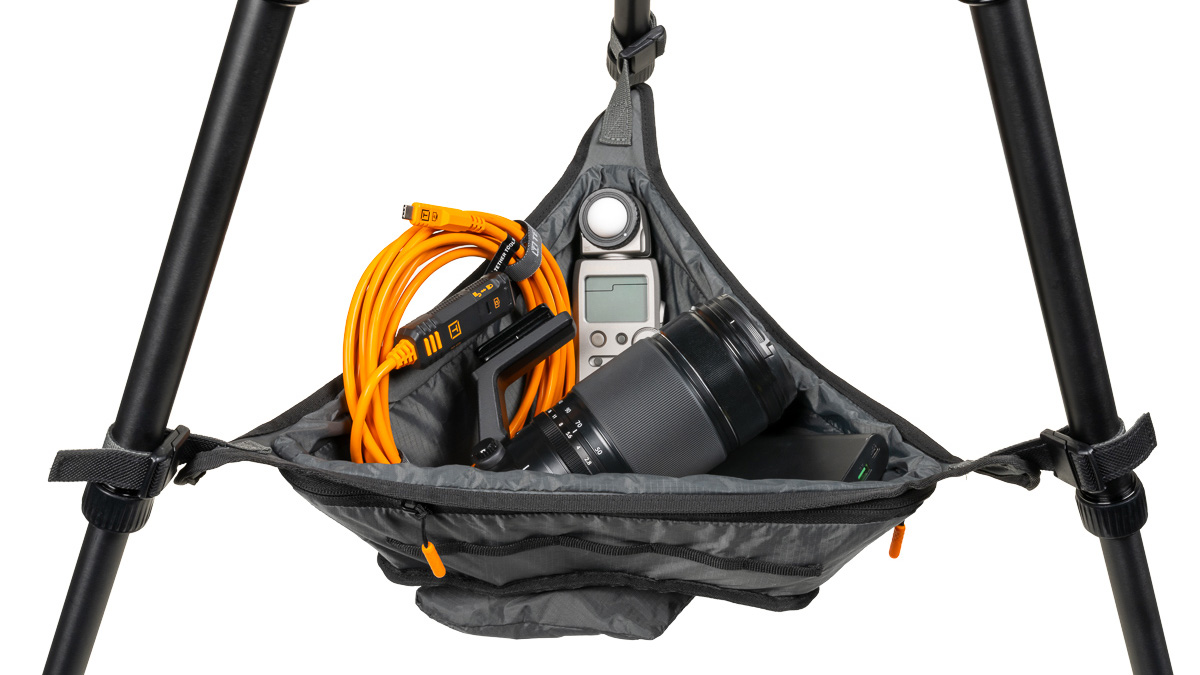](https://tethertools.com/product/tripod-hammock-sport/)Sport[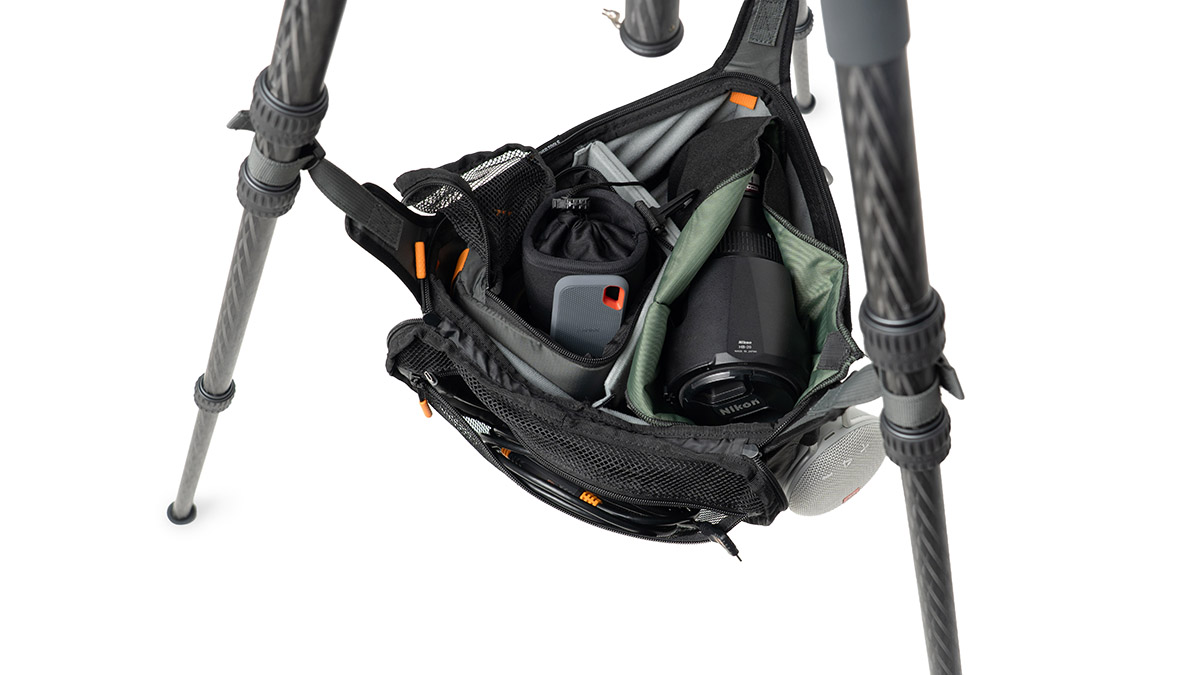](https://tethertools.com/product/tripod-hammock-multi-pro/)Multi-ProThe [**Tripod Hammock Sport**](https://tethertools.com/product/tripod-hammock-sport/) creates an expandable open storage area for batteries, cables, filters, tools, memory cards, personal items, and other frequently used gear. The [**Tripod Hammock Multi-Pro**](https://tethertools.com/product/tripod-hammock-multi-pro/) takes that concept further with removable padded dividers, exterior pockets, an enclosed zip-top design, and a carry handle that lets photographers move their organized gear between setups. Both attach with Tether Tools’ secure-lock magnetic quick-connect system.
For professional interior photographer and educator **Stephen Karlisch**, it solves a problem that has existed for a long time.
Karlisch immediately recognized the value of bringing his most-used equipment closer to where he is actually shooting.
> *“I am always running back and forth to my camera bag to find extra lenses and accessories and now I can keep them securely next to me.”*
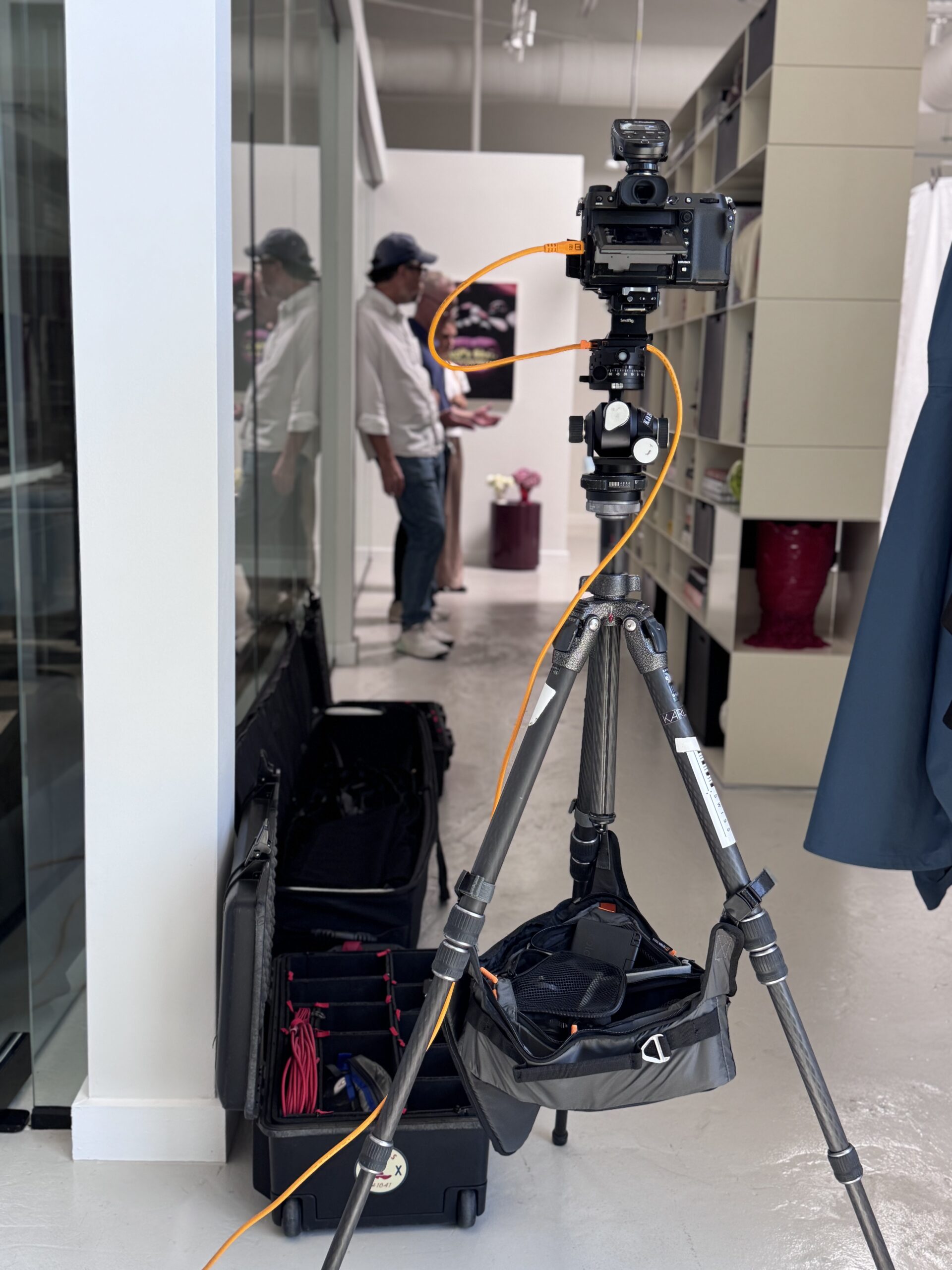Stephen Karlisch BTS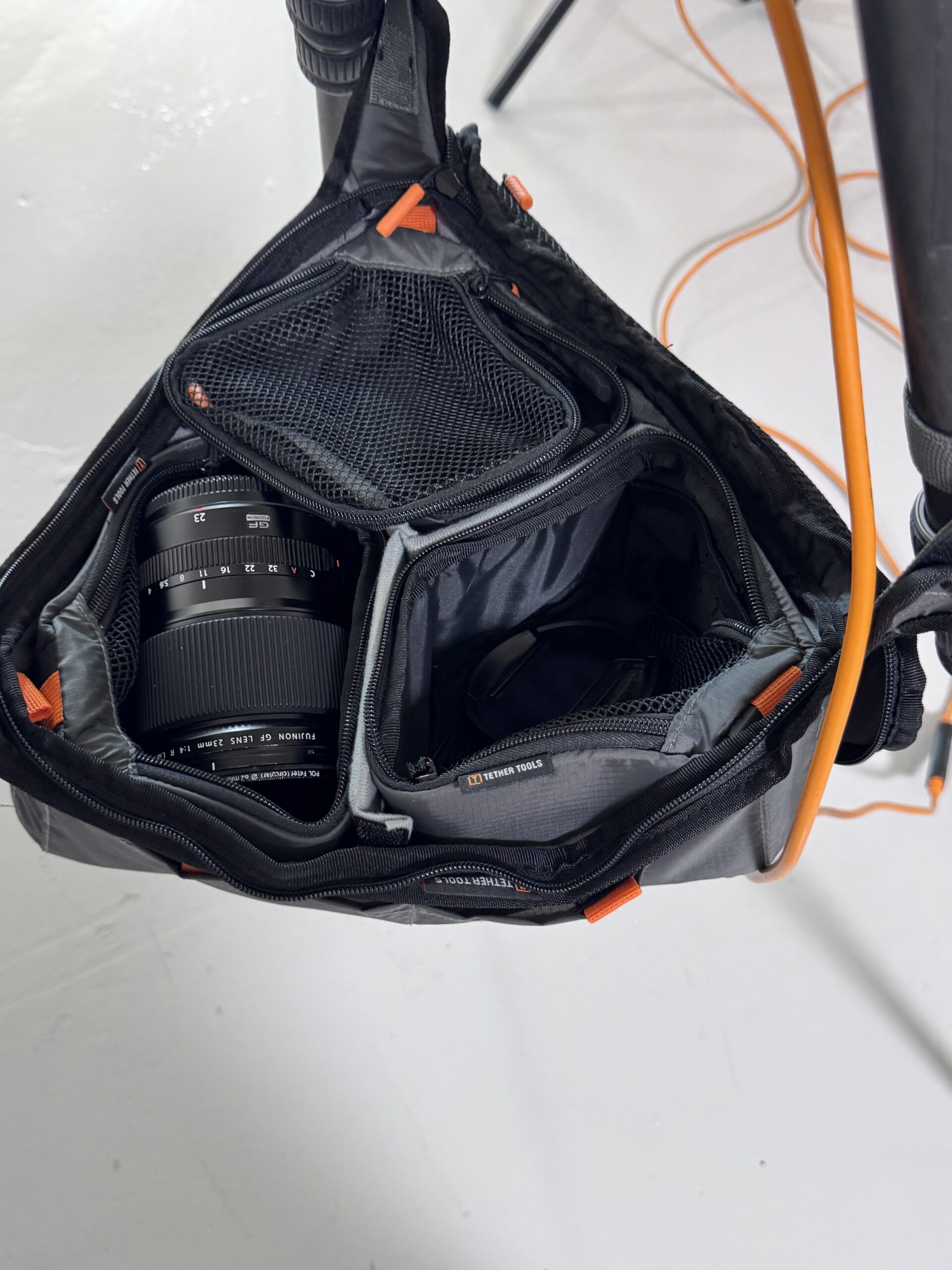Stephen Karlisch BTSThat is where the idea behind the Tripod Hammock becomes bigger than simply adding storage to a tripod. It is about reducing the distance between photographers and the equipment they need to create.
## From GFX to Sony: Keeping Gear Close to the Camera
Karlisch also found that the **[Tripod Hammock Multi-Pro](https://tethertools.com/product/tripod-hammock-multi-pro/)** could adapt as his camera setup changed.
> *“This pack fits my GFX lenses, Sony lenses, whatever I am shooting with.”*
Rather than organizing the hammock around one specific camera system, the removable padded dividers in the Multi-Pro allow photographers to configure its compartments around the equipment needed for a particular shoot. Tether Tools designed those compartments to accommodate equipment including lenses, batteries, filters, hard drives, cables, memory cards, and cleaning supplies.
[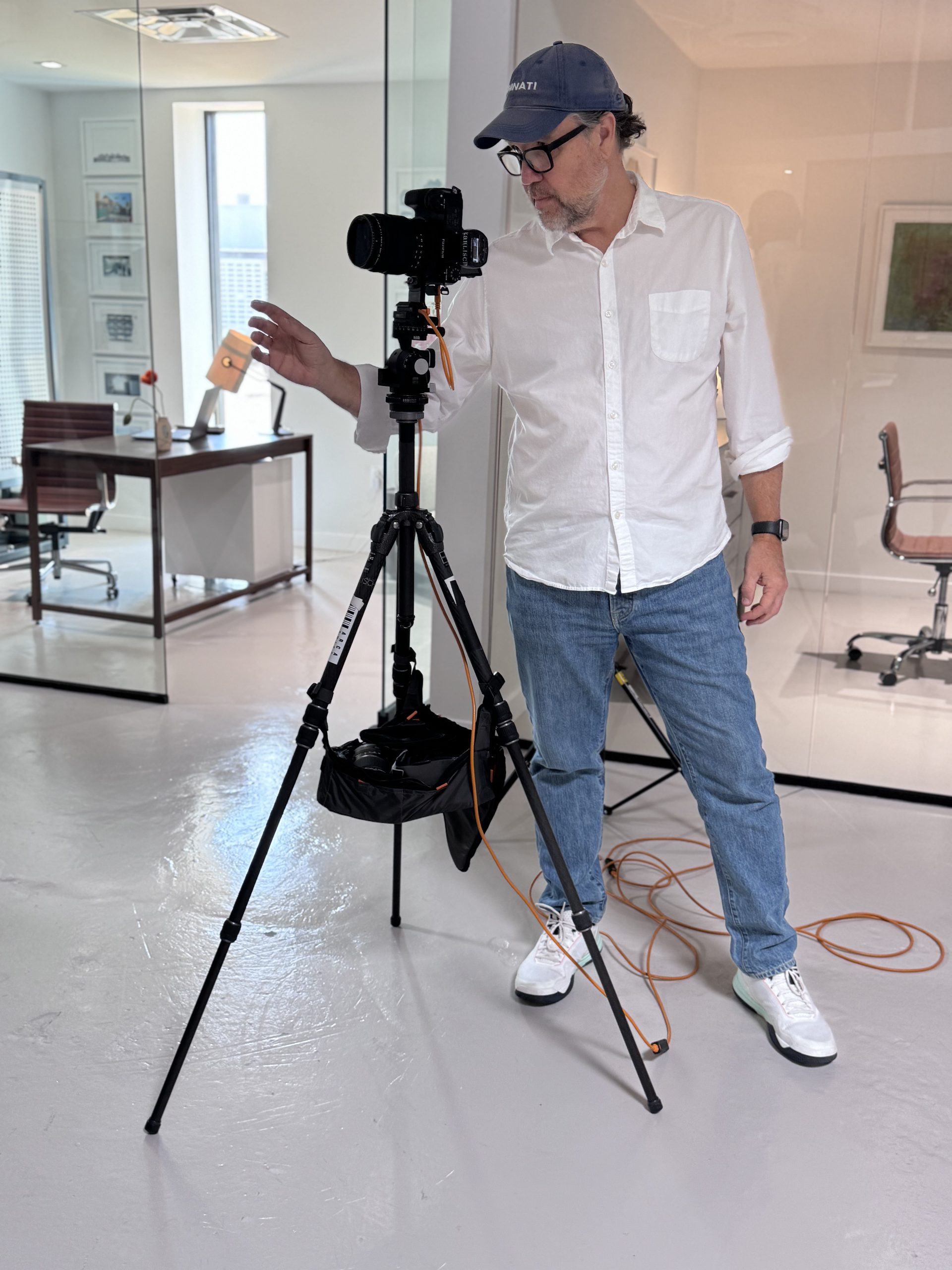](https://tethertools.com/wp-content/uploads/2026/10/IMG_3005-scaled.jpeg)Karlisch noticed another advantage once his equipment was loaded beneath the tripod:
> *“It gives me a little extra weight and stability on my tripod when I am shooting.”*
And when the shoot moves, the gear can move with it.
> *“It’s a place to store your cord and your gear when you are going from location to location.”*
For Karlisch, the takeaway is simple: it is “easy to move around with it.”
## A Different Perspective From the Field
Put the same piece of photography gear into another photographer’s hands, however, and the use case can look completely different.
**Bob & Dawn Davis Photography** have been putting the Tripod Hammock to work outside the traditional studio environment.
After using it on real assignments, Bob Davis shared his reaction on Tether Tools’ social media:
> *“This is a better mousetrap! Thanks @tethertools I have been loving this in the field for both wildlife and on location branding sessions.”*
That versatility gets to an important part of the Tripod Hammock concept. Camera gear organization is not exclusively a studio problem.
A wildlife photographer may be dealing with uneven or dirty ground while trying to keep accessories accessible. A branding photographer may be moving through multiple locations. A portrait photographer might be switching lenses throughout a session. A digital tech may be trying to prevent cables, drives, and smaller accessories from disappearing across a busy set.
The equipment changes, but the underlying problem remains remarkably similar: Where do you put the gear you need next?
## For Vail Fucci, It’s About Staying Organized
Professional photographer **Vail Fucci** found another benefit: bringing more order to her shoots.
After featuring the Tripod Hammock in a **[social reel](https://www.instagram.com/reel/DdolQVMB5A_/?stkn=MW1wbWx6aTVtdWhibA==)**, Fucci shared:
[](https://www.instagram.com/reel/DdolQVMB5A_/)
> [View this post on Instagram](https://www.instagram.com/reel/DdolQVMB5A_/?utm_source=ig_embed&utm_campaign=loading)[A post shared by VAIL FUCCI \| PHOTOGRAPHER (@vailfucci)](https://www.instagram.com/reel/DdolQVMB5A_/?utm_source=ig_embed&utm_campaign=loading)
> *“Thank you for making gear that makes my life as a photographer easier. This keeps me so much more organized on shoots.”*
She also called out one of the Multi-Pro’s most adaptable features:
> *“I love that the little compartments even come out. Great new addition to the TT product line up!”*
For photographers who constantly adjust what they carry from one assignment to another, that flexibility can make the Tripod Hammock less of a permanent storage bag and more of a configurable gear station.
## Richie Myers Immediately Saw Another Possibility
Then there are digital techs who receive a new piece of gear and almost immediately start figuring out ways to use it that the product team may not have anticipated.
That was the response from photographer and digital tech **Richie Myers**.
> *“Tell Josh and the rest of the team, this tripod bag is amazing. Such a great idea.”*
As Myers explored the Multi-Pro, one seemingly small design decision particularly stood out:
> *“The magnetic closure on the tripod leg hooks? So nice.”*
The secure-lock magnetic quick-connect system uses magnets to help guide the connectors into position while a mechanical connection secures the hammock to the tripod. **[Camera Jabber](https://camerajabber.com/photography-news/tether-tools-tripod-hammocks-turn-dead-space-under-your-tripod-into-gear-storage/)** also highlighted that combination in its coverage of the launch, noting the balance between quick attachment and securely holding equipment beneath the tripod.
Myers prediction?
> *“This thing’s going to be a hit.”*
## The Photography Industry Is Taking Notice, Too
That enthusiasm has extended beyond photographers using the products.
Shortly after launch, the Tripod Hammocks began attracting attention from photography media for the same reason they were created in the first place: **they make use of a space that has largely been ignored.**
[](https://camerajabber.com/photography-news/tether-tools-tripod-hammocks-turn-dead-space-under-your-tripod-into-gear-storage/)[**Camera Jabber**](https://camerajabber.com/photography-news/tether-tools-tripod-hammocks-turn-dead-space-under-your-tripod-into-gear-storage/) centered its coverage around the idea of turning the “dead space” beneath a tripod into accessible gear storage.
The publication highlighted a familiar compromise for photographers working on location: leave a camera bag on potentially wet, sandy, or dirty ground, or repeatedly return to a bag, cart, or vehicle for equipment. **[Camera Jabber](https://camerajabber.com/photography-news/tether-tools-tripod-hammocks-turn-dead-space-under-your-tripod-into-gear-storage/)** noted that under-tripod storage provides another option while keeping equipment close to the photographer and off the ground.
Its coverage was particularly positive about the Multi-Pro’s padded organization, describing the compartments as an important distinction between simply hanging equipment beneath a tripod and creating a practical storage solution.
[**Digital Camera World**](https://www.digitalcameraworld.com/cameras/tripods/turn-your-tripod-into-a-hammock-yes-really) approached the launch with an equally fitting headline:
> **“Turn your tripod into a hammock. Yes, really!”**
[](https://www.digitalcameraworld.com/cameras/tripods/turn-your-tripod-into-a-hammock-yes-really)The publication highlighted how both versions transform the area between tripod legs into storage while emphasizing their different purposes. It described the Multi-Pro as the more structured option, with segmented padded storage and the ability to zip the system closed for transport, while positioning the Sport as the minimalist alternative for quick access to frequently used gear.
Together, that early coverage reflects something Tether Tools hoped photographers would immediately recognize:
**You already bring the tripod. Why not put the space beneath it to work?**
## Two Hammocks. One Goal.
The response from photographers also illustrates why Tether Tools developed two versions instead of trying to create one solution for everyone.
[](https://tethertools.com/product/tripod-hammock-sport/)For photographers, filmmakers, and creators who prioritize portability and immediate access, the [**Tripod Hammock Sport**](https://tethertools.com/product/tripod-hammock-sport/) offers lightweight, expandable storage that folds into its integrated stuff sack when the shoot is finished.
For photographers, digital techs, and production teams who need more organization and protection, the [**Tripod Hammock Multi-Pro**](https://tethertools.com/product/tripod-hammock-multi-pro/) turns the same area into a structured gear hub with padded compartments, quick-access exterior pockets, enclosed storage, and an integrated carrying handle.
[](https://tethertools.com/product/tripod-hammock-multi-pro/)Different photographers are already proving that those designs can take on very different jobs.
- For Stephen Karlisch, it means keeping lenses and accessories close instead of repeatedly returning to his camera bag.
- For Bob & Dawn Davis Photography, it has found a place in wildlife and on-location branding sessions.
- For Vail Fucci, it is helping keep shoots more organized.
- And for Richie Myers, it may even become a dedicated tethering case attached to his cart.
Those aren’t four identical ways of using a product.
**That’s the point.**
## Everything in Reach. Nothing in the Way.
The Tripod Hammocks did not begin with the idea of putting more gear on a photography set. They began by asking how photographers could make better use of the setup already in front of them.The early response is showing just how many answers there can be.
[](https://tethertools.com/product/tripod-hammock-multi-pro/)[](https://tethertools.com/product/tripod-hammock-multi-pro/)[](https://tethertools.com/product/tripod-hammock-multi-pro/)[](https://tethertools.com/product/tripod-hammock-multi-pro/)[](https://tethertools.com/product/tripod-hammock-multi-pro/)Store lenses. Organize batteries. Keep cables nearby. Carry filters. Get equipment off the ground. Move accessories between locations. Build a tether kit. Add useful weight beneath a tripod.
Or find an entirely new use Tether Tools hasn’t seen yet.
Because the best photography accessories do more than occupy space in a gear bag. They earn their place on the next shoot.
And sometimes, the opportunity to make a photographer’s life a little easier was sitting right underneath the tripod all along.
[**Explore the Tether Tools Tripod Hammock Sport and Multi-Pro**](https://tethertools.com/product-category/tripods-lightstands-supports/tripod-hammock/) and find the setup that fits the way you shoot.
**Categories:** Industry News, Tech Tips
**Hide Automatic Featured Images:** Hide
---
### [How to Use Natural Light and Tethered Photography to Create Cinematic Portraits with Bharat Rawail](https://tethertools.com/blog/how-bharat-rawail-uses-natural-light-and-tethered-photography-to-create-cinematic-portraits/)
**Published:** September 23, 2026
**Author:** Hailey Barrus
**Content:**
There is no elaborate lighting setup behind the portrait featured here. Instead, photographer [**Bharat Rawail**](https://bharatrawail.com/) built the image around one of the simplest – and sometimes most unpredictable – light sources available: **a window.**
***Natural light portrait by Bharat Rawail.***
Inside his Mumbai studio, a large east-facing window provides natural light from the morning until approximately 3-4 PM. For these portraits, Bharat positioned his subject so the window, located camera right, created soft side lighting across her face.
But working simply does not mean leaving things to chance.
Bharat has learned how the light in his studio changes throughout the day and intentionally chooses when and how to use it. He then combines that understanding with diffusion and a tethered photography setup that helps him maintain the precise, consistent look he wants.
The result is a practical lesson in natural light portrait photography: great available-light portraits aren’t simply about finding a window. They’re about learning to read, shape, and monitor the light you already have.
## Working With Natural Light Instead of Fighting It
Natural light can change from one moment to the next. A passing cloud or shifting sun can alter exposure, highlights, shadows, catchlights, skin tone, and the overall feeling of a portrait.
Instead of constantly reacting to those changes, Bharat starts by understanding when the available light in his studio is most conducive to the look he wants to create.
> “To camera right, I have a large east-facing window in my studio in Mumbai. It gives me beautiful natural light from the morning through to around 3-4 PM. For this particular setup, the window was primarily lighting the subject from the side.”
Although the window provides usable light for much of the day, Bharat has identified a more specific window of time that he particularly likes for portrait photography.
> “I particularly like shooting there between approximately 12-3 PM, when the light becomes softer and works beautifully for portraits.”
That familiarity is an important part of how to shoot portraits with natural light. Instead of treating available light as something entirely unpredictable, photographers can learn how it behaves in a particular location – when it becomes softer or harder, where it falls, and how those characteristics change throughout the day.
For Bharat, knowing his studio’s light gives him a consistent starting point. From there, he can shape it further.
## How Bharat Softens Natural Window Light
The window may be Bharat’s light source, but the light reaching his subject isn’t completely untouched.
A sheer curtain stretches across the window to diffuse the incoming light, reducing its intensity and creating a softer transition between highlights and shadows on the subject’s face.
> “I use a sheer curtain across the window to diffuse and soften the natural light further.”
For certain portraits, Bharat takes that diffusion another step.
> “Depending on the kind of portrait I’m creating, I’ll sometimes add a portable skimmer in front of the sheer curtain as another layer of diffusion. I particularly like doing this for tighter beauty portraits where I want the light to be extremely soft and flattering.”
It’s a relatively simple approach to portrait photography lighting, but one that demonstrates the intentionality behind Bharat’s work.
The window determines the direction of the light. The sheer curtain softens it. When needed, an additional skimmer gives Bharat another layer of control over its quality.
Rather than overpowering the available light with a complex lighting setup, Bharat shapes what is already there to create the soft, natural quality he wants.
### *Photography Tip: Learn the Light Before You Add More of It*
*When working with natural light portraits, don’t stop at finding a bright window. Spend time observing how that light behaves.*
*Notice when the light is hardest and softest throughout the day. Pay attention to its direction across your subject’s face and the balance between highlights and shadows. If direct window light feels too harsh, a sheer curtain can provide a simple layer of diffusion. For an even softer result, an additional diffusion surface can further shape the quality of the light.*
*The goal isn’t necessarily to add more light. Sometimes it’s to better understand – and refine – the light that’s already available.*
## Using Tethered Photography to Maintain Consistency
For Bharat, tethered photography isn’t simply a more convenient way to review photographs. It changes how the people around the camera participate in the shoot.
[](https://tethertools.com/product/aerotrac-workstation-system/)Fashion and commercial portrait photography are rarely created by the photographer alone. Hair stylists, makeup artists, creative directors, clients, and other members of the production team may all need to evaluate different details. When everyone is trying to look over a photographer’s shoulder at a small camera screen, that process can quickly become inefficient. Tethering creates a shared visual reference.
> “With hair, makeup and the rest of the team close by, everyone can see the images coming in live and make adjustments immediately.”
Once Bharat has created the quality of light he wants, the next challenge is maintaining it.
That’s particularly important because his portrait sessions can be surprisingly short.
> “I’m quite precise and planned in the way I shoot, so a shoot session may sometimes last only around 15 minutes. During that time, I want to maintain a very consistent look rather than constantly reacting to changes in the natural light.”
This is where Bharat’s tethered photography workflow becomes part of the lighting process. His **Nikon Z8** remains tethered to a MacBook Pro positioned beside him on the [**Tether Tools AeroTrac Workstation System**](https://tethertools.com/product/aerotrac-workstation-system/). As photographs are captured, Bharat can evaluate them on the larger display without leaving the shooting area.
[](https://tethertools.com/product/aerotrac-workstation-system/)
> “Having my MacBook Pro right beside me on the AeroTrac, with the camera tethered throughout, means the entire team – hair, makeup, wardrobe, the talent and myself – can see the photographs coming in in real time.”
That larger view allows Bharat to monitor not only the changing natural light, but also focus, expressions, styling, skin detail, and the other small elements that contribute to the finished portrait.
If something needs attention, the team can see it while the subject, lighting, styling, and set are still in place.
> “If any minor adjustments need to be made, we can make them there and then and continue shooting without interrupting the flow of the shoot.”
For Bharat, tethering isn’t replacing his understanding of light. It’s helping him protect the consistency of the lighting decisions he has already made.That shortens the feedback loop. If hair needs adjusting, the team can see it. If makeup responds differently as the light changes, it can be addressed. If a particular expression or angle is working especially well, everyone can recognize it and build from it. Most importantly, those conversations happen during the shoot rather than afterward.
## Why Tethered Photography Matters for Portrait and Fashion Shoots
That ability to see each photograph immediately has implications beyond lighting.
[**Fashion**](https://tethertools.com/photographic-styles/fashion/) and [**commercial portrait photography**](https://tethertools.com/photographic-styles/commercial/) are collaborative by nature. Hair stylists, makeup artists, wardrobe teams, creative directors, clients, talent, and photographers may all be watching for different details within the same frame.
Trying to make those decisions from a small camera screen can create an unnecessary bottleneck. A tethered display creates a shared visual reference.
If hair needs adjusting, the stylist can see it. If makeup needs attention, it can be addressed. If wardrobe isn’t falling correctly, the team can respond before moving on. And when a particular expression, pose, or angle is working, everyone can recognize it and build from it.
For a photographer who may accomplish what he needs in a 15-minute session, that immediate communication becomes particularly valuable. Instead of stopping the shoot for lengthy reviews, the review process happens alongside the photography.
## A Faster Feedback Loop Without Breaking the Connection
There is another reason Bharat’s setup is particularly well suited to portrait photography: proximity.
The **[AeroTrac](https://tethertools.com/product/aerotrac-workstation-system/)** keeps his MacBook Pro beside his shooting position, rather than at a separate workstation across the studio.
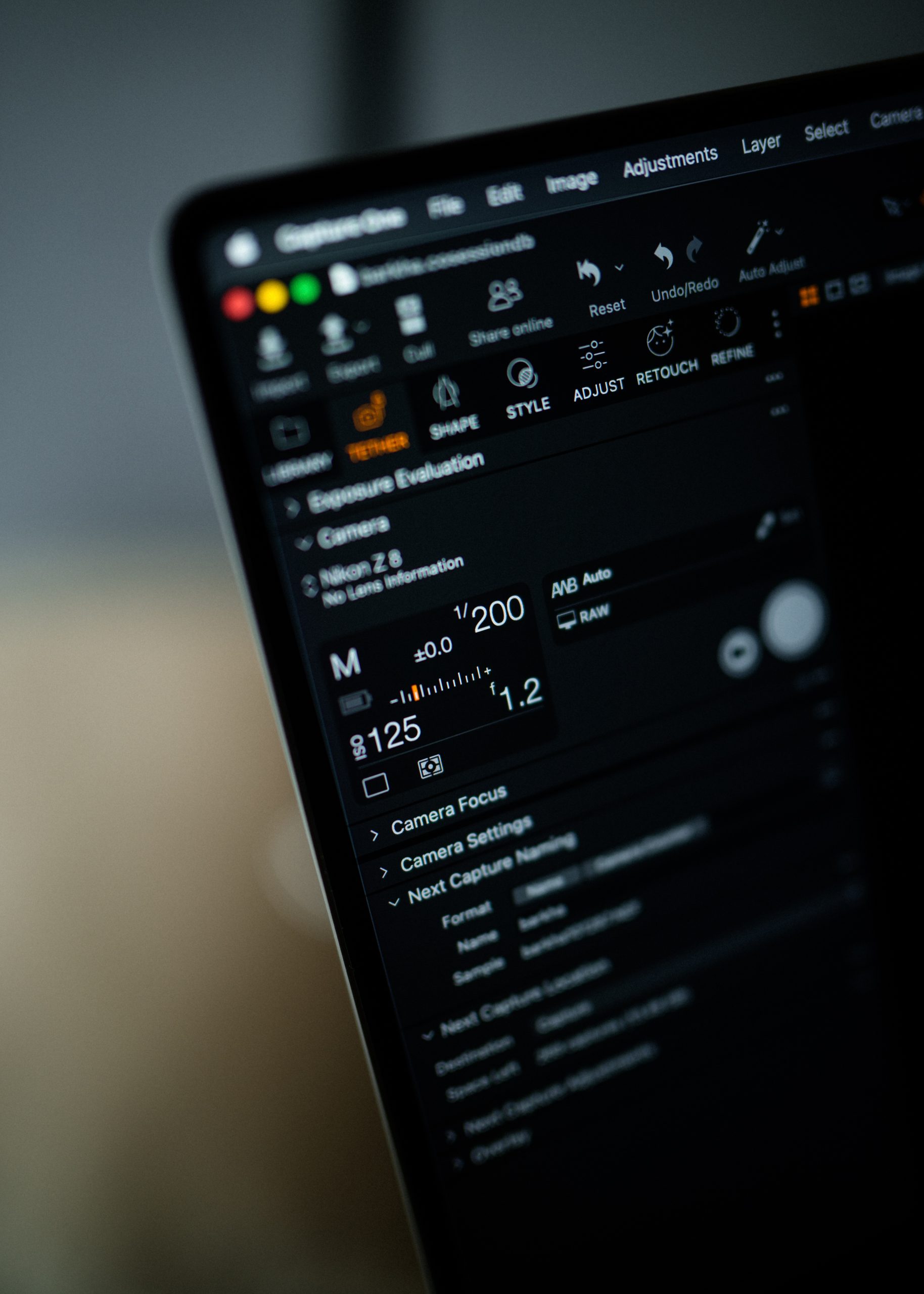That may seem like a small consideration, but portrait photography depends heavily on momentum and connection. Subtle changes in expression, posture, and emotion can be the difference between a technically successful photograph and one that feels genuinely human.
Repeatedly stepping away from the subject to review images can disrupt that rhythm.
Bharat’s setup reduces that interruption. He can photograph, review, communicate with his team, make a small adjustment, and continue.
That balance between technical precision and human connection is central to Bharat’s work. The technology surrounding the shoot isn’t intended to become the center of attention. It’s there to help Bharat and his team stay focused on the person in front of the camera.
## Building a Mobile Tethered Photography Workstation
Bharat’s setup for this shoot was deliberately streamlined:
| **GEAR** | **USED ON THE SHOOT** |
|---|---|
| **Camera** | Nikon Z8 |
| **Lens** | NIKKOR Z 50mm f/1.2 S |
| **Computer** | MacBook Pro |
| **Workstation** | [**Tether Tools AeroTrac Workstation System**](https://tethertools.com/product/aerotrac-workstation-system/) |
| **Tethering cable** | [**TetherPro Optima 10G USB-C**](https://tethertools.com/product/tetherpro-optima-10g-usb-c-straight-to-straight-cable/) |
Together, the setup gives Bharat a mobile workstation positioned directly alongside his shooting area. The **[AeroTrac Workstation System](https://tethertools.com/product/aerotrac-workstation-system/)** provides the physical foundation for the laptop-based workflow, while the [**TetherPro Optima 10G**](https://tethertools.com/product/tetherpro-optima-10g-usb-c-straight-to-straight-cable/) connection supports the tethered transfer of captures for immediate review.
Rather than treating tethering as a separate step after pressing the shutter, Bharat makes image review part of the act of photographing.
## What Fashion and Commercial Photographers Can Take From Bharat’s Workflow
Perhaps the most useful lesson from Bharat’s process is that efficiency doesn’t necessarily mean shooting faster.
It means removing unnecessary steps between seeing something, evaluating it, and acting on it.
Bharat first understands his environment: he knows where his window light comes from and when he prefers to photograph with it. He shapes that light with diffusion to achieve the quality he wants. He then uses tethering to monitor the resulting photographs and maintain consistency while keeping his team involved.
For portrait photographers, that can mean catching subtle changes in focus, light, or expression. For fashion photographers, it can mean spotting hair, makeup, wardrobe, or styling details while they can still be corrected. For commercial photographers, it can give clients and creative teams greater visibility into what is being captured before the production moves forward.
The lesson isn’t that every photographer needs to replicate Bharat’s exact lighting setup. It’s that intentionality carries through every stage of the shoot – from understanding the light to choosing the tools that help you evaluate it.
For Bharat, the technology ultimately recedes into the process. His photographs may be technically precise, but the technology isn’t what viewers are supposed to notice. They’re supposed to notice the person.
## Meet Tether Tools Pro Team Photographer Bharat Rawail
[](https://tethertools.com/pros/bharat-rawail/)Bharat Rawail’s path to photography began long before he stepped behind the camera professionally. Before becoming a photographer, Bharat spent more than 15 years at Yash Raj Films, where his roles included Chief Assistant Director, 1st Assistant Director, Creative Supervising Producer, and Executive Producer. Those years immersed him in visual storytelling and helped shape the cinematic sensibility he would eventually bring to still photography.
Today, Bharat photographs celebrities, actors, models, entrepreneurs, and influential personalities across India and internationally. His work spans celebrity portrait photography, fashion, commercial campaigns, hospitality, advertising, and professional headshots, with a style grounded in simplicity, elegance, and authentic human connection.
His portfolio includes work with Ranveer Singh, Rani Mukerji, Ahaan Panday, Kartik Aaryan, Triptii Dimri, Shahid Kapoor, Sharvari, Samantha Ruth Prabhu, Tiger Shroff, Sara Ali Khan, Arjun Kapoor, Rajkummar Rao, Sonam Kapoor, Aditi Rao Hydari, Tamannaah Bhatia, and more.
A designated Nikon Ambassador in India, Bharat continues to bring together the visual language of cinema and the immediacy of photography, creating work that feels polished without losing the human connection at its center.
**We’re proud to welcome Bharat Rawail to the Tether Tools Pro Team and look forward to sharing more of his work, creative process, and professional photography workflow with the Tether Tools community.**
[**Explore Bharat Rawail’s Work**](https://bharatrawail.com/) • [**Meet the Tether Tools Pro Team**](https://tethertools.com/pros/)
**Categories:** From the Pros
**Hide Automatic Featured Images:** Hide
---
### [How to Protect Your Camera Port During Tethered Photography](https://tethertools.com/blog/protect-your-camera-port-and-improve-your-tethered-photography-workflow/)
**Published:** August 4, 2026
**Author:** Hailey Barrus
**Content:**
Every professional photographer has experienced it.
The lighting is dialed in. Your camera settings are perfect. The client is watching the monitor as each image appears on screen. Then, in an instant, someone brushes against the tether cable. The connection drops. Image transfer stops.
The momentum you’ve worked so hard to build comes to a halt.
Whether you’re photographing a national advertising campaign, a fast-paced fashion editorial, school portraits, or product photography in the studio, your tethered connection is one of the most important and often overlooked parts of your workflow. For years, photographers have invested in faster cameras, sharper lenses, better lighting, and more powerful software. Yet one of the smallest components in the entire production process, the connection between the camera and the computer, has often been left unprotected.
That’s why we’re introducing the **[TetherGuard LeverLock Plus Tripod Plate](https://tethertools.com/product/tetherguard-leverlock-plus-plate/)**, a camera-side cable management and quick-release device designed to help professionals protect valuable camera ports, reduce accidental disconnects, and create a cleaner, more reliable tethered workflow. Built from years of customer feedback and real-world production experience, [**LeverLock Plus** ](https://tethertools.com/product/tetherguard-leverlock-plus-plate/ "LeverLock Plus ")represents the next evolution of professional tethered capture.
## Why Camera Port Protection Matters In A Tethered Photography Workflow
[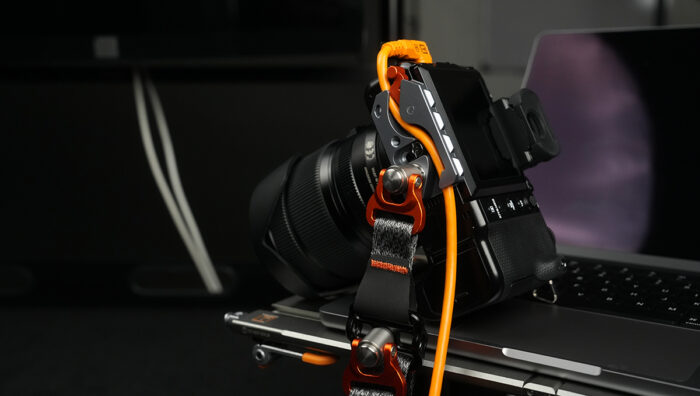](https://tethertools.com/product/tetherguard-leverlock-plus-plate/)A tethered shoot depends on consistency. Images need to transfer. The camera needs to stay recognized by the software. The team needs confidence that every frame will arrive where it needs to go.
The camera port sits at the center of that process.
Modern USB-C camera ports are built for fast data transfer, but they are not designed to absorb repeated cable pulls, sideways pressure, or movement from a busy set. Over time, small tugs can create connection problems. In a worst-case scenario, a damaged camera port can take a camera out of service and interrupt paid production work.
Protecting that port helps reduce:
- Accidental disconnects during active shooting
- Cable strain at the camera body
- Interrupted image transfer
- Delayed camera recognition in tethering software
- Downtime while the team reconnects and resets
- Expensive repair risk from repeated stress on the port
If you are new to the workflow, Tether Tools also has a helpful overview of what tethered photography is and why photographers use it.**[ This article](https://tethertools.com/blog/what-is-tethered-photography/)** goes one step deeper into the physical connection that keeps that workflow reliable.
## What Happens When A Tethering Cable Gets Pulled?
On set, cable movement is hard to avoid. Photographers move between angles. Assistants adjust lights. Stylists step in and out. Clients gather around a workstation. Even in a controlled studio, the tethering cable can be bumped, stepped over, wrapped around a tripod leg, or pulled by the weight of the cable itself.
When that force goes directly into the camera port, three things can happen.
First, the cable can disconnect and stop image transfer. Second, the software may need time to recognize the camera again. Third, the port itself absorbs stress it was never meant to handle repeatedly.
That is the difference between simply using a camera tethering cable and building a complete tethered photography workflow. The cable matters, but the way the cable is secured matters too.
## The Hidden Cost of DIY Cable Management
[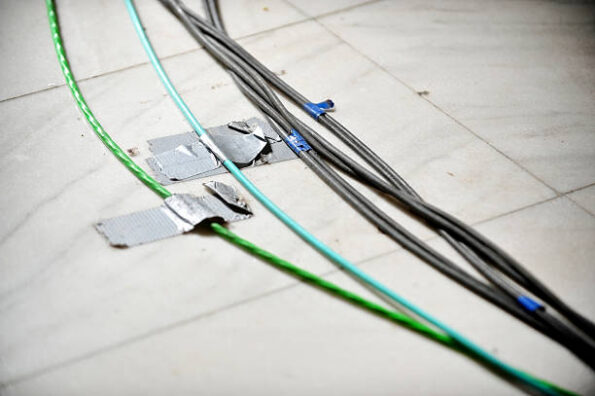](https://tethertools.com/wp-content/uploads/2026/07/Cable-Management-Tape-Image.jpg)Walk onto almost any production set and you’ll find photographers solving the same problem in remarkably similar ways.
- Some use gaffer tape
- Others rely on clips, cable wraps, or improvised strain relief
- Many simply hope nothing catches the cable before the shoot wraps
While these approaches may appear to work, they’re ultimately reactive solutions designed to compensate for a problem instead of eliminating it. As productions become more dynamic with photographers moving between handheld shooting, tripod work, overhead angles, and collaborative client review the limitations of improvised cable management become increasingly apparent.
DIY solutions often:
- Shift during active shooting
- Require constant repositioning
- Place stress directly on the camera’s USB-C port
- Offer little protection when a cable is unexpectedly pulled
Instead of treating cable management as an accessory, today’s photographers are beginning to recognize it as an essential part of protecting their equipment and delivering a seamless client experience.
**Signs Your Tethered Setup Needs Better Port Protection**
A quick way to tell whether your current setup is putting the camera port at risk: look at the connection while the camera is in shooting position.
- Is the cable hanging unsupported straight out of the port?
- Does the cable shift sideways when you rotate or reposition the camera?
- Does the cable rub against the tripod head, rig, or your hand during handheld shooting?
- Do you have enough slack to move without the cable pulling directly on the port?
If the answer to any of those is yes, the port is already absorbing stress it wasn’t designed for — which is exactly the gap LeverLock Plus was built to close.
**Start With the Right Camera Tethering Cable** Port protection starts with the cable itself. A camera tethering cable that’s too short, or not built for professional data transfer can create stress on the connection before the shoot even begins. Pairing a dependable cable such as **[TetherPro® Optima 10G](https://tethertools.com/blog/what-makes-tetherpro-optima-10g-the-best-usbc-tethering-cable-for-professional-photography/)** with the right camera-side support is where a truly protected tethered workflow begins.
## Built from Real-World Feedback. Refined for Today’s Professional Photographer.
[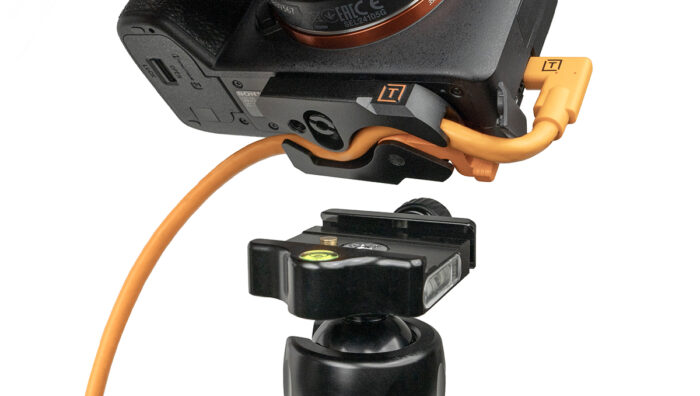](https://tethertools.com/wp-content/uploads/2024/04/tether_tools_tetherguard_leverlock_camera_plate_bottom_on_camera_tripod-1-1200x678-1.jpg)TetherGuard LeverLock Plate[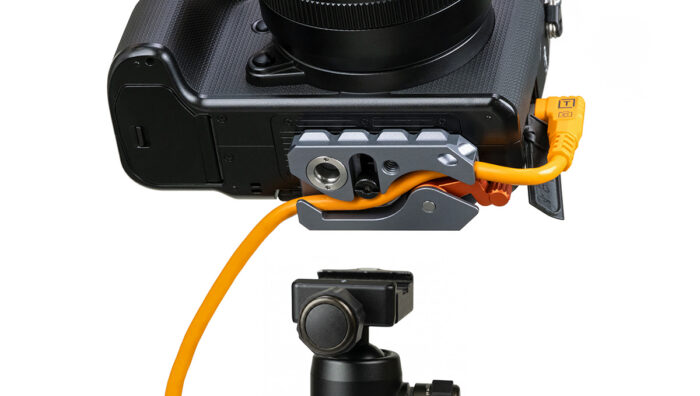](https://tethertools.com/product/tetherguard-leverlock-plus-plate/)TetherGuard LeverLock Plus Tripod PlateThe original LeverLock became a trusted tool for photographers looking to secure tethered connections and reduce strain on their camera ports. But professional workflows continue to evolve and so did the expectations of the photographers using it.
The **[TetherGuard LeverLock Plus Tripod Plate](https://tethertools.com/product/tetherguard-leverlock-plus-plate/ "TetherGuard LeverLock Plus Tripod Plate")** was engineered to create a stronger, more dependable connection between your camera, tether cable, and tripod while helping protect one of the most vulnerable parts of your camera: the data port.
Rather than relying on tape, clips, or improvised cable routing, LeverLock Plus secures the tether cable directly at the camera using Tether Tools’ proven **5-Point Protection System**, helping redirect strain away from sensitive camera ports while maintaining a stable connection throughout active production.
[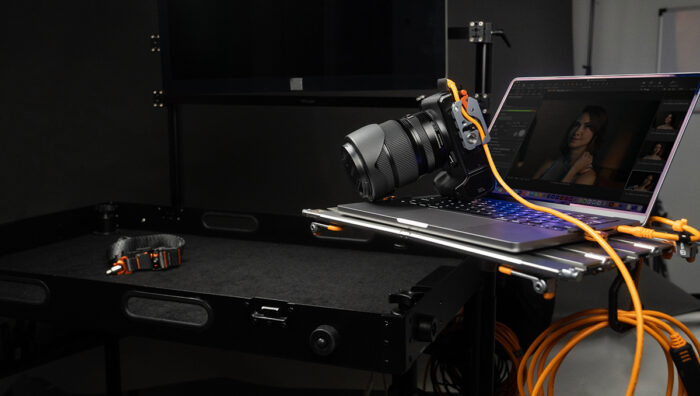](https://tethertools.com/product/tetherguard-leverlock-plus-plate/)Every enhancement introduced with LeverLock Plus was driven by direct customer feedback and real-world production experience.
Among the most significant improvements are:
- Extended Arca-compatible dovetail for a more secure tripod connection and greater stability.
- Enhanced anti-rotation grip helps reduce unwanted camera movement during shooting.
- Refined cable management channel protects the tether cable and camera port by reducing strain.
- Integrated Quick-Disconnect (QD) compatibility and strap loop enable faster transitions between tripod and handheld shooting.
- Precision-machined all-metal construction built for demanding studio and on-location workflows.
- Integrated 1/4″-20 mounting thread expands compatibility with specialty accessories and custom setups.
[](https://tethertools.com/product/tetherguard-leverlock-plus-plate/)[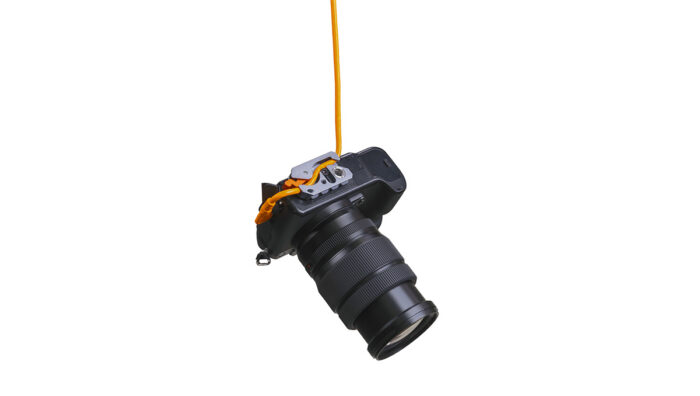](https://tethertools.com/product/tetherguard-leverlock-plus-plate/)[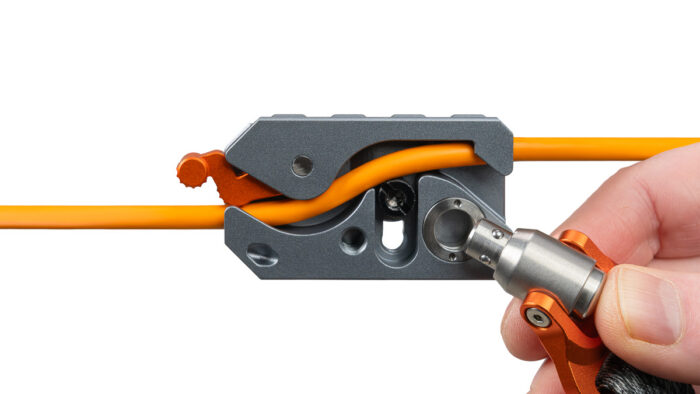](https://tethertools.com/product/tetherguard-leverlock-plus-plate/)Every update serves the same purpose: *helping photographers spend less time worrying about their tethered connection and more time focused on creating exceptional work.*
## Complete Your Workflow with the LeverLock Plus + TetherPro® Optima 10G Cable Kits
Every component of your tethered workflow should work together. That’s why Tether Tools offers the **[LeverLock Plus + TetherPro Optima 10G Cable Kits](https://tethertools.com/product/leverlock-plus-cable-kit-optima-10g-straight-to-right-cable/ "LeverLock Plus + TetherPro Optima 10G Cable Kits")**, combining two tethering staples into one professional solution.
[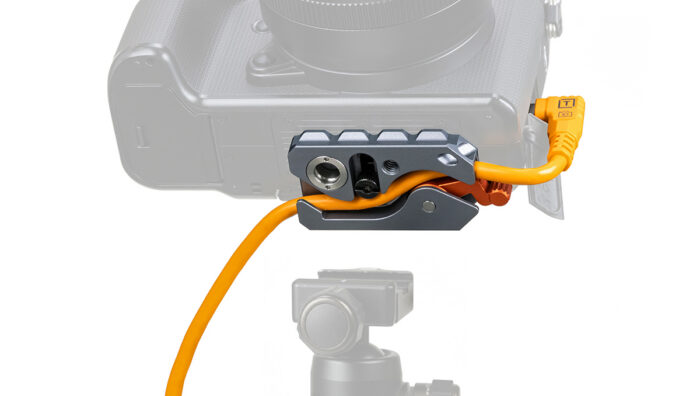](https://tethertools.com/wp-content/uploads/2026/06/1-TG-LLPLUSC15G2-ORG-TetherGuard-LeverLock-Plus-Tripod-Plate_focus-MAIN-PRODUCT-1200x678-1.jpg)[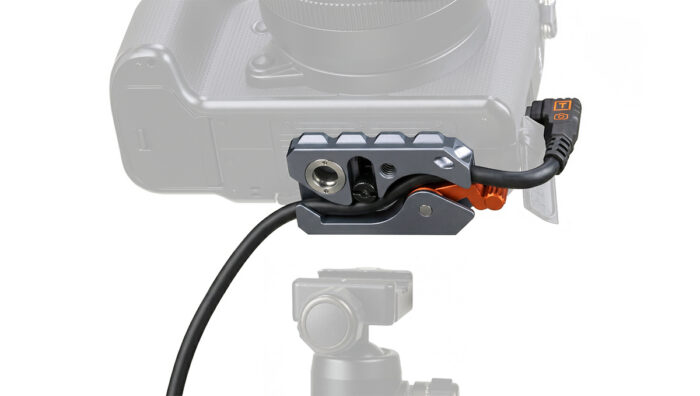](https://tethertools.com/wp-content/uploads/2026/06/1-TG-LLPLUSC31RTG2-BLK-TetherGuard-LeverLock-Plus-Tripod-Plate-Plus-Cable-Kit-MAIN-PRODUCT_focus-1200x678-1.jpg)Available with either a **15 ft. (4.6 m)** or **31 ft. (9.4 m)** TetherPro Optima 10G USB-C Straight-to-Right-Angle Cable, these kits are designed for photographers and digital techs who want to build a reliable tethered workflow.
Together, LeverLock Plus and Optima 10G work as a complete system:
- Secure the cable at the camera with the LeverLock Plus 5-Point Protection System
- Help redirect strain away from delicate USB-C camera ports
- Deliver fast, dependable 10 Gbps data transfer for professional tethered capture
- Support immediate camera recognition with a dedicated data-only architecture that eliminates Power Delivery interference
- Maintain stable performance over extended distances with integrated TetherBoost signal optimization
- Create a cleaner, more organized workspace with purpose-built cable management instead of improvised solutions
Whether you’re tethering directly beside your workstation or shooting across a larger commercial set, these kits help create a workflow that’s designed for consistency from camera to computer.
## **Tethered Photography Workflow Checklist for Protecting Your Camera Port**
Before the shoot starts, take a few minutes to check the physical connection — it’s one of the simplest ways to prevent an avoidable interruption later:
- Confirm the cable matches both the camera and computer ports
- Choose a tethering cable length that gives you room to move without leaving excess slack in foot-traffic paths
- Secure the cable at the camera with a dedicated strain-relief solution like LeverLock Plus
- Route the cable so assistants, clients, and crew are less likely to step on it
- Test camera recognition in your tethering software before the client or subject is on set
- Make one test pull to confirm the cable support absorbs movement before the camera port does
## Frequently Asked Questions
### What does the LeverLock Plus Tripod Plate do?
LeverLock Plus secures your tether cable at the camera, helping reduce strain on sensitive camera ports, prevent accidental cable disconnects, and create a more stable tethered photography workflow.
### Is LeverLock Plus compatible with Arca-Swiss tripods?
Yes. LeverLock Plus features an extended Arca-compatible dovetail for compatibility with Arca-style quick-release systems while also including an integrated 1/4″-20 mounting thread for additional flexibility.
### What’s included in the LeverLock Plus Cable Kits?
Each kit includes the TetherGuard LeverLock Plus Tripod Plate, a TetherPro Optima 10G USB-C Straight-to-Right-Angle Cable in either 15-foot or 31-foot lengths, and a ProTab Cable Tie for cable organization.
### How do I protect my camera port when shooting tethered?
Use a dedicated tethering cable and add strain relief at the camera. The goal is to keep cable movement from pulling directly on the camera port. LeverLock Plus is designed to secure the tethering cable at the camera and help redirect strain away from the port.
### Is gaffer tape enough for tethered photography?
Gaffer tape can help temporarily organize a cable, but it isn’t a complete camera port protection strategy. Tape can loosen or shift, and it may not control where force goes when the cable is pulled. For repeatable professional tethered shooting, a dedicated cable support like LeverLock Plus is more reliable.
### Related Reading:
- [**What is Tethered Photography?**](https://tethertools.com/blog/what-is-tethered-photography/)
- **[What Makes TetherPro Optima 10G the Best USB-C Tethering Cable?](https://tethertools.com/blog/what-makes-tetherpro-optima-10g-the-best-usbc-tethering-cable-for-professional-photography/)**
- **[The Ultimate Tethering Best Practices and Troubleshooting Guide](https://tethertools.com/blog/troubleshooting-tips-for-dropped-connections-while-tethering/)**
**Explore Cable Management Solutions:[ here](https://tethertools.com/product-category/cable-management/)**
**Categories:** Camera Compatibility, Getting Started, Tech Tips
**Hide Automatic Featured Images:** Hide
---
### [Adaptive Photography Starts With the Person Behind the Camera](https://tethertools.com/blog/adaptive-photography-hopelynd/)
**Published:** September 15, 2026
**Author:** Hailey Barrus
**Content:**
Every photographer deserves a camera setup that works for them. At **[Hopelynd’s Viewfinder Walk & Roll](https://hopelynd.com/viewfinder)** in Grand Rapids, Tether Tools arms, clamps, and mounts helped bring cameras within reach and make photography more accessible. The experience showed what becomes possible when the setup is built around the person who will use it.
[](https://tethertools.com/wp-content/uploads/2026/09/DGRI-HopelyndWalk-072026-104-scaled.jpg)# A photo walk designed for participation
**[Hopelynd](https://hopelynd.com/)** is a Grand Rapids nonprofit founded by photographers [**Kellie Hetler and Kara Hanes**](https://hopelynd.com/our-story), both mothers to daughters with disabilities. Its work combines photography, art, and education to celebrate the disability community and help photographers serve people with greater understanding.
[](https://tethertools.com/wp-content/uploads/2026/09/DGRI-HopelyndWalk-072026-057-scaled.jpg)The **Viewfinder Event** brought that mission behind the camera. The July 2026 Walk & Roll invited people with disabilities to explore downtown Grand Rapids through photography, with accessible routes, sensory-friendly pacing, and instruction welcoming different ages and experience levels.
[](https://tethertools.com/wp-content/uploads/2026/09/DGRI-HopelyndWalk-072026-132-scaled.jpg)[](https://tethertools.com/wp-content/uploads/2026/09/DGRI-HopelyndWalk-072026-122-scaled.jpg)Along the river and through the city, participants worked with cameras and phones. They explored framing, angles, light, and shadow, with support available along the way. The program also included the opportunity to submit a favorite photograph for a public showcase.
That attention to the whole experience matters. A camera within reach is one part of participation. So are a route someone can navigate, instructions they can follow, and enough time to try again. Together, these details created space for the curiosity and experimentation that make photography enjoyable.
[](https://tethertools.com/wp-content/uploads/2026/09/image-1.jpeg)# How the gear helped bring the camera to the photographer
At the Viewfinder Event, Hopelynd combined **[Rock Solid Master Articulating Arms](https://tethertools.com/product/rock-solid-master-articulating-arm/)**, clamps, the **[Rock Solid Tablet + Phone Mounting System](https://tethertools.com/product/rock-solid-tablet-phone-mounting-system/)**, and the **[Rock Solid Camera Platform](https://tethertools.com/product/camera-platform/)** to create individual camera and phone setups.
Together, these components gave the team flexibility in where gear could sit and how it could be supported. Cameras could be positioned in front of seated photographers, and a mounted phone could be placed close enough for its user to see and operate.
[](https://tethertools.com/wp-content/uploads/2026/09/DGRI-HopelyndWalk-072026-334.jpg)[](https://tethertools.com/wp-content/uploads/2026/09/DGRI-HopelyndWalk-072026-150-Edit-scaled.jpg)Each part had a distinct job:
- **Rock Solid Master Articulating Arms provided adjustable positioning.** The arms let the team change the equipment’s height, distance, and angle, then lock the chosen position. This made it possible to bring a device toward a comfortable working position.
- **Clamps provided the attachment point.** They connected the support assembly to a suitable structure, giving the arm a base from which to position the camera or phone.
- **The Rock Solid Camera Platform connected the camera to the support.** Its camera screw and compatible mounting receptors let the camera become part of the arm-and-clamp arrangement.
- **The Rock Solid Tablet + Phone Mounting System supported a mobile device.** It brought the same attention to positioning to a smartphone, making phone photography part of the experience alongside dedicated cameras.
The value came from assembling the parts around individual needs. Supporting a camera’s weight can reduce the effort required to hold it up. Adjusting its distance can make controls easier to reach. Repositioning a phone can put the image where its user can see it more comfortably.
For Tether Tools, this was a meaningful extension of a familiar purpose: helping photographers place their gear where it works best for them. Hopelynd brought the understanding of its participants; our mounting equipment gave the team options for putting that understanding into practice.
These were individualized adaptations of photography gear, with each setup shaped to meet the needs of its photographer. Compatible components, appropriate load limits, and a mounting location that preserves the mobility device’s operation and the user’s movement are essential to this kind of setup.
# What makes a camera setup accessible
Adaptive photography means adjusting equipment, techniques, or the environment to support the person making the photograph. An accessible camera setup helps that person see the frame, reach the controls, support the equipment, and make creative choices in a way that works for them.
[](https://tethertools.com/wp-content/uploads/2026/09/image-7.jpeg)That looks different for every photographer. Someone may want support for a heavy camera. Another person may prefer a mounted phone, a different screen position, or help repositioning the equipment between shots. In each case, the equipment helps the photographer focus on their craft without distraction.
At the Viewfinder Event, those individual approaches came together in a shared experience. Participants explored the same city with different cameras, different setups, and their own ideas about what was worth photographing. The equipment supported the process while leaving room for each person’s perspective.
[](https://tethertools.com/wp-content/uploads/2026/09/DGRI-HopelyndWalk-072026-223-scaled.jpg)# The freedom to enjoy making photographs
Photography offers the pleasure of noticing something and making it your own: the lines of a bridge, light on the river, or a detail that someone else might pass by. A setup that works comfortably can give a photographer more opportunity to stay with that idea, experiment with a composition, and see where it leads.
The Viewfinder Event made room for that experience through thoughtful support, shared learning, and tools that could be adapted to the individual. The public showcase extended the opportunity further, giving participants a place to share their work and inviting the community to see Grand Rapids through their eyes.
We’re proud that Tether Tools could support Hopelynd in making this experience possible. Our arms, clamps, and mounts helped bring the gear into position so the people using it could explore their creativity. That is what a more accessible photography experience can offer: more ways to participate, enjoy the process, and share a point of view.
**Explore** [**Hopelynd’s Viewfinder program**](https://hopelynd.com/viewfinder) **and discover** [**Tether Tools Rock Solid mounting options**](https://tethertools.com/product-category/arms-clamps-grips/) **for building a setup around the way you create.**
**Categories:** Camera Compatibility, Featured, Industry News, Photography Styles, Tethering Setups
**Hide Automatic Featured Images:** Hide
---
### [Wireless Tethered Shooting: Cutting the Cable](https://tethertools.com/blog/wireless-tethered-shooting-cutting-the-cable/)
**Published:** June 4, 2013
**Author:** Josh
**Content:**
*[**Jim DiVitale**](https://divitalephotography.blogspot.com/) is a commercial photographer and instructor based in Atlanta who specializes in product photography and digital photo illustration. He’s been featured in publications like Rangefinder and Photo District News and worked with clients such as Time Warner Cable, Toshiba, Coca-Cola USA and more.*
**By: Jim DiVitale**
One of the coolest products I have come across in a long time for digital photography is the new [**CamRanger**](https://tethertools.com/product/wireless-tethering-starter-kit/ "Tether Tools | CamRanger"). Tethered shooting has always been my thing. When I started with the first Leaf DCB in 1992, tethered shooting was the only way you could capture a digital photograph. Of course it was pretty slow compared to today’s technology. In the early days of digital capture, the camera took three images through a red, green and blue filter wheel and you would wait about 45 seconds to see your image appear on the monitor. When DSLR cameras became the standard several years later, everyone was excited to cut the cord, but not me….
[](https://tethertools.com/product/wireless-tethering-starter-kit/)Photo courtesy ©Jim DiVitale Photo courtesy of ©Jim DiVitaleI have always appreciated the accurate info on a calibrated and custom profiled monitor. We are visual artists. We react to what we see and the little image on the back of a DSLR just doesn’t cut it in precision professional photography. With the introduction of [**Lightroom**](https://www.shop.tethertools.com/Adobe-Photoshop-Lightroom-4-Full-Version-65165061.htm "Tether Tools | Adobe Lightroom"), [**Capture One**](https://tethertools.com/product/capture-one-pro-8/ "Tether Tools | Capture One Pro 7") and the proprietary camera capturing software, tethered shooting came back in a big way. Now we have a new choice to work with in the CamRanger. Let’s [**capture to the iPad, iPhone and computer**](https://tethertalk.com/2013/03/25/camranger-wireless-ipad-tethered-photography-system-review/#.Uazje2T72aI "Tether Talk | CamRanger Wireless Tether") without any wires…. This is really going to bring the tethered type shooting in to all areas of photography.
One of my favorite places to shop for my digital photography accessories is [**Tether Tools**](https://tethertools.com "Tether Tools | Homepage"). All the products I need for tethered shooting can be found in one place. I started last year with the purchase of the [**orange tethering cables**](https://tethertools.com/product-category/cables-adapters/ "Tether Tools | TetherPro Cables") and **[iPad accessories](https://tethertools.com/product-category/tablet-phone-mounts/ "Tether Tools | iPad Tablet Accessories")** and was super excited to see the new CamRanger in their line-up at the recent [**Photoshop World Conference & Expo**](https://photoshopworld.com/ "Photoshop World Conference & Expo") this past April in Orlando. As far as I am concerned, this is what the iPad was created for. As soon as I saw a demo on it, I knew I had to have it and bought it before I even asked how much it was. For $299, it s a sweet deal and a must have product in your camera bag.
Wireless shooting is not new… but what is new is the ease of setting it up. From the time I opened the box to the time I had an image from my Canon 1Ds Mark III to the ipad was about that 5 minutes…. Unbelievable! It’s just too easy. Now I have just want I need for those hard to shoot situations where the art director needs to see exactly what’s going on with out all the fuss of cables and computers.
In the studio I still love shooting with the tethered cabled set up to my (comes free with the camera) Canon Utility software that sends the image right to the hard drive in a few seconds as well as saving an image to my [**Hoodman 32G Internal CF Card**](https://www.hoodmanusa.com/departments.asp?dept=1006 "Hoodman | Internal CF Card") in the camera. With the 15 foot extension cable, I now have 30 feet of cable and the orange color really helps me see it in the dark studio. I see it quickly on my monitors and everyone can put in their input on what needs to happen on the set.
Photo courtesy ©Jim DiVitale
That’s fine in an average situation, but average is not what we do. Sometimes we are up in the air on the top of our monostand, or laying on the floor trying to see what we are doing as we set up a shot. Bringing an ipad over to the set so the model can see what going on without getting out of position. This is where CamRanger really comes in handy.
Photo courtesy ©Jim DiVitale
Out in the field where having a cable connected to your laptop is not practical, the CamRanger really shines as an incredible advantage. The software has all the features you could ask for in a wireless system. Some of the key features are having the ability to access the camera settings, control image viewing, view and download the thumbnails or hi res Raw images, control metering, and view the histogram. You can shoot HDR’s, control bracketing, focus stacking, live view, remote triggering, time lapse photography, movie recording, and tag and rate images. Being able to put the camera in hard to get areas and control it from up to 150 feet away sets it up for all kinds of sports and wildlife photography as well, For now, this is the best possible answer for total control in you image making.
***Till next time…. work smarter…. not harder….***
*Thanks to Jim for sharing his thoughts on tethering resources. For more great product info and photo tips, [visit his blog](https://divitalephotography.blogspot.com/).*
**Categories:** Getting Started
**Tags:** CamRanger, Capture One, Jim DiVitale, Wireless Tethering
**Hide Automatic Featured Images:** Hide
---
### [Why Tether? A Photographer’s Journey to an Improved Workflow](https://tethertools.com/blog/why-tether-a-photographers-journey-to-an-improved-workflow/)
**Published:** August 21, 2020
**Author:** Kevin Jenkins
**Content:**
As a photographer, a relatable experience is taking a photo, looking through the camera viewport and then thinking you managed to gain the perfect shot. It’s a great feeling. However, during editing/post-processing, you come to realize that the image is slightly out of focus, the subject has a wrinkle in their clothing, or a similar issue adds hours to your post processing workflow. Cue the not-so-great feeling.
Whether you’re using a DSLR or mirrorless camera, tethering helps you get the perfect photo in fewer shots. Viewing images on a larger screen is a great way for you, your clients and your subjects to spot issues with focus, lighting, posing or composition. You’ll spend less time editing and your clients can let you know the moment you’ve captured the shot they are looking for. Peter Hurley refers to his tethered photography setup as, “My number one coaching tool. It makes my job so much easier because humans have the ability to learn and look at themselves and get better.”
Recently, Glazer’s Camera and Tether Tools held a live webinar regarding a photographer’s journey to an improved workflow, allowing you to become a more professional photographer. Let’s go over the key points that were brought up during this presentation.
### **Plan Your Tethered Workflow**
Before you get started, take a moment to lay the foundation by planning what workflow works best—whether you’re in studio or on-location. Not all photoshoots are created equal. Photographers that set up no workflow will ultimately end up with duplicate or unusable image files which take up hard drive space, result in lost files and more time spent in post. The right tethering software is also a key part of any tethered workflow. Good software results in an organized workflow, allowing photographers to quickly view, edit and organize image files. This eliminates additional stress from not being able to find images when faced with quick turnarounds and client deadlines. Visit our [tethering software page](https://tethertools.com/product-category/software/ "https://tethertools.com/product-category/software/") to find available tethering software options by camera and operating system. Aside from having the right workflow and software, it’s imperative to have all the equipment you’ll need to make this a successful photoshoot for your photography style and needs. Let’s go over the different setups to take into consideration when maximizing your workflow.
### **In The Photography Studio**
In a studio or more controlled environment where the camera and computer will not move much, an optimal setup is shooting with the laptop on a [Tether Table Aero](https://tethertools.com/product/tether-table-aero/ "https://tethertools.com/product/tether-table-aero/") using a wired connection like the [TetherPro Cable](https://tethertools.com/product-category/cables-adapters/ "https://tethertools.com/product-category/cables-adapters/"). This way, the computer can be anywhere that’s easily accessible for the client to view the images, which will transfer directly from camera to the computer quickly and efficiently. This setup is ideal for those who work in photography studios where lighting and backdrops are constantly changing with each studio session. The Tether Table Aero is portable and is mountable to just about any tripod, creating a stable tethering surface. With the addition of the TetherPro cable, there is almost no delay between image transfer and image files on screen.
One challenge when setting up a wired connection is ensuring the cable stays in place. There are many instances where the cable can be get yanked out of the camera port easily or loosen just enough to break the physical connection, causing the software you have to lose camera connection; worst case scenario, the cable port becomes damaged resulting in a cancelled photography shoot and costly repair. Fortunately, there are several tools that can help, such as the [JerkStopper](https://tethertools.com/product/jerkstopper-camera-support/ "https://tethertools.com/product/jerkstopper-camera-support/") and [TetherBlock](https://tethertools.com/product/tetherblock/ "https://tethertools.com/product/tetherblock/"). These solutions can help minimize the movement of the cord and can prevent it from inadvertently coming unplugged.
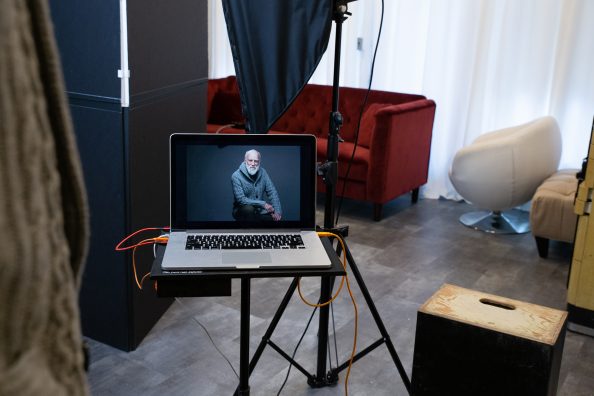Photo Credit: Kira Derryberry
### **Out of the Studio**
If you shoot on location or can’t be bothered with a cable limiting your movement, wireless tethering is an option you may want to explore. The Air Direct Wireless Tethering System has made quite the splash with photographers and opened workflows not previously possible with traditional tethered photography.
The [Air Direct Wireless Tethering System](https://tethertools.com/product/air-direct-wireless-tethering-system/ "https://tethertools.com/product/air-direct-wireless-tethering-system/") now gives the freedom of movement to photographers while still enabling them to connect their camera to a computer or mobile device for both image review and camera control. Using Air Direct, you still retain the ability to use the tethering software of your choosing compromising on nothing in the way of features. The ability to have the same features and workflow is great for photographers who may like to use traditional cabled tethering as well as wireless tethering for different shooting conditions or requirements.
Once you’ve made the connection from your camera to your computer, it helps to think of how your workspace and viewing station will be accessed and powered. Tether Tools [ONsite Power Management](https://tethertools.com/product-category/power-management/onsite-power/ "https://tethertools.com/product-category/power-management/onsite-power/") and [computer/tablet mounting solutions](https://tethertools.com/product-category/tablet-phone-mounts/ "https://tethertools.com/product-category/ipad-tablet-mounts/") help create the perfect shooting and viewing environment on-location anywhere in the world. Today’s technology has come a long way. Photographers are now able to get long lasting power from [D-Tap batteries](https://tethertools.com/product/onsite-d-tap-battery-with-v-mount/ "https://tethertools.com/product/onsite-d-tap-battery-with-v-mount/") that can power laptops, cameras, accessories and serve to quickly charge equipment when outlets are inconvenient or unavailable.
It’s important to remember that wireless tethering might make sense in some situations and cabled tethering might make sense in others. Regardless of the setup, learning how to show the best images cuts down on the number of shots you’ll need to edit and saves you tons of time in the long run. The key to setting up a good workflow is thinking about it, planning it, then getting the tools you need to do it right. And just because it works, doesn’t mean there isn’t room for improvement. Be open to see how other people manage their workflow but ultimately strive to create a system you can understand and put into production.
Want to watch the whole presentation? Watch here.
New to tethering and want to learn more? Visit our “[Tethered Photography Basics](https://tethertools.com/blog/what-is-tethered-photography/ "https://tethertools.com/blog/what-is-tethered-photography/")” article to learn more.
**Categories:** Tethering Setups, Wireless Tethering
**Tags:** Air Direct Wireless Tethering System, Mounting, ONsite Power System, Tether Table Aero, TetherPro Cable
**Hide Automatic Featured Images:** Hide
---
## Pages
### [Tether Tools](https://tethertools.com/)
**Published:** January 14, 2015
**Author:** Damon Sauer
---
### [Architecture & Interior](https://tethertools.com/photographic-styles/architecture/)
**Published:** December 3, 2024
**Author:** Hailey Barrus
---
### [AeroTrac Workstation Kits](https://tethertools.com/aerotrac-workstation-kits/)
**Published:** October 16, 2026
**Author:** Tyler O'Casey
---
### [AeroTrac Workstation Ultimate Tethering Kit](https://tethertools.com/aerotrac-workstation-ultimate-tethering-kit/)
**Published:** October 24, 2025
**Author:** Tyler O'Casey
---
### [AeroTrac Workstation All-In-One Kit](https://tethertools.com/aerotrac-workstation-all-in-one-kit/)
**Published:** October 24, 2025
**Author:** Tyler O'Casey
---
### [AeroTrac Workstation Pro Kit](https://tethertools.com/aerotrac-workstation-pro-kit/)
**Published:** October 24, 2025
**Author:** Tyler O'Casey
---
### [Smart Shooter Digital Download](https://tethertools.com/smart-shooter-download/)
**Published:** June 26, 2023
**Author:** Tyler O'Casey
**Content:**
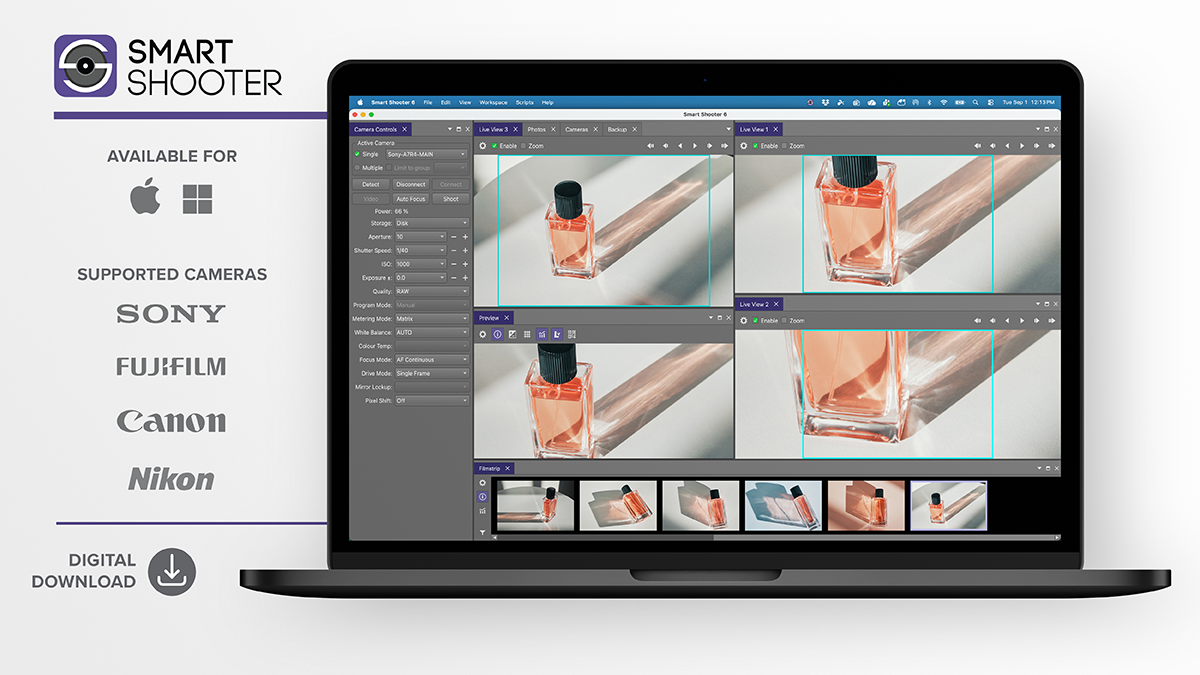
### Windows
#### Smart Shooter 6
[Download](https://archive.kuvacode.com/release/smartshooter_win_v6_5.msi)
### Apple
#### Smart Shooter 6
[Download](https://archive.kuvacode.com/release/smartshooter_mac_v6_5.dmg)
### Installation
For instructions on how to install and uninstall the software, please refer to the Installation Documentation. [Windows](https://smartshooter.com/v6/windows.html) & [Mac](https://smartshooter.com/v6/mac.html).
### User Guide
Need specific assistance or instructions? Visit the Software User Guide for help. [User Guide](https://smartshooter.com/v6/index.html).
### Release Notes v6.5
- Add configurable Photo Metadata options, replacing the Canon-only Copyright write
- Deprecate the AddBarcodeToMetadata External API field in favour of AddMetadataToPhotos
- Let a click on the main window bring the app back to the front
- Fix Default Storage Mode option not being applied on Nikon cameras
- Fix Nikon Live View zoom region not being draggable
- Fix Brazilian Portuguese and Chinese translations not being loaded
- Let users request another activation when the activation limit is reached
- Improve the license dialog page shown when the activation limit is reached
### Release Notes v6.4
- Add option to activate a license for all users of a Windows computer
- Improve camera detection to ignore Nikon cameras that are charging or powered off
- Fix a crash that could occur when switching the camera connection backend
### Release Notes v6.3
- Fix trial camera limit so trials support the full number of cameras
For information on version updates, please refer to the [Release Notes](https://smartshooter.com/v6/release_notes.html).
### EULA
The End User License Agreement is included in the software installer package. [EULA Download](https://kuvacode.com/smartshooter5/EULA.txt).
### Smart Shooter 5
To download Smart Shooter 5, please click one of the following links: [Windows](https://archive.kuvacode.com/release/smartshooter_win_v5_11.msi) or [Mac](https://archive.kuvacode.com/release/smartshooter_mac_v5_11.dmg).
### Smart Shooter 4
To download Smart Shooter 4, please click one of the following links: [Windows](https://archive.kuvacode.com/release/smartshooter_win_v4_26.exe) or [Mac](https://archive.kuvacode.com/release/smartshooter_mac_v4_26.dmg).
---
### [Affiliate Program](https://tethertools.com/affiliate-area/)
**Published:** June 4, 2015
**Author:** Josh Simons
**Content:**
[](https://tethertools.com/wp-content/uploads/2026/09/affilate_banner_lp.jpg)
## Share Your Passion, Earn Rewards
Join the Tether Tools Affiliate Program
Are you a photographer who loves the benefits that tethered workflow offers you? Do you inspire others with your work and photography setup, and use Tether Tools workstations and connection gear to keep your shoots professional? Join the Tether Tools Affiliate Program and turn your passion for photography education into a rewarding partnership.
We’re looking for photographers who are enthusiastic about our products and eager to share their tethering workflow with their audience. As a Tether Tools affiliate, you’ll have the opportunity to earn a commission on sales made through your unique affiliate link.
How does it work?
- Share your Tether Tools gear using your affiliate link on your website and social media channels, encouraging your viewers to use it when purchasing from the Tether Tools website
- For every sale generated, using your affiliate link, Tether Tools will pay you a percentage on all purchases made
- Tether Tools will track and send earnings to you on a quarterly basis
- Links can be shared on YouTube, Instagram, TikTok, blogs and other educational platforms
Interested in learning more? Submit the form below and a Tether Tools representative will contact you with the information and tools you need to get started.
Register a new affiliate account Full Name (required)
Primary Affiliate Channel URL (required)
Additional Affiliate Channel URL
Additional Affiliate Channel URL
Additional Affiliate Channel URL
Username (required)
Account Email (required)
How will you promote us?
Agree to our [Terms of Use and Privacy Policy](https://tethertools.com/affiliate-area/affiliate-terms-of-service/) (required)
---
## Already have an affiliate account?
Log into your account Username
Password
Remember Me
[Lost your password?](https://tethertools.com/affiliate-area/?affwp_lost_password=1)
---
### [EdVantage](https://tethertools.com/edvantage/)
**Published:** December 19, 2022
**Author:** Tyler O'Casey
**Content:**

## Education Discounts and Resources
With Tether Tools products, there is no limit to what you can accomplish! Tethered photography is an incredible tool that anyone studying to be a professional photographer, digital tech or graphic artist/art director can easily integrate into their workflow. Tether Tools is committed to helping educators and students access the proper equipment to help pursue their passion for photography – and filmmaking. The Tether Tools EdVantage Program offers education, consultation and discounts on many of Tether Tools most popular product lines.
### DO YOU QUALIFY?
Application for Tether Tools EdVantage Program is open to any currently enrolled student or educator in:
- A high school-level arts program
- An accredited college-level art, photography, film, graphic design, audio, or new media school
### BUYING FOR YOUR INSTITUTION?
We’ve made it easy for schools and universities to make volume purchases. Call **[1 888-854-6565](tel:888-854-6565)** to work with a Tether Tools representative.
## Apply for the EdVantage Program
---
### [DigiTech Toolbox](https://tethertools.com/digitech-toolbox/)
**Published:** June 2, 2026
**Author:** Tyler O'Casey
**Content:**
---
### [Portrait](https://tethertools.com/photographic-styles/portrait/)
**Published:** November 11, 2024
**Author:** Tyler O'Casey
---
### [Food & Beverage](https://tethertools.com/photographic-styles/food-beverage/)
**Published:** November 15, 2024
**Author:** Hailey Barrus
---
### [Fashion](https://tethertools.com/photographic-styles/fashion/)
**Published:** November 11, 2024
**Author:** Tyler O'Casey
---
### [Commercial](https://tethertools.com/photographic-styles/commercial/)
**Published:** November 15, 2024
**Author:** Hailey Barrus
---
### [Sports & School](https://tethertools.com/photographic-styles/sports-school/)
**Published:** December 3, 2024
**Author:** Hailey Barrus
---
### [Recent Reviews](https://tethertools.com/about/reviews/)
**Published:** June 2, 2015
**Author:**
**Content:**
[](https://tethertools.com/wp-content/uploads/2026/06/Tether-Tools-Red-Dot-Media-Release-Business-Wire.pdf)
## [Tether Tools Wins Red Dot Award for AeroTrac™ Workstation, Advancing Mobile Workflows for Creative and Technical Professionals](https://tethertools.com/wp-content/uploads/2026/06/Tether-Tools-Red-Dot-Media-Release-Business-Wire.pdf)
> Tether Tools, the industry leader in tethered photography, technology mounting, and mobile workflow solutions, today announced the AeroTrac™ Workstation, designed for laptop-centric mobile workflows, has been honored with the Red Dot Award Product Design 2026 – in one of the world’s most recognized design competitions.
2026/05 | [Read More](https://tethertools.com/wp-content/uploads/2026/06/Tether-Tools-Red-Dot-Media-Release-Business-Wire.pdf)
[](https://digital-photography-school.com/why-the-tethertools-tetherpro-optima-10g-cable-series-is-a-game-changer-for-tethered-photography/)
## [Why the TetherTools TetherPro Optima 10G Cable Series Is a Game-Changer for Tethered Photography](https://digital-photography-school.com/why-the-tethertools-tetherpro-optima-10g-cable-series-is-a-game-changer-for-tethered-photography/)
> If you’ve ever lost a shot because your tethering software dropped the connection mid-shoot, you already know how frustrating a bad cable can be. Tethered photography — connecting your camera directly to a computer or tablet so images appear on screen the moment you shoot them — is one of the most powerful workflows in modern photography. But it’s only as reliable as the cable linking those two devices together.
2026/05 | [Read More](https://digital-photography-school.com/why-the-tethertools-tetherpro-optima-10g-cable-series-is-a-game-changer-for-tethered-photography/)
[](https://www.ppa.com/ppmag/articles/safe-and-secure-tether-tools-aerotrac)
## [Safe and Secure: Tether Tools AeroTrac](https://www.ppa.com/ppmag/articles/safe-and-secure-tether-tools-aerotrac)
> We take special care to protect our camera and lens on the job, but if you’re also working closely with a laptop during a photo session, it takes an extra degree of effort—especially if you’re working tethered. Tether Tools has a great reputation for offering top-notch safe cable solutions and other gear to keep your workspace functioning smoothly, and now they have released the AeroTrac Workstation System. I’ve used several portable workstations over the years, and the AeroTrac is Tether Tools’ best iteration yet.
2026/01 | [Read More](https://www.ppa.com/ppmag/articles/safe-and-secure-tether-tools-aerotrac)
[](https://fstoppers.com/bts/5-workflow-mistakes-kill-creative-flow-and-how-avoid-them-715654)
## [5 Workflow Mistakes That Kill the Creative Flow and How to Avoid Them](https://fstoppers.com/bts/5-workflow-mistakes-kill-creative-flow-and-how-avoid-them-715654)
> We all know the feeling when a shoot is going perfectly, your model is nailing the poses, and then something goes wrong. Maybe a light fails, a cable gets unplugged, or your tether connection drops mid-shoot. Suddenly, the creative flow evaporates, and you’re scrambling to regroup.
2025/11/03 | [Read More](https://fstoppers.com/bts/5-workflow-mistakes-kill-creative-flow-and-how-avoid-them-715654)
[](https://www.trendhunter.com/trends/aerotrac)
## [The AeroTrac by Tether Tools Unfolds into a Flexible Command Hub](https://www.trendhunter.com/trends/aerotrac)
> The AeroTrac by Tether Tools introduces a new kind of portable workstation that expands and adapts to meet the needs of photographers, editors, and content creators. The system opens outward to reveal layered platforms and adjustable panels that hold laptops, monitors, and accessories in a customizable layout. Each element locks securely in place, allowing users to configure a workspace that mirrors a full studio environment while maintaining the convenience of mobility.
2025/10/12 | [Read More](https://www.trendhunter.com/trends/aerotrac)
[](https://www.yankodesign.com/2025/10/12/tether-tools-aerotrac-is-a-modular-workstation-that-unfolds-into-creators-command-center/)
## [Tether Tools’ AeroTrac is a modular workstation that unfolds into creator’s command center](https://www.yankodesign.com/2025/10/12/tether-tools-aerotrac-is-a-modular-workstation-that-unfolds-into-creators-command-center/)
> For over a decade, Tether Tools has built a reputation for creating dependable solutions that make photographers’ and filmmakers’ lives easier, right from tethering cables and laptop mounts to entire workstation setups. Their latest innovation, the AeroTrac Workstation System, pushes that legacy further by reimagining what a truly portable, professional-grade workspace can look like.
2025/10/12 | [Read More](https://www.yankodesign.com/2025/10/12/tether-tools-aerotrac-is-a-modular-workstation-that-unfolds-into-creators-command-center/)
[](https://petapixel.com/2025/09/26/how-tether-tools-custom-usb-cable-solved-a-huge-tethered-photography-problem/)
## [How Tether Tools’ Custom USB Cable Solved a Huge Tethered Photography Problem](https://petapixel.com/2025/09/26/how-tether-tools-custom-usb-cable-solved-a-huge-tethered-photography-problem/)
> Tether Tools has long been a key player in the tethered photography community. This specialized but vital niche of the photography market has very specific cable requirements, which, when faced with increasing issues with USB-C PD, forced Tether Tools back to the drawing board. The company developed a brand-new USB-C cable, Optima, to deal with growing USB concerns on modern cameras.
2025/09/26 | [Read More](https://petapixel.com/2025/09/26/how-tether-tools-custom-usb-cable-solved-a-huge-tethered-photography-problem/)
[](https://www.newsshooter.com/2025/09/24/tether-tools-aerotrac-workstation-system/)
## [Tether Tools AeroTrac Workstation System](https://www.newsshooter.com/2025/09/24/tether-tools-aerotrac-workstation-system/)
> The heart of this customizable system is the cold shoe-compatible tracks, which enable the attachment of accessories that secure laptops and other accessories to the top and bottom of the plate.
2025/09/25 | [Read More](https://www.newsshooter.com/2025/09/24/tether-tools-aerotrac-workstation-system/)
[](https://petapixel.com/2025/09/16/tether-tools-aerotrac-is-a-highly-configurable-portable-workstation/)
## [Tether Tools AeroTrac is a Highly Configurable, Portable Workstation](https://petapixel.com/2025/09/16/tether-tools-aerotrac-is-a-highly-configurable-portable-workstation/)
> Designed for creators constantly moving between locations, AeroTrac emphasizes efficiency, portability, and control. Its foldable and lightweight construction allows rapid setup and breakdown, while the modular track system keeps devices, tools, and storage secure throughout transport.
2025/09/16 | [Read More](https://petapixel.com/2025/09/16/tether-tools-aerotrac-is-a-highly-configurable-portable-workstation/)
[](https://www.newsshooter.com/2024/04/02/tether-tools-tetherguard-leverlock-plate/)
## [Tether Tools TetherGuard LeverLock Plate](https://www.newsshooter.com/2024/04/02/tether-tools-tetherguard-leverlock-plate/)
April 2024 | [Read More](https://www.newsshooter.com/2024/04/02/tether-tools-tetherguard-leverlock-plate/)
[](https://www.exibartstreet.com/news/tether-tools-tetherguard-leverlock-plate/)
## [Tether Tools Unveils the TetherGuard LeverLock Plate](https://www.exibartstreet.com/news/tether-tools-tetherguard-leverlock-plate/)
April 2024 | [Read More](https://www.exibartstreet.com/news/tether-tools-tetherguard-leverlock-plate/)
[](https://thedeadpixelssociety.com/tethertools-releases-tetherguard-leverlock-plate-for-easy-cable-use-with-cameras/)
## [TETHERTOOLS RELEASES TETHERGUARD LEVERLOCK PLATE FOR EASY CABLE USE WITH CAMERAS](https://thedeadpixelssociety.com/tethertools-releases-tetherguard-leverlock-plate-for-easy-cable-use-with-cameras/)
2024/04/02 | [Read More](https://thedeadpixelssociety.com/tethertools-releases-tetherguard-leverlock-plate-for-easy-cable-use-with-cameras/)
[](https://www.bhphotovideo.com/explora/photography/news/tether-tools-announces-tetherguard-leverlock-plate)
## [Tether Tools Announces TetherGuard LeverLock Plate](https://www.bhphotovideo.com/explora/photography/news/tether-tools-announces-tetherguard-leverlock-plate)
> An evolution of the TetherBlock QR Plus plate, the TetherGuard LeverLock plate boasts a 5-point protection system... designed to keep your cable locked in place and protect your camera’s ports while tethering, even in the bumpiest conditions.
2024/04/02 | [Read More](https://www.bhphotovideo.com/explora/photography/news/tether-tools-announces-tetherguard-leverlock-plate)
[](https://www.digitalcameraworld.com/news/more-than-just-an-orange-cable-tether-tools-releases-a-new-tool-to-speed-up-your-workflow)
## [More than just an orange cable! Tether Tools releases a new tool to speed up your workflow](https://www.digitalcameraworld.com/news/more-than-just-an-orange-cable-tether-tools-releases-a-new-tool-to-speed-up-your-workflow)
> The TetherGuard LeverLock Plate speeds up connecting and removing the cable from a camera, bypassing the need to remove the plate.
2024/04/02 | [Read More](https://www.digitalcameraworld.com/news/more-than-just-an-orange-cable-tether-tools-releases-a-new-tool-to-speed-up-your-workflow)
[](https://camerajabber.com/tetherguard-leverlock-plate-unveiled/)
## [TetherGuard LeverLock Plate Unveiled](https://camerajabber.com/tetherguard-leverlock-plate-unveiled/)
> The TetherGuard LeverLock Plate has a clever channel and clamps integrated into the design that enables the cable to be held neatly beneath the camera, taking the pressure off the camera’s port.
2024/04/02 | [Read More](https://camerajabber.com/tetherguard-leverlock-plate-unveiled/)
[](https://www.youtube.com/watch?v=JX2N6LfVFX8)
## [Gear Review \| Tether Tools LeverLock](https://www.youtube.com/watch?v=JX2N6LfVFX8)
> This brand new cable security solution is not only going to keep your cable secure, but it will also allow you to easily remove your cable without needing to take off the whole plate.
April 2024 | [Read More](https://www.youtube.com/watch?v=JX2N6LfVFX8)
[](https://www.diyphotography.net/keep-your-camera-safe-with-the-tether-tools-leverlock-plate/)
## [KEEP YOUR CAMERA SAFE WITH THE TETHER TOOLS LEVERLOCK PLATE](https://www.diyphotography.net/keep-your-camera-safe-with-the-tether-tools-leverlock-plate/)
> If you have ever had the “pleasure” of killing a port on your camera, you know it is an expensive experience. Tether Tools feels the same, so they made the LeverLock Plate... A tripod plate that locks your cable, providing better cable management for your precious camera.
2024/04/02 | [Read More](https://www.diyphotography.net/keep-your-camera-safe-with-the-tether-tools-leverlock-plate/)
[](https://petapixel.com/2024/04/02/tether-tools-new-tripod-plate-makes-cable-management-way-less-annoying/)
## [Tether Tools’ New Tripod Plate Makes Cable Management Way Less Annoying](https://petapixel.com/2024/04/02/tether-tools-new-tripod-plate-makes-cable-management-way-less-annoying/)
> The TetherGuard LeverLock quick-release plate from Tether Tools enables photographers to connect the required cable to their camera, run it through a slot in their camera’s tripod plate, and connect it to their computer, keeping cables organized.
2024/04/02 | [Read More](https://petapixel.com/2024/04/02/tether-tools-new-tripod-plate-makes-cable-management-way-less-annoying/)
[](https://www.youtube.com/watch?v=BJowCDDdNSA)
## [Women in Photography: Workflow & Tethering Insights - Part 2](https://www.youtube.com/watch?v=BJowCDDdNSA)
March 2024 | [Read More](https://www.youtube.com/watch?v=BJowCDDdNSA)
[](https://www.youtube.com/watch?v=zlBDf1cRtxM)
## [Celebrating Women in Photography](https://www.youtube.com/watch?v=zlBDf1cRtxM)
March 2024 | [Read More](https://www.youtube.com/watch?v=zlBDf1cRtxM)
[](https://fstoppers.com/originals/ultimate-tethering-setup-reviews-654213)
## [Is This The Ultimate Tethering Setup? Fstoppers Reviews](https://fstoppers.com/originals/ultimate-tethering-setup-reviews-654213)
> I do use the TetherTools cables as they give a very stable, reliable, and fast connection between the camera and the computer.
2024/01/16 | [Read More](https://fstoppers.com/originals/ultimate-tethering-setup-reviews-654213)
[](https://www.youtube.com/watch?v=h8sJTVP1IMU)
## [Is this The Best Way to Tether Sony Cameras to Lightroom? It's Not the Imaging Edge App](https://www.youtube.com/watch?v=h8sJTVP1IMU)
October 2023 | [Read More](https://www.youtube.com/watch?v=h8sJTVP1IMU)
[](https://www.youtube.com/watch?v=BAzjezEEJ1Y)
## [The Best Tethered setup For Food Photographers](https://www.youtube.com/watch?v=BAzjezEEJ1Y)
October 2023 | [Read More](https://www.youtube.com/watch?v=BAzjezEEJ1Y)
[](https://www.youtube.com/watch?v=h8sJTVP1IMU)
## [Is this The Best Way to Tether Sony Cameras to Lightroom? It's Not the Imaging Edge App](https://www.youtube.com/watch?v=h8sJTVP1IMU)
September 2023 | [Read More](https://www.youtube.com/watch?v=h8sJTVP1IMU)
[](https://www.youtube.com/watch?v=k0JY4EhRkP4)
## [Building the Ultimate Flat Lay Food Photography Camera Setup](https://www.youtube.com/watch?v=k0JY4EhRkP4)
September 2023 | [Read More](https://www.youtube.com/watch?v=k0JY4EhRkP4)
[](https://www.ppa.com/ppmag/articles/2023-hot-ones)
## [PPA 2023 Hot Ones](https://www.ppa.com/ppmag/articles/2023-hot-ones)
August 2023 | [Read More](https://www.ppa.com/ppmag/articles/2023-hot-ones)
[](https://www.photonews.ca/smart-shooter-5-is-here/)
## [Smart Shooter 5 is Here](https://www.photonews.ca/smart-shooter-5-is-here/)
> Smart Shooter 5 allows you so much more control over your camera than the basic exposure settings in Lightroom capture... One version will do it all!
2023/07/07 | [Read More](https://www.photonews.ca/smart-shooter-5-is-here/)
[](https://www.photonews.ca/protect-your-camera-while-tethering/)
## [Protect your Camera while Tethering](https://www.photonews.ca/protect-your-camera-while-tethering/)
> The new TetherGuard comes into play to protect your expensive camera and computer with a more robust tether and a small magnet, offering a big upgrade over Jerkstopper.
2023/07/07 | [Read More](https://www.photonews.ca/protect-your-camera-while-tethering/)
[](https://www.fotopolis.pl/opinie/analizy/36984-tethering-w-fotografii-kulinarnej-sprawdz-jakich-narzedzi-potrzebujesz)
## [Tethering in Food Photography: Find Out What Tools You Need](https://www.fotopolis.pl/opinie/analizy/36984-tethering-w-fotografii-kulinarnej-sprawdz-jakich-narzedzi-potrzebujesz)
2023/07/25 | [Read More](https://www.fotopolis.pl/opinie/analizy/36984-tethering-w-fotografii-kulinarnej-sprawdz-jakich-narzedzi-potrzebujesz)
[](https://rangefinderonline.com/gear/nikkor-z-releases-new-lenses-tether-tools-updates-software/)
## [Nikkor Z Releases New Lenses & Tether Tools Updates Software](https://rangefinderonline.com/gear/nikkor-z-releases-new-lenses-tether-tools-updates-software/)
> Product photographers or those working in 3D will love the ability to shoot with up to 10 cameras with the new version 5—a real time saver when capturing different angles without having to move the cameras around the set.
2023/06/30 | [Read More](https://rangefinderonline.com/gear/nikkor-z-releases-new-lenses-tether-tools-updates-software/)
[](https://petapixel.com/2023/06/27/smart-shooter-5-tethering-software-for-lightroom-adds-fujifilm-support/)
## [Smart Shooter 5 Adds Tethering for Up to 10 Cameras at Once](https://petapixel.com/2023/06/27/smart-shooter-5-tethering-software-for-lightroom-adds-fujifilm-support/)
> Smart Shooter 5's multi-camera feature allows photographers to connect 10 cameras simultaneously, ideal for multi-angle product photography, 3D modeling, scanning, and more.
2023/06/27 | [Read More](https://petapixel.com/2023/06/27/smart-shooter-5-tethering-software-for-lightroom-adds-fujifilm-support/)
[](https://www.diyphotography.net/tether-tools-smart-shooter-5-lets-you-control-up-to-10-cameras-simultaneously/)
## [TETHER TOOLS SMART SHOOTER 5 LETS YOU CONTROL UP TO 10 CAMERAS SIMULTANEOUSLY](https://www.diyphotography.net/tether-tools-smart-shooter-5-lets-you-control-up-to-10-cameras-simultaneously/)
> For photographers needing to sift and sort through large volumes of images, Smart Shooter 5 offers a bulk barcode/QR code workflow, allowing capture and generation of codes directly within the software.
2023/06/27 | [Read More](https://www.diyphotography.net/tether-tools-smart-shooter-5-lets-you-control-up-to-10-cameras-simultaneously/)
[](https://fstoppers.com/reviews/review-frio-hold-it-just-another-cold-shoe-or-something-different-606053)
## [We Review the Frio Hold: Is It Just Another Cold Shoe or Something Different?](https://fstoppers.com/reviews/review-frio-hold-it-just-another-cold-shoe-or-something-different-606053)
> The Frio Hold from Frio offers a simple yet effective solution for placing your flashgun in unconventional locations, providing a secure locking system that can be mounted with ease.
2022/06/05 | [Read More](https://fstoppers.com/reviews/review-frio-hold-it-just-another-cold-shoe-or-something-different-606053)
[](https://www.dpreview.com/news/2434906279/tether-tools-replaces-popular-jerkstopper-cable-protector-tool-new-tetherguard-system)
## [Tether Tools replaces its popular JerkStopper cable protection tool with its new TetherGuard system](https://www.dpreview.com/news/2434906279/tether-tools-replaces-popular-jerkstopper-cable-protector-tool-new-tetherguard-system)
> For photographers who still need access to their camera's tripod socket, TetherGuard can be connected to the camera's strap connections, ensuring compatibility with a wide range of camera configurations.
2022/05/20 | [Read More](https://www.dpreview.com/news/2434906279/tether-tools-replaces-popular-jerkstopper-cable-protector-tool-new-tetherguard-system)
[](https://petapixel.com/2022/05/19/tethertools-new-tetherguard-upgrades-cable-port-protection/)
## [TetherTools New TetherGuard Upgrades Cable Port Protection](https://petapixel.com/2022/05/19/tethertools-new-tetherguard-upgrades-cable-port-protection/)
> Designed with photographers in mind, TetherGuard features a magnetic break-away or locking cable management system, ensuring cables stay securely connected to camera and computer ports, minimizing the risk of accidental disconnection.
2022/05/19 | [Read More](https://petapixel.com/2022/05/19/tethertools-new-tetherguard-upgrades-cable-port-protection/)
[](https://www.diyphotography.net/tether-tools-replaces-the-jerkstopper-with-the-new-tetherguard-cable-management-system/)
## [TETHER TOOLS REPLACES THE JERKSTOPPER WITH THE NEW TETHERGUARD CABLE MANAGEMENT SYSTEM](https://www.diyphotography.net/tether-tools-replaces-the-jerkstopper-with-the-new-tetherguard-cable-management-system/)
> With its magnetic mount and threaded lock options, TetherGuard offers photographers a user-friendly solution for swapping cables between devices or systems, making cable management easier and more efficient than ever before.
2022/05/18 | [Read More](https://www.diyphotography.net/tether-tools-replaces-the-jerkstopper-with-the-new-tetherguard-cable-management-system/)
[](https://www.diyphotography.net/stop-paying-through-the-nose-for-oem-batteries-your-camera-might-support-usb-power-banks/)
## [STOP PAYING THROUGH THE NOSE FOR OEM BATTERIES – YOUR CAMERA MIGHT SUPPORT USB POWER BANKS](https://www.diyphotography.net/stop-paying-through-the-nose-for-oem-batteries-your-camera-might-support-usb-power-banks/)
2022/05/14 | [Read More](https://www.diyphotography.net/stop-paying-through-the-nose-for-oem-batteries-your-camera-might-support-usb-power-banks/)
[](https://camerajabber.com/reviews/frio-grasp-mini/)
## [Frio Grasp Mini Review](https://camerajabber.com/reviews/frio-grasp-mini/)
> The innovative design of the Frio Grasp Mini ensures easy attachment and a secure grip, allowing photographers to adjust the flash position with ease while maintaining stability and reliability throughout the shoot.
2022/02/25 | [Read More](https://camerajabber.com/reviews/frio-grasp-mini/)
[](https://www.youtube.com/watch?v=XtmPLXUFdk0)
## [Frio Hold Versatile Cold Shoe Mount System with Mark Wallace](https://www.youtube.com/watch?v=XtmPLXUFdk0)
> The function of the Frio Grasp Mini is simple, clamp to things to enable you to get your flash lighting into areas where it’s needed.
January 2022 | [Read More](https://www.youtube.com/watch?v=XtmPLXUFdk0)
[](https://www.slrlounge.com/frio-cold-shoe-mount-review-the-most-unique-tool-for-on-the-go-lighting-solutions/)
## [Frio Cold Shoe Mount Review \| The Most Unique Tool for On-the-Go Lighting Solutions](https://www.slrlounge.com/frio-cold-shoe-mount-review-the-most-unique-tool-for-on-the-go-lighting-solutions/)
> The Frio cold shoe mounts all provide a different solution for the tricky lighting situations we often come across.
2021/10/19 | [Read More](https://www.slrlounge.com/frio-cold-shoe-mount-review-the-most-unique-tool-for-on-the-go-lighting-solutions/)
[](https://www.ppa.com/ppmag/articles/lasting-power)
## [Lasting Power: Review: A Tether Tools battery pack that can keep you powered all day.](https://www.ppa.com/ppmag/articles/lasting-power)
2021/10/13 | [Read More](https://www.ppa.com/ppmag/articles/lasting-power)
[](https://fstoppers.com/studio/why-tethering-so-useful-579284)
## [Why Tethering Is So Useful](https://fstoppers.com/studio/why-tethering-so-useful-579284)
> If you are working in a studio, tethering can be a real improvement to your workflow... with the benefit of a much larger and more accurate screen than the one on the back of your camera, making it especially useful if you are working with a larger creative team.
2021/09/14 | [Read More](https://fstoppers.com/studio/why-tethering-so-useful-579284)
[](https://scottwyden.com/photo-breakdown-with-scott-diussa/)
## [Photo Breakdown #8 with Scott Diussa](https://scottwyden.com/photo-breakdown-with-scott-diussa/)
> That’s the beauty of the tether tools system ... good quality long cables that can go where you need them.
2021/09/13 | [Read More](https://scottwyden.com/photo-breakdown-with-scott-diussa/)
[](https://www.youtube.com/watch?v=RB2MS7b-ya0)
## [How to Tether a Camera to a Computer (2021)](https://www.youtube.com/watch?v=RB2MS7b-ya0)
> With a simple USB cable (such as the USB-C model I use from Tether Tools) you can greatly improve your professional photography studio workflow.
September 2021 | [Read More](https://www.youtube.com/watch?v=RB2MS7b-ya0)
[](https://fstoppers.com/gear/nine-my-favorite-photography-tools-under-100-577700)
## [Nine Of My Favorite Photography Tools Under $100](https://fstoppers.com/gear/nine-my-favorite-photography-tools-under-100-577700)
> Bypassing the cable through the TetherBLOCK design provides tension and a buffer point so that your camera’s delicate connection won’t bear the brunt of the force when you go tumbling over the cord.
2021/08/31 | [Read More](https://fstoppers.com/gear/nine-my-favorite-photography-tools-under-100-577700)
[](https://www.photonews.ca/supercharge-your-workflow/)
## [Supercharge your Workflow](https://www.photonews.ca/supercharge-your-workflow/)
> Smart Shooter 4 can work as a standalone software package or as a powerful add-on to Lightroom. In addition to standard exposure controls, Smart Shooter 4 adds more camera controls than Lightroom without being as overwhelming as Capture One.
2021/08/27 | [Read More](https://www.photonews.ca/supercharge-your-workflow/)
[](https://lightroomkillertips.com/a-look-at-the-latest-updates-to-shooting-tethered-part-2/)
## [A Look at the Latest Updates to Shooting Tethered: Part 2](https://lightroomkillertips.com/a-look-at-the-latest-updates-to-shooting-tethered-part-2/)
> Smart Shooter is truly a dedicated tethering solution and has way more features and options than Lightroom Classic’s native tethering capability. Once installed and configured, using the plug-in follows the same steps as native tethering.
2021/08/11 | [Read More](https://lightroomkillertips.com/a-look-at-the-latest-updates-to-shooting-tethered-part-2/)
[](https://lightroomkillertips.com/a-look-at-the-latest-updates-to-shooting-tethered-part-1/)
## [A Look at the Latest Updates to Shooting Tethered: Part 1](https://lightroomkillertips.com/a-look-at-the-latest-updates-to-shooting-tethered-part-1/)
2021/08/04 | [Read More](https://lightroomkillertips.com/a-look-at-the-latest-updates-to-shooting-tethered-part-1/)
[](https://tethertools.com/wp-content/uploads/2025/01/JuneJuly-2020_108109.pdf)
## [Air Direct Review: Get the Scoop on the Latest Gear](https://tethertools.com/wp-content/uploads/2025/01/JuneJuly-2020_108109.pdf)
> I love having the camera ‘untethered,’ because I mostly work with kids, I usually forget the camera is attached to the computer via a cable, and I’m clumsy.
2020/7/01 | [Read More](https://tethertools.com/wp-content/uploads/2025/01/JuneJuly-2020_108109.pdf)
[](https://www.shoot.be/review/181716/review-tether-tools-air-direct-universele-luchtbrug/)
## [Tether Tools Air Direct Review (Dutch)](https://www.shoot.be/review/181716/review-tether-tools-air-direct-universele-luchtbrug/)
2020/6/17 | [Read More](https://www.shoot.be/review/181716/review-tether-tools-air-direct-universele-luchtbrug/)
[](https://cinephototools.co.za/blog/airdirectwebcam)
## [Wireless Streaming with Tether Tools' Air Direct](https://cinephototools.co.za/blog/airdirectwebcam)
> Going completely wireless with video is within reach using Ecamm Live, your DSLR or Mirrorless, and Tether Tools’ Air Direct.
2020/6/16 | [Read More](https://cinephototools.co.za/blog/airdirectwebcam)
[](https://proedu.com/blogs/news/to-tether-not-to-tether)
## [To Tether Or Not To Tether](https://proedu.com/blogs/news/to-tether-not-to-tether)
> Tethered shooting can be one of the best ways to take your shooting to the next level. Once you’re able to immediately see a much larger and more detailed image pop up you can have more control over your photography.
2020/5/06 | [Read More](https://proedu.com/blogs/news/to-tether-not-to-tether)
[](https://www.slrlounge.com/love-transported-a-new-social-distancing-by-jeremy-cowart/)
## [Love Transported – A New “Social-Distancing” Photo Project by Jeremy Cowart](https://www.slrlounge.com/love-transported-a-new-social-distancing-by-jeremy-cowart/)
> He then lights the scene with his Profoto D2 lights and captures everything while shooting tethered through Capture One Pro.
2020/4/09 | [Read More](https://www.slrlounge.com/love-transported-a-new-social-distancing-by-jeremy-cowart/)
[](https://petapixel.com/2020/04/09/how-i-do-paid-virtual-portrait-shoots-for-people-around-the-world/)
## [How I Do Paid Virtual Portrait Shoots for People Around the World](https://petapixel.com/2020/04/09/how-i-do-paid-virtual-portrait-shoots-for-people-around-the-world/)
> I tether to my MacBook Pro using a Tether Tools cable and then I do all the editing in Capture One Pro.
2020/4/09 | [Read More](https://petapixel.com/2020/04/09/how-i-do-paid-virtual-portrait-shoots-for-people-around-the-world/)
[](https://photofocus.com/photography/talking-about-tether-tools-new-air-direct-at-wppi/)
## [Discussing Tether Tools’ new Air Direct at WPPI](https://photofocus.com/photography/talking-about-tether-tools-new-air-direct-at-wppi/)
> Tether Tools’ new wireless technology might just be the key for me to a faster workflow without compromising the mobility and freedom I absolutely need.
2020/3/03 | [Read More](https://photofocus.com/photography/talking-about-tether-tools-new-air-direct-at-wppi/)
[](https://www.slrlounge.com/how-to-use-tethered-capture-to-import-images-directly-into-lightroom-in-5-steps-quick-reference/)
## [How to Use Tethered Capture to Import Images Directly Into Lightroom](https://www.slrlounge.com/how-to-use-tethered-capture-to-import-images-directly-into-lightroom-in-5-steps-quick-reference/)
> Tether Tools products are affordable, durable and are designed for reliability. The [JerkStopper](https://tethertools.com/product/jerkstopper-camera-support/) is also a must here since it will prevent trips or incidents where you might pull the cable out of the camera mid-shoot.
2020/3/01 | [Read More](https://www.slrlounge.com/how-to-use-tethered-capture-to-import-images-directly-into-lightroom-in-5-steps-quick-reference/)
[](https://fstoppers.com/capture-one/using-tether-tools-air-direct-wireless-tethering-system-456290)
## [Using Tether Tools Air Direct Wireless Tethering System](https://fstoppers.com/capture-one/using-tether-tools-air-direct-wireless-tethering-system-456290)
> I've been using Tether Tools products for years now, so they are a company I trust to create tools I can depend on when I'm on set.
2020/2/19 | [Read More](https://fstoppers.com/capture-one/using-tether-tools-air-direct-wireless-tethering-system-456290)
[](https://fstoppers.com/bts/5-underrated-items-my-camera-bag-451078)
## [5 Underrated Items in My Camera Bag](https://fstoppers.com/bts/5-underrated-items-my-camera-bag-451078)
> There are a number of solutions to this problem at varying price points and levels of effectiveness. But, for a Grade A klutz like me, I’ve found the best solution to be the [TetherBlock](https://tethertools.com/product/tetherblock/) by Tether Tools.
2020/2/05 | [Read More](https://fstoppers.com/bts/5-underrated-items-my-camera-bag-451078)
[](https://www.adorama.com/g/best-tech-holiday-gifts)
## [Best Tech Holiday Gifts](https://www.adorama.com/g/best-tech-holiday-gifts)
> With the Tether Tools [Case Air Wireless Tethering System](https://tethertools.com/product/case-air-wireless-tethering-system/) , photographers can easily and quickly monitor their images mid-shoot, with the capability to transfer to phone, tablet, or computer.
2019/12/03 | [Read More](https://www.adorama.com/g/best-tech-holiday-gifts)
[](https://www.digitalcameraworld.com/news/tether-tools-air-direct-cuts-the-cable-when-tethering-camera-to-computer)
## [Digital Camera World Reviews the Air Direct](https://www.digitalcameraworld.com/news/tether-tools-air-direct-cuts-the-cable-when-tethering-camera-to-computer)
> Although the [Air Direct](https://tethertools.com/product-category/air-direct/) has immediate appeal to the studio photographer, the ability to send an image to a computer at speed and without cables is also of use for professionals working on a location, that, say want to see the images they are shooting on a bigger screen.
2020/1/27 | [Read More](https://www.digitalcameraworld.com/news/tether-tools-air-direct-cuts-the-cable-when-tethering-camera-to-computer)
[](https://www.diyphotography.net/portable-location-power-for-photographers-and-filmmakers/)
## [Portable Location Power for Photographers and Filmmakers](https://www.diyphotography.net/portable-location-power-for-photographers-and-filmmakers/)
> Products like the [Case Relay](https://tethertools.com/product/case-relay-camera-power-system/) have made lives a lot easier for a lot of DSLR and mirrorless shooters when it comes to power.
2019/11/05 | [Read More](https://www.diyphotography.net/portable-location-power-for-photographers-and-filmmakers/)
[](https://youtu.be/7Mc4lrB9m7I)
## [3 Different Fashion Shots on Location](https://youtu.be/7Mc4lrB9m7I)
> When shooting fashion or beauty, I always shoot tethered so I can collaborate with my team. I also set up my Tether Tools [Case Air](https://tethertools.com/product/case-air-wireless-tethering-system/) to wirelessly transmit my images to my iPad...
2019/07/29 | [Watch video](https://youtu.be/7Mc4lrB9m7I)
[](https://t.co/C3yVq1NY3x)
## [Tether Tools ONsite Pro Bundle](https://t.co/C3yVq1NY3x)
> It lets you shoot like I'm doing here, on location.... so I can power all my peripherals. "It uses a D-Tap battery, which is very versatile for powering all kinds of things. You can use this battery to power your laptop, and other systems...and video lights and video cameras. It's a very versatile battery.
2019/07/22 | [Watch video](https://t.co/C3yVq1NY3x)
[](https://www.rangefinderonline.com/gear/four-reasons-to-shoot-tethered/)
## [Four Reasons to Shoot Tethered](https://www.rangefinderonline.com/gear/four-reasons-to-shoot-tethered/)
> nothing beats looking at a photo at 15 inches, or 27 inches or even 100 inches. You can pay attention to details you may have missed. I’d rather spend five minutes fixing a shirt on set than ten minutes wrestling with it in post production.
2019/06/04 | [Watch video](https://www.rangefinderonline.com/gear/four-reasons-to-shoot-tethered/)
[](https://www.bhphotovideo.com/explora/photography/hands-on-review/bring-power-onsite-with-tether-tools-latest-system)
## [Bring Power ONsite with Tether Tools Latest System](https://www.bhphotovideo.com/explora/photography/hands-on-review/bring-power-onsite-with-tether-tools-latest-system)
> When you travel out on location, those outlets can’t exactly travel with you. That is what makes the [Tether Tools ONsite Power Management System](https://www.bhphotovideo.com/c/search?Ntt=tether%20tools%20onsite&N=0&InitialSearch=yes&sts=ma&Top+Nav-Search=) so useful—especially if you are a photographer who would benefit greatly from taking your tethering setup on the road.
2019/03 | [Read more](https://www.bhphotovideo.com/explora/photography/hands-on-review/bring-power-onsite-with-tether-tools-latest-system)
[](https://fstoppers.com/gear/fstoppers-reviews-tether-tools-case-relay-system-302602)
## [Fstoppers Reviews the Tether Tools Case Relay System](https://fstoppers.com/gear/fstoppers-reviews-tether-tools-case-relay-system-302602)
> From time-lapse photography to video, many photographers need more battery power than their camera system can adequately hold on board. ...there is an answer for those looking to create images and video: the Case Relay from Tether Tools.
2018/11/03 | [Read more](https://fstoppers.com/gear/fstoppers-reviews-tether-tools-case-relay-system-302602)
[](https://www.slrlounge.com/tether-tools-case-relay-review-constant-power-for-your-camera-gear/)
## [Tether Tools Case Relay Review \| Constant Power For Your Camera Gear](https://www.slrlounge.com/tether-tools-case-relay-review-constant-power-for-your-camera-gear/)
> What do you get for the $99 investment in the Case Relay? You get that thing which is so desirable in power solutions for electronic devices: simplicity and reliability!
2018/10/22 | [Read more](https://www.slrlounge.com/tether-tools-case-relay-review-constant-power-for-your-camera-gear/)
[](https://youtu.be/MKrFIkbW50w?t=370)
## [Tether Tools D-Tap to AC](https://youtu.be/MKrFIkbW50w?t=370)
> If you’re in the video industry, odds are you have a bunch of D-Tap batteries sitting around. Those batteries are power you can harness and use when you’re on location.
2018/09/28 | [Read more](https://youtu.be/MKrFIkbW50w?t=370)
[](https://fstoppers.com/gear/tether-tools-introduces-onsite-power-solutions-292030)
## [Tether Tools Introduces ONsite Power Solutions](https://fstoppers.com/gear/tether-tools-introduces-onsite-power-solutions-292030)
> With ONsite power, you’ll finally get a bit of peace of mind.
2018/09/25 | [Read more](https://fstoppers.com/gear/tether-tools-introduces-onsite-power-solutions-292030)
[](https://www.rangefinderonline.com/gear/accessories/photokina-2018-tether-tools-unveils-onsite-power-line-of-charging-accessories/)
## [Tether Tools Unveils ONsite Power Line of Charging Accessories](https://www.rangefinderonline.com/gear/accessories/photokina-2018-tether-tools-unveils-onsite-power-line-of-charging-accessories/)
> The device pairs with a standard D-Tap battery and has a pair of AC outlets and four fast-charging USB ports.
2018/09/24 | [Read more](https://www.rangefinderonline.com/gear/accessories/photokina-2018-tether-tools-unveils-onsite-power-line-of-charging-accessories/)
[](https://www.pdnonline.com/gear/accessories/photokina-2018-tether-tools-powers-up-with-new-onsite-accessories/)
## [Tether Tools Powers Up with New ONsite Accessories](https://www.pdnonline.com/gear/accessories/photokina-2018-tether-tools-powers-up-with-new-onsite-accessories/)
> If you need portable power, Tether Tools’ new ONsite Power line of accessories may just do the trick.
2018/09/24 | [Read more](https://www.pdnonline.com/gear/accessories/photokina-2018-tether-tools-powers-up-with-new-onsite-accessories/)
[](https://www.digitalcameraworld.com/news/tether-tools-onsite-power-may-well-have-solved-your-camera-portable-power-woes)
## [Tether Tools' ONsite Power may well have solved your camera portable power woes](https://www.digitalcameraworld.com/news/tether-tools-onsite-power-may-well-have-solved-your-camera-portable-power-woes)
> Travel friendly? Check. Long-lasting? Yep.
2018/09/24 | [Read more](https://www.digitalcameraworld.com/news/tether-tools-onsite-power-may-well-have-solved-your-camera-portable-power-woes)
[](https://www.thecamerastore.com/blog/tether-tools-case-air-a-first-look.aspx)
## [Tether Tools Case Air - A First Look](https://www.thecamerastore.com/blog/tether-tools-case-air-a-first-look.aspx)
> The Tether Tools Case Air is a great and much more affordable alternative to the CamRanger, and with a host of good features.
2018/09/12 | [Read more](https://www.thecamerastore.com/blog/tether-tools-case-air-a-first-look.aspx)
[](https://www.adorama.com/alc/hands-on-review-testing-the-tether-tools-tetherpro-usb-c-cables)
## [Hands-On Review: Testing the Tether Tools TetherPro USB-C Cables](https://www.adorama.com/alc/hands-on-review-testing-the-tether-tools-tetherpro-usb-c-cables)
> the TetherPro USB-C Cable is a no-brainer to include in your gear bag.
2018/08/14 | [Read more](https://www.adorama.com/alc/hands-on-review-testing-the-tether-tools-tetherpro-usb-c-cables)
[](https://tethertools.com/wp-content/uploads/2025/01/nikon-owner-61-case-air-review.pdf)
## [A Breath of Fresh Air: Simon Stafford takes a look at the Case Air Wireless Tethering System](https://tethertools.com/wp-content/uploads/2025/01/nikon-owner-61-case-air-review.pdf)
> SnapBridge, the Case Air system provides a useful and practical range of features in a small, lightweight unit, supported by reliable software
2018/07/10 | [Read more](https://tethertools.com/wp-content/uploads/2025/01/nikon-owner-61-case-air-review.pdf)
[](https://terrywhite.com/tetherblock-can-save-expensive-dslr-repair/)
## [TetherBlock Can Save You From an Expensive DSLR Repair](https://terrywhite.com/tetherblock-can-save-expensive-dslr-repair/)
> Reduce the stress and save the port with a TetherBlock
2018/03/07 | [Read more](https://terrywhite.com/tetherblock-can-save-expensive-dslr-repair/)
[](https://fstoppers.com/originals/tether-tools-releases-variety-usb-c-cables-all-your-new-gear-needs-213578)
## [Tether Tools Releases a Variety of USB-C Cables for All Your New Gear Needs](https://fstoppers.com/originals/tether-tools-releases-variety-usb-c-cables-all-your-new-gear-needs-213578)
> The cable does what it is supposed to perfectly: transfer files at high speed.
2018/01/17 | [Read more](https://fstoppers.com/originals/tether-tools-releases-variety-usb-c-cables-all-your-new-gear-needs-213578)
[](https://www.slrlounge.com/tether-tools-frees-us-from-dongle-life-with-the-usb-type-c-cable/)
## [Tether Tools Frees Us From Dongle Life With The USB Type-C Cable](https://www.slrlounge.com/tether-tools-frees-us-from-dongle-life-with-the-usb-type-c-cable/)
> We have this nice little future-proofed tether cable that removes the dongle from the equation.
2018/01/17 | [Read more](https://www.slrlounge.com/tether-tools-frees-us-from-dongle-life-with-the-usb-type-c-cable/)
[](https://www.pdnonline.com/gear/latest-tech-shaping-photo-industry/)
## [The Latest Tech Shaping the Photo Industry](https://www.pdnonline.com/gear/latest-tech-shaping-photo-industry/)
> The system delivers a steady flow of power to your camera—essentially, a never-ending battery.
2017/06/20 | [Read more](https://www.pdnonline.com/gear/latest-tech-shaping-photo-industry/)
[](https://www.photographersadventureclub.com/unlimited-battery-camera-tether-tools-case-relay/)
## [Unlimited Battery For Your Camera with the Tether Tools Case Relay](https://www.photographersadventureclub.com/unlimited-battery-camera-tether-tools-case-relay/)
> It's a great little product. I highly suggest it
2017/06/19 | [Read more](https://www.photographersadventureclub.com/unlimited-battery-camera-tether-tools-case-relay/)
[](https://www.streamingmedia.com/Producer/Articles/Editorial/Featured-Articles/Tutorial-Tether-Tools-Aero-Drone-Launch-Pad-115919.aspx)
## [Tutorial: Tether Tools' Aero Drone Launch Pad](https://www.streamingmedia.com/Producer/Articles/Editorial/Featured-Articles/Tutorial-Tether-Tools-Aero-Drone-Launch-Pad-115919.aspx)
> We've been very impressed at how useful this piece of gear is, especially when shooting in remote locations.
2017/01/23 | [Read more](https://www.streamingmedia.com/Producer/Articles/Editorial/Featured-Articles/Tutorial-Tether-Tools-Aero-Drone-Launch-Pad-115919.aspx)
[](https://scottkelby.com/field-test-caseair-wireless-tethering-remote-camera-blues-saturdays-nfl-playoffs/)
## [Field Test: Case Air Wireless Tethering (and my remote camera blues from Saturday’s NFL Playoffs)](https://scottkelby.com/field-test-caseair-wireless-tethering-remote-camera-blues-saturdays-nfl-playoffs/)
> It’s super lightweight; it’s very cleverly designed, and all connects in seconds
2017/01/16 | [Read more](https://scottkelby.com/field-test-caseair-wireless-tethering-remote-camera-blues-saturdays-nfl-playoffs/)
[](https://photoinduced.com/14562/real-world-review-all-about-remote-control/)
## [Real World Review : All About Remote Control](https://photoinduced.com/14562/real-world-review-all-about-remote-control/)
> Winner-winner, chicken dinner!
2016/12/27 | [Read more](https://photoinduced.com/14562/real-world-review-all-about-remote-control/)
[](https://fstoppers.com/gear/goodbye-tether-cords-testing-out-new-case-air-wireless-tethering-system-review-157315/)
## [Goodbye Tether Cords: Testing out the New Case Air Wireless Tethering System](https://fstoppers.com/gear/goodbye-tether-cords-testing-out-new-case-air-wireless-tethering-system-review-157315/)
> But to much of my surprise (not being paid to say this), the Case Air proved me wrong and kicked ass.
2016/12/20 | [Read more](https://fstoppers.com/gear/goodbye-tether-cords-testing-out-new-case-air-wireless-tethering-system-review-157315/)
[](https://www.photographersadventureclub.com/case-air-wireless-tethering-system-review/)
## [Case Air Wireless Tethering System – Review](https://www.photographersadventureclub.com/case-air-wireless-tethering-system-review/)
> Solid build, compact, light-weight, and quick set up time.
2016/12/12 | [Read more](https://www.photographersadventureclub.com/case-air-wireless-tethering-system-review/)
[](https://www.diyphotography.net/quick-tip-get-x12-time-sony-camera-battery/)
## [Quick Tip: How to get X12 more time than the Sony camera battery](https://www.diyphotography.net/quick-tip-get-x12-time-sony-camera-battery/)
> If you are shooting with a Sony camera, you know that they eat and spit batteries faster than I eat M&Ms...And this is where the Case Relay comes into play.
2016/12/04 | [Read more](https://www.diyphotography.net/quick-tip-get-x12-time-sony-camera-battery/)
[](https://www.slrlounge.com/tethertools-tetherboost-pro-hands-on-with-the-connectivity-solution/)
## [Tether Tools TetherBoost Pro \| Hands On With The Connectivity Solution](https://www.slrlounge.com/tethertools-tetherboost-pro-hands-on-with-the-connectivity-solution/)
> All in all, if you’re shooting in a professional environment with a client, or just at all, it’s good to have this...It’s a good product. I recommend.
2016/11/26 | [Read more](https://www.slrlounge.com/tethertools-tetherboost-pro-hands-on-with-the-connectivity-solution/)
[](https://www.camerajabber.com/new-case-air-system-lets-wirelessly-tether-camera-portable-device/)
## [New Case Air system lets you wirelessly tether your camera to any portable device](https://www.camerajabber.com/new-case-air-system-lets-wirelessly-tether-camera-portable-device/)
> As well as tethering your camera, the Case Air system allows you to control advanced camera settings such focus points, exposure, bracketing, time-lapse, HDR and more.
2016/11/26 | [Read more](https://www.camerajabber.com/new-case-air-system-lets-wirelessly-tether-camera-portable-device/)
[](https://photoinduced.com/14434/tether-tools-case-relay-location-time-lapse-tool-made-right/)
## [Tether Tools Case Relay - Location Time-Lapse Tool Made Right!](https://photoinduced.com/14434/tether-tools-case-relay-location-time-lapse-tool-made-right/)
> One of my favorite new products comes from the folks at Tether Tools. They see a photographers needs, and rush in to solve the problem. I first found them while hunting down a great table system for shooting while tethered. They got that game DOWN!
2016/11/08 | [Read more](https://photoinduced.com/14434/tether-tools-case-relay-location-time-lapse-tool-made-right/)
[](https://www.thephoblographer.com/2016/10/28/first-impressions-tether-tools-case-air-wireless-tethering-dongle/)
## [First Impressions: Tether Tools Case Air Wireless Tethering Dongle](https://www.thephoblographer.com/2016/10/28/first-impressions-tether-tools-case-air-wireless-tethering-dongle/)
> The wireless tethering options available on the market haven’t been many over the years; but the new Tether Tools Case Air dongle is looking to change that and do it at an affordable price.
2016/10/28 | [Read more](https://www.thephoblographer.com/2016/10/28/first-impressions-tether-tools-case-air-wireless-tethering-dongle/)
[](https://www.shutterbug.com/content/case-air-wireless-system-transfers-images-your-camera-your-computer-wireless-device#1PCl0zGQe7kDzAO8.97)
## [Case Air Wireless System Transfers Images from Your Camera to a Computer & Wireless Devices ](https://www.shutterbug.com/content/case-air-wireless-system-transfers-images-your-camera-your-computer-wireless-device#1PCl0zGQe7kDzAO8.97)
> The innovative new Case Air wireless from Tether Tools is an innovative wireless system enabling you to transfer images from your camera to a computer, tablet or smartphone with robust remote control of your settings.
2016/10/19 | [Read more](https://www.shutterbug.com/content/case-air-wireless-system-transfers-images-your-camera-your-computer-wireless-device#1PCl0zGQe7kDzAO8.97)
[](https://www.photographyblog.com/news/tether_tools_case_air_hands_on_photos/)
## [Tether Tools Case Air Hands-on Photos](https://www.photographyblog.com/news/tether_tools_case_air_hands_on_photos/)
> Check out our hands-on gallery of photos of the Case Air wireless tethering solution from Tether Tools.
2016/09/23 | [Read more](https://www.photographyblog.com/news/tether_tools_case_air_hands_on_photos/)
[](https://www.photographyblog.com/news/tether_tools_case_air_wireless_tethering_system/)
## [Tether Tools Case Air Wireless Tethering System](https://www.photographyblog.com/news/tether_tools_case_air_wireless_tethering_system/)
> To a photographer or filmmaker, Case Air provides new and exciting tools to collaborate and capture the shot.
2016/09/15 | [Read more](https://www.photographyblog.com/news/tether_tools_case_air_wireless_tethering_system/)
[](https://www.diyphotography.net/tethertools-wants-camranger-action-launches-case-air-wireless-tether-half-price/)
## [Tether Tools wants some CamRanger action, launches Case Air wireless tether at half the price](https://www.diyphotography.net/tethertools-wants-camranger-action-launches-case-air-wireless-tether-half-price/)
> According to Tether Tools, the Case Air can go for 6-9 hours on a single charge.
2016/09/14 | [Read more](https://www.diyphotography.net/tethertools-wants-camranger-action-launches-case-air-wireless-tether-half-price/)
[](https://www.slrlounge.com/use-tether-tools-rapid-mount-powergrip-kit-produce-cooler-wedding-images/)
## [How To Produce Cooler Wedding Images With Tether Tools’ RapidMount PowrGrip Kit](https://www.slrlounge.com/use-tether-tools-rapid-mount-powergrip-kit-produce-cooler-wedding-images/)
> Tether Tools has many, many mounting options, and the PowrGrip is one of our favorites because of it’s ability to get our light in tight spaces; it truly works with us to be a solution and not just another option.
2016/07/31 | [Read more](https://www.slrlounge.com/use-tether-tools-rapid-mount-powergrip-kit-produce-cooler-wedding-images/)
[](https://petapixel.com/2016/07/14/tetherboost-pro-lets-photogs-tether-65-feet-without-signal-loss/)
## [TetherBoost Pro Lets Photogs Tether at 65 Feet Without Signal Loss](https://petapixel.com/2016/07/14/tetherboost-pro-lets-photogs-tether-65-feet-without-signal-loss/)
> Tether Tools has announced TetherBoost Pro, a product that lets photographers shoot with a tethered USB 3.0 connection of up to 65 feet without any frustrating signal drops.
2016/07/14 | [Read more](https://petapixel.com/2016/07/14/tetherboost-pro-lets-photogs-tether-65-feet-without-signal-loss/)
[](https://www.theverge.com/circuitbreaker/2016/7/14/12190402/camera-tethering-cable-tetherboost-usb-power)
## [Finally, a reliable 65-foot USB connection](https://www.theverge.com/circuitbreaker/2016/7/14/12190402/camera-tethering-cable-tetherboost-usb-power)
> Everyone, at some point or another, has wished that they could have a longer USB cable: whether it's a few more inches to reach the plug under your desk, a 5-foot long cord to plug a phone in on your nightstand, or a 65-foot long USB cable that stretches across your implausibly-large-yet-poorly-wired house.
2016/07/14 | [Read more](https://www.theverge.com/circuitbreaker/2016/7/14/12190402/camera-tethering-cable-tetherboost-usb-power)
[](https://www.yahoo.com/tech/tethering-device-could-eliminate-connections-160331336.html)
## [New tethering device could eliminate connections dropped for lack of power](https://www.yahoo.com/tech/tethering-device-could-eliminate-connections-160331336.html)
> Dropped connections are a common issue when shooting with a tether, but Tether Tools believes they’ve discovered a solution that will work at up to 65 feet.
2016/07/14 | [Read more](https://www.yahoo.com/tech/tethering-device-could-eliminate-connections-160331336.html)
[](https://www.photographyblog.com/news/tetherboost_pro/)
## [TetherBoost Pro](https://www.photographyblog.com/news/tetherboost_pro/)
> Tether Tools today introduced the new TetherBoost Pro System, billed as "the first streamlined solution for common USB 3.0 tether connection challenges."
2016/07/13 | [Read more](https://www.photographyblog.com/news/tetherboost_pro/)
[](https://www.slrlounge.com/tether-tools-rapidmount-systems-review-rapidmount-easygrip-rapidmount-maxclamp-rapidmount-superflex-arm/)
## [Tether Tools RapidMount Systems: RapidMount EasyGrip, MaxClamp, & SuperFlex Arm \| Review](https://www.slrlounge.com/tether-tools-rapidmount-systems-review-rapidmount-easygrip-rapidmount-maxclamp-rapidmount-superflex-arm/)
> We think the mounts are competitively priced and a good value considering what you get: well-thought-out and well-tested mounts that are versatile and a great addition to any photographer’s kit. 5 stars.
2016/06/15 | [Read more](https://www.slrlounge.com/tether-tools-rapidmount-systems-review-rapidmount-easygrip-rapidmount-maxclamp-rapidmount-superflex-arm/)
[](https://www.yahoo.com/tech/save-drone-wear-launching-tripod-155734086.html)
## [The Aero LaunchPad is the best way to let your drone take flight](https://www.yahoo.com/tech/save-drone-wear-launching-tripod-155734086.html)
> Considering how fragile drones can be, it’s amazing that the best solution for launching them up until now has been placing them on the ground and lifting off from there.
2016/06/15 | [Read more](https://www.yahoo.com/tech/save-drone-wear-launching-tripod-155734086.html)
[](https://www.photographyblog.com/news/aero_launchpad/)
## [Aero LaunchPad](https://www.photographyblog.com/news/aero_launchpad/)
> Tether Tools' Aero LaunchPad is a stable portable and elevated platform designed for drone enthusiasts.
2016/06/14 | [Read more](https://www.photographyblog.com/news/aero_launchpad/)
[](https://photofocus.com/2016/05/01/tethertools-case-relay-review-and-tips-for-lengthy-exposures/)
## [TetherTools Case Relay Review and Tips for Lengthy Exposures](https://photofocus.com/2016/05/01/tethertools-case-relay-review-and-tips-for-lengthy-exposures/)
> The Tether Tools Case Relay system is a good way to power your tools for the long haul. Just be sure to prepare for all the other stuff, too.
2016/05/01 | [Read more](https://photofocus.com/2016/05/01/tethertools-case-relay-review-and-tips-for-lengthy-exposures/)
[](https://fstoppers.com/originals/leave-your-camera-batteries-home-new-case-relay-system-125053)
## [Leave Your Camera Batteries at Home With the New Case Relay System](https://fstoppers.com/originals/leave-your-camera-batteries-home-new-case-relay-system-125053)
> The Case Relay Camera Power System works as exactly advertised. It allows you to seamlessly use your camera without the interruption of switching batteries or losing power.
2016/04/19 | [Read more](https://fstoppers.com/originals/leave-your-camera-batteries-home-new-case-relay-system-125053)
[](https://news.doddleme.com/equipment/nab-2016-never-lose-battery-power-tether-tools-case-relay/)
## [Never Lose Battery Power With Tether Tools Case Relay](https://news.doddleme.com/equipment/nab-2016-never-lose-battery-power-tether-tools-case-relay/)
> Tether Tools has solved the problem with a new product called the Case Relay Camera Power System (CPS).
2016/04/18 | [Read more](https://news.doddleme.com/equipment/nab-2016-never-lose-battery-power-tether-tools-case-relay/)
[](https://digitalmag.rangefinderonline.com/rangefinder/april_2016?pg=29#pg29)
## [Tether Tools Case Relay Power System](https://digitalmag.rangefinderonline.com/rangefinder/april_2016?pg=29#pg29)
> Camera batteries usually pick the worst moments to fail. We've all been there...But Tether Tools' new Case Relay Power System lets you defy the limitations of your camera's battery altogether.
2016/04/08 | [Read more](https://digitalmag.rangefinderonline.com/rangefinder/april_2016?pg=29#pg29)
[](https://blog.planet5d.com/2016/02/uninterrupted-power-for-your-dslr-and-many-other-devices-from/)
## [Uninterrupted power for your DSLR (and many other devices)](https://blog.planet5d.com/2016/02/uninterrupted-power-for-your-dslr-and-many-other-devices-from/)
> Imagine being able to shoot without worrying about the battery dying!
2016/02/26 | [Read more](https://blog.planet5d.com/2016/02/uninterrupted-power-for-your-dslr-and-many-other-devices-from/)
[](https://www.dpreview.com/news/9757184134/tether-tools-case-relay-provides-continuous-power-for-many-dslr-and-mirrorless-cameras)
## [Tether Tools' Case Relay provides continuous power for many DSLR and mirrorless cameras](https://www.dpreview.com/news/9757184134/tether-tools-case-relay-provides-continuous-power-for-many-dslr-and-mirrorless-cameras)
> The Case Relay Camera Power System from Tether Tools offers 'infinite camera power' for most DSLR and mirrorless cameras from Canon, Nikon, Sony and Panasonic. The system works via a DC coupler that plugs into both the camera’s battery port and the Case Relay. The Relay plugs into either a 5V USB external battery or a wall outlet.
2016/02/25 | [Read more](https://www.dpreview.com/news/9757184134/tether-tools-case-relay-provides-continuous-power-for-many-dslr-and-mirrorless-cameras)
[](https://www.photographybay.com/2016/02/25/tether-tools-unveils-case-relay-power-system-for-infinite-camera-power/)
## [Tether Tools Unveils Case Relay Power System for Infinite Camera Power](https://www.photographybay.com/2016/02/25/tether-tools-unveils-case-relay-power-system-for-infinite-camera-power/)
> Tether Tools has released the Case Relay Power System, which allows you to connect an external power source such as USB battery packs or AC power. When the external pack runs low on power, you can hot swap to another USB battery pack without losing power to your camera.
2016/02/25 | [Read more](https://www.photographybay.com/2016/02/25/tether-tools-unveils-case-relay-power-system-for-infinite-camera-power/)
[](https://www.photographyblog.com/news/tether_tools_case_relay_camera_power_system/)
## [Tether Tools Case Relay Camera Power System](https://www.photographyblog.com/news/tether_tools_case_relay_camera_power_system/)
> The Tether Tools Case Relay Camera Power System (CPS) is the first uninterruptible power system that consistently powers a camera via any common USB 5-volt power pack or wall power.
2016/02/25 | [Read more](https://www.photographyblog.com/news/tether_tools_case_relay_camera_power_system/)
[](https://www.cameratown.com/news/news.cfm/hurl/id%7C11195)
## [Tether Tools Introduces Cost Effective Camera Power System for Video Recording and Timelapse Photography](https://www.cameratown.com/news/news.cfm/hurl/id%7C11195)
> TetherTools has introduced the new Case Relay Camera Power System that allows you to power your DSLR for timelapse and video shooting without power interruption. The Case Relay Power System plugs into your camera's battery port using a compatible camera coupler and provides a built-in UPS to power to your camera even when the connected power source needs to be swapped.
2016/02/25 | [Read more](https://www.cameratown.com/news/news.cfm/hurl/id%7C11195)
[](https://lensvid.com/gear/tether-tools-case-relay-lets-power-cameras-usb/)
## [Tether Tools Case Relay Let’s You Power your Camera from a USB](https://lensvid.com/gear/tether-tools-case-relay-lets-power-cameras-usb/)
> We have been looking for a way to power our camera with USB since we published our review of the PowerAdd Pilot Pro 32000mAh Battery – which can power a laptop and any type of USB device you can throw at it but can’t really charge a camera (at least not DSLRs and most mirrorless cameras).
2016/02/24 | [Read more](https://lensvid.com/gear/tether-tools-case-relay-lets-power-cameras-usb/)
[](https://www.imaging-resource.com/news/2016/02/24/infinite-camera-power-with-the-new-case-relay-camera-power-system)
## [Never again run out of battery power? Case Relay’s Camera Power System offers near “infinite” power](https://www.imaging-resource.com/news/2016/02/24/infinite-camera-power-with-the-new-case-relay-camera-power-system)
> For photographers that need constant power when working and can't afford to have even a slight delay, Tether Tools has released the Case Relay Camera Power System, the world's first power system that provides uninterrupted power to your camera via USB 5V or wall power.
2016/02/24 | [Read more](https://www.imaging-resource.com/news/2016/02/24/infinite-camera-power-with-the-new-case-relay-camera-power-system)
[](https://www.rangefinderonline.com/gear/accessories/tether-tools-just-gave-your-camera-incredible-battery-life/)
## [Tether Tools Just Gave Your Camera Incredible Battery Life](https://www.rangefinderonline.com/gear/accessories/tether-tools-just-gave-your-camera-incredible-battery-life/)
> Camera batteries usually pick the worst moments to fail. We’ve all been there. The typical solution is to simply stock up on extra batteries. But Tether Tool’s new Case Relay Power System lets you defy the limitations of your camera’s battery altogether.
2016/02/24 | [Read more](https://www.rangefinderonline.com/gear/accessories/tether-tools-just-gave-your-camera-incredible-battery-life/)
[](https://petapixel.com/2016/02/24/case-relay-hot-swap-system-non-stop-power-camera/)
## [Case Relay is a Hot Swap System for Non-Stop Power to Your Camera](https://petapixel.com/2016/02/24/case-relay-hot-swap-system-non-stop-power-camera/)
> Tether Tools today unveiled a new product for photographers called the Case Relay. The company says it’s the world’s first system that lets you provide uninterruptible power for a DSLR or mirrorless camera using any standard 5V USB battery pack or a wall outlet.
2016/02/24 | [Read more](https://petapixel.com/2016/02/24/case-relay-hot-swap-system-non-stop-power-camera/)
[](https://beterrific.com/tether_tools_photoplus_expo_2015/)
## [Tether Tools at PhotoPlus Expo 2015](https://beterrific.com/tether_tools_photoplus_expo_2015/)
> Live from PhotoPlus Expo 2015! Lauren Kapinos-Simons from Tether Tools joins us on the BeTerrific PhotoPlus 2015 Live Show to show us the newest products from Tether Tools including Rapid Mounts!
2015/11/02 | [Read more](https://beterrific.com/tether_tools_photoplus_expo_2015/)
[](https://futurefilmmaking.com/news/events/photoplus-expo-gear-report/)
## [PhotoPlus Expo Gear Report](https://futurefilmmaking.com/news/events/photoplus-expo-gear-report/)
> TetherTools continues to push into new product categories as the company matures. Moving beyond the PowrGrip, MaxClamp, EasyGrip and SuperFlex Arm, the company developed a proprietary adhesive, which claims to stick the new Q20 GoPro and SLX Speedlight mounts to any smooth, painted or lightly textured surface. The kicker? The adhesive easily removes without damage, or leaving any residue.
2015/10/27 | [Read more](https://futurefilmmaking.com/news/events/photoplus-expo-gear-report/)
[](https://lensvid.com/gear/a-look-at-tether-tools-slx-and-q20-mounted-wedding-and-event-lighting-options/)
## [A Look at Tether Tools SLX and Q20 – Mounted Wedding and Event Lighting Options](https://lensvid.com/gear/a-look-at-tether-tools-slx-and-q20-mounted-wedding-and-event-lighting-options/)
> The RapidMount SLX can let the photographer to mount a light both horizontally and vertically the Q20 does the same with a small articulating arm for microphones, GoPros etc.
2015/10/26 | [Read more](https://lensvid.com/gear/a-look-at-tether-tools-slx-and-q20-mounted-wedding-and-event-lighting-options/)
[](https://digitalmag.rangefinderonline.com/rangefinder/october_2015?pg=54#pg54)
## [Rangefinder - Buyers Guide](https://digitalmag.rangefinderonline.com/rangefinder/october_2015?pg=54#pg54)
> Designed to maintain a strong signal connection between your camera and computer when shooting tethered, the Tether Boost Core Controller is the perfect solution, especially when shooting at distances of 15 feet or more.
2015/10/09 | [Read more](https://digitalmag.rangefinderonline.com/rangefinder/october_2015?pg=54#pg54)
[](https://www.bhphotovideo.com/explora/photography/news/tether-tools-tetherboost-core-controller)
## [Stay Connected with the Tether Tools TetherBoost Core Controller](https://www.bhphotovideo.com/explora/photography/news/tether-tools-tetherboost-core-controller)
> You start jiggling the cable in the ports, you try the laptop connection and the camera connection, but nothing works. You reboot the computer—twenty minutes gone and you’re still not sure the problem has been solved. Do you hear that whooshing noise? It’s the sound of the steam coming out of your shoot.
2015/08/27 | [Read more](https://www.bhphotovideo.com/explora/photography/news/tether-tools-tetherboost-core-controller)
[](https://www.youtube.com/watch?v=Q7E_H6TP7Yw)
## [Photoshop World 2015 Expo Floor- Tether Tools](https://www.youtube.com/watch?v=Q7E_H6TP7Yw)
> We're at the Tether Tools booth. These guys have all kinds of stuff for Tethered Shooting.
2015/08/13 | [Watch now ](https://www.youtube.com/watch?v=Q7E_H6TP7Yw)
[](https://froknowsphoto.com/5-min-portrait-apple-watch/)
## [Can we replicate Apple’s Watch Ad in camera in ONE shot?](https://froknowsphoto.com/5-min-portrait-apple-watch/)
> Over here, we have more Tether Tools stuff to make sure everything is nice and locked down...
2015/08/07 | [Watch now ](https://froknowsphoto.com/5-min-portrait-apple-watch/)
[](https://issuu.com/tripontmarketing/docs/problog_magazin_issuu/4)
## [Tether Tools - kis dolgokban a legnagyobb (Hungarian)](https://issuu.com/tripontmarketing/docs/problog_magazin_issuu/4) (Page 5)
2014/12/21 | [Read more](https://issuu.com/tripontmarketing/docs/problog_magazin_issuu/4)
[](https://tethertools.com/wp-content/uploads/2012/01/Profifoto_12_1_Seiten_86-87_Tether.pdf)
## [Kurz angebunden (German)](https://tethertools.com/wp-content/uploads/2012/01/Profifoto_12_1_Seiten_86-87_Tether.pdf)
2014/12 | [Read more](https://tethertools.com/wp-content/uploads/2012/01/Profifoto_12_1_Seiten_86-87_Tether.pdf)
[](https://online.pubhtml5.com/gcnq/lfvq/#p=19)
## [Tether Tools Brings Us Portable Photo Booths with Vu Booth](https://online.pubhtml5.com/gcnq/lfvq/#p=19)
> Ever wish you had an extra hand to hold something when you’re on a shoot? Look no further than the Tether Tools StrapMoore.
2013/09 | [Read more](https://online.pubhtml5.com/gcnq/lfvq/#p=19)
[](https://www.popphoto.com/accessories/2013/08/new-gear-tether-tools-vu-booth-modular-photo-booth-system)
## [New Gear: Tether Tools Vu Booth Modular Photo Booth System](https://www.popphoto.com/accessories/2013/08/new-gear-tether-tools-vu-booth-modular-photo-booth-system)
> Setting up a photo booth for a company party or wedding that you're covering can involve a lot of work, and require an awful lot of large and ungainly gear. The folks at Tether Tools want to change that, with a light, flexible, modular system that works with standardized mounts and gear you already have to set up your photo booth shooting rig easily.
2013/08/09 | [Read more](https://www.popphoto.com/accessories/2013/08/new-gear-tether-tools-vu-booth-modular-photo-booth-system)
[](https://tethertools.com/wp-content/uploads/2012/01/MN_APRIL_2013.pdf)
## [Mobile Creativity Accessories](https://tethertools.com/wp-content/uploads/2012/01/MN_APRIL_2013.pdf)
(Page 26)
> Customers serious about integrating mobile device and DSLR will likely need custom mounting options. TetherTools has a whole range of products for photographers and videographers, including the Wallee Connect Kit for iPad...
2013/04 | [Read more](https://tethertools.com/wp-content/uploads/2012/01/MN_APRIL_2013.pdf)
[](https://www.behindtheshutter.com/pdf_mag/ProductGuide_AUG13_SM.pdf)
## [Trending Products](https://www.behindtheshutter.com/pdf_mag/ProductGuide_AUG13_SM.pdf)
(Page 9)
> Tether Tools has the answer. VuBooth offers a quick, easy, and inexpensive way to create a photo booth for any event. It’s a modular system that’s easy to transport and works with a tripod.
2013/08 | [Read more](https://www.behindtheshutter.com/pdf_mag/ProductGuide_AUG13_SM.pdf)
[](https://pmanewsline.com/2013/07/29/vu-this-a-photo-booth-made-easy/)
## [Vu this: a Photo Booth “made easy”](https://pmanewsline.com/2013/07/29/vu-this-a-photo-booth-made-easy/)
> The Vu Booth introduces a solution that allows photographers to integrate gear they already have on hand to create a portable and streamlined photo booth for their clients.
2013/07/29 | [Read more](https://pmanewsline.com/2013/07/29/vu-this-a-photo-booth-made-easy/)
[](https://www.thephoblographer.com/2013/03/13/tether-tools-and-blackrapid-team-up-to-create-a-shoulder-strap-for-your-ipad/)
## [Tether Tools and BlackRapid Team Up To Create A Shoulder Strap for your iPad](https://www.thephoblographer.com/2013/03/13/tether-tools-and-blackrapid-team-up-to-create-a-shoulder-strap-for-your-ipad/)
> Tether Tools is a company creating photography accessories for mainly in-studio and on-location shoots–as well as solutions for tethering. BlackRapid creates camera straps that have become an essential companion for some hardcore photographers because of their strap’s utility and functionality. When you put these two companies together, you get the TabStrap for the Wallee System which includes a shoulder strap, connector, and bracket to work with your iPad...
2013/03/13 | [Read more](https://www.thephoblographer.com/2013/03/13/tether-tools-and-blackrapid-team-up-to-create-a-shoulder-strap-for-your-ipad/)
[](https://pmanewsline.com/2012/11/18/two-ways-to-keep-kids-looking-at-the-camera/?utm_source=feedburner&utm_medium=email&utm_campaign=Feed%3A+pmanewsline+%28PMA+Newsline%29#.UKr9OIfoSA2)
## [Two ways to keep kids looking at the camera](https://pmanewsline.com/2012/11/18/two-ways-to-keep-kids-looking-at-the-camera/?utm_source=feedburner&utm_medium=email&utm_campaign=Feed%3A+pmanewsline+%28PMA+Newsline%29#.UKr9OIfoSA2)
> Photographers and parents know it is not always easy to keep the attention of the little ones or pets during a shoot, Tether Tools adds. “The Look Lock System is designed to keep kids and animals looking at the camera’s lens and allowing you to focus on what you do best – create great images.”
2012/11/18 | [Read more](https://pmanewsline.com/2012/11/18/two-ways-to-keep-kids-looking-at-the-camera/?utm_source=feedburner&utm_medium=email&utm_campaign=Feed%3A+pmanewsline+%28PMA+Newsline%29)
[](https://tethertools.com/wp-content/uploads/2012/01/LI17_GearWatch_PG8.pdf)
## [Mobile Creativity Accessories](https://tethertools.com/wp-content/uploads/2012/01/LI17_GearWatch_PG8.pdf)
> Ever wish you had an extra hand to hold something when you’re on a shoot? Look no further than the Tether Tools StrapMoore.
2012/01 | [Read more](https://tethertools.com/wp-content/uploads/2012/01/LI17_GearWatch_PG8.pdf)
[](https://tethertools.com/wp-content/uploads/2012/01/resource-mag-best.pdf)
## [Best of 2012](https://tethertools.com/wp-content/uploads/2012/01/resource-mag-best.pdf)
> It can help keep kids and pets entertained during shoots, take awesome POV videos or be used as a small teleprompter when shooting video.
2012/01 | [Read more](https://tethertools.com/wp-content/uploads/2012/01/resource-mag-best.pdf)
[](https://pmanewsline.com/2012/01/31/tether-tools-launches-tetherpro-photography-cables/#.TyrWPPlkjPo)
## [Tether Tools launches TetherPro photography cables](https://pmanewsline.com/2012/01/31/tether-tools-launches-tetherpro-photography-cables/#.TyrdcPlkjPo)
> The new High-Visibility Orange USB Male-A to Mini-B and Active Extension Tethering Cables and High-Visibility Cat6 Network Cables help ensure cables can be seen throughout the studio or during on-location shoots.
2012/01/31 | [Read more](https://pmanewsline.com/2012/01/31/tether-tools-launches-tetherpro-photography-cables/#.TyrdcPlkjPo)
[](https://scottkelby.com/11gearguide/)
## [I really love Tether Tools’ stuff, and so will the photographer on your gift list](https://scottkelby.com/11gearguide/)
> I really love their stuff, and so will the photographer on your gift list.
2011/12 | [Read more](https://scottkelby.com/11gearguide/)
[](https://www.pictures-magazin.de/tether/)
## [Tether Tools in Europa](https://www.pictures-magazin.de/tether/)
2011/10/21 | [Read more](https://www.pictures-magazin.de/tether/)
[](https://nikonrumors.com/2011/10/29/weekly-nikon-news-flash-134.aspx/)
## [JerkStoppers featured on NikonRumors NewsFlash. ](https://nikonrumors.com/2011/10/29/weekly-nikon-news-flash-134.aspx/)
2011/10/29 | [Read more](https://nikonrumors.com/2011/10/29/weekly-nikon-news-flash-134.aspx/)
[](https://www.photoinduced.com/8055/gripping-your-ipad-2-ways-to-solve-the-problem/)
## [Gripping your iPad](https://www.photoinduced.com/8055/gripping-your-ipad-2-ways-to-solve-the-problem/)
> With this simple system the iPad is very light when not mounted into any stand, so hand holding transition is easy. As well, with the TetherTools set-up, once the hub is off, you have a lightweight back protector for your iPad.
2011/10/15 | [Read more](https://www.photoinduced.com/8055/gripping-your-ipad-2-ways-to-solve-the-problem/)
[](https://www.padgadget.com/2011/08/04/wallee-connect-integrates-ipad-into-photographer-and-filmmakers-workflow/)
## [Wallee Connect by Tether Tools is the perfect companion for all photographers and filmmakers.](https://www.padgadget.com/2011/08/04/wallee-connect-integrates-ipad-into-photographer-and-filmmakers-workflow/)
> The Wallee Connect is part of a wide variety of tools available for the iPad, all designed by Tether Tools to make iPads more accessible in every aspect of our lives. The collection ranges from stands and cases to wall mounts, and now an iPad can even attach to professional film and photo equipment.
2011/08/04 | [Read more](https://www.padgadget.com/2011/08/04/wallee-connect-integrates-ipad-into-photographer-and-filmmakers-workflow/)
[](https://www.shutterbug.com/content/people-places-and-things-right-tool-right-job)
## [The Right Tool for the Job](https://www.shutterbug.com/content/people-places-and-things-right-tool-right-job)
> Tether Tools, those clever designers of the Tether Table Aero System, has launched an accessory compartment, the Aero XDC, to assist photographers shooting tethered with external hard drives. The Aero XDC and XDC Duo hold one or two drives and mount flush to the under-surface of any Tether Table Aero.
2011/07/13 | [Read more](https://www.shutterbug.com/content/people-places-and-things-right-tool-right-job)
[](https://digital-photography-school.com/tether-table-aero-master-review)
## [Tether Table Aero Master Review](https://digital-photography-school.com/tether-table-aero-master-review)
> I then came across a company called Tether Tools who specifically make a whole range of products to make tethering easier. I want to chat about a handful of their products. Firstly, as we are already talking about Laptop platforms, lets start there.
2011/04/10 | [Read more](https://digital-photography-school.com/tether-table-aero-master-review)
[](https://www.shutterbug.com/content/imaging-software-parade-snoochie-boochies-batman-here%E2%80%99s-more-software)
## [ Tether Tools has come up with clever must-have accessories](https://www.shutterbug.com/content/imaging-software-parade-snoochie-boochies-batman-here%E2%80%99s-more-software)
> Have you ever had a sync cable suddenly come loose from your camera? I have. Their JerkStopper Camera Support ($16.95) removes the stress and strain from the cord to ensure that the plug stays connected and protected from damage.
2011/04/01 | [Read more](https://www.shutterbug.com/content/imaging-software-parade-snoochie-boochies-batman-here%E2%80%99s-more-software)
---
### [AeroTrac](https://tethertools.com/aerotrac/)
**Published:** September 15, 2025
**Author:** Tyler O'Casey
---
### [Careers](https://tethertools.com/careers-tether-tools/)
**Published:** June 29, 2015
**Author:** Damon Sauer
**Content:**
## Tether Tools is a great place to work
If you are passionate about photography, filmmaking and working with great people in an ever-evolving, fast paced and super-creative industry, then check out our open positions. We like working with other fun, eager, talented professionals who work hard, play hard and like to make the most of every day.
If you have a fire in your belly and want to bring your skills to the table, then send your resume and a cover letter to <jobs@tethertools.com>. Even if your skills don’t fit the positions below, but you like what we do and would like to be considered for future job openings, please submit your resume and cover letter or inquiries to <jobs@tethertools.com>.
Click **[here](https://www.paycomonline.net/v4/ats/web.php/portal/5C137261FB784007BF3EA1E3B7C113C5/career-page)** to view our job openings.
---
### [Frequently Asked Questions (FAQ)](https://tethertools.com/about/frequently-asked-questions-faq/)
**Published:** July 16, 2015
**Author:**
**Content:**
Enter your question Search ### Purchasing & Shipping
[ a
#### Do you ship to my location?
](#)
Yes, we have dealers across the world you can buy from locally but we also ship direct if preferred. Contact us at customersupport@tethertools.com or 888-854-6565 x2 for a quote.
[ Permalink ](https://tethertools.com/blog/single-faq/do-you-ship-to-my-location/)
[ a
#### How do I return/exchange products I have purchased?
](#)
If you chose to return your purchase, shipping costs are your responsibility and a may be subject to a 15% restocking fee. Please contact rma@tethertools.com or 1-888-854-6565 x2 for a return authorization. If you have any questions please contact us at customersupport@TetherTools.com.
[ Permalink ](https://tethertools.com/blog/single-faq/how-do-i-return-exchange-products-i-have-purchased/)
[ a
#### Does Tether Tools cover duties and taxes for international shipments?
](#)
The recipient of an international shipment may be subject to import duties and taxes, which are levied once a shipment reaches your country and brokerage fees / custom clearance charges which may be imposed by the carrier. These charges must be borne by the recipient; we have no control over these charges and cannot predict what they may be. In the event a shipment is refused and returned, any taxes, duties, custom fees, brokerage fees or shipping charges incurred from this return, will be the responsibility of the customer.
[ Permalink ](https://tethertools.com/blog/single-faq/does-tether-tools-cover-duties-and-taxes-for-international-shipments/)
[ a
#### Where can I buy Tether Tools gear?
](#)
Tether Tools gear is available in many retail camera shops internationally. To find the one closest to you, check out our [Store Locator](https://tethertools.com/store-locator/).
[ Permalink ](https://tethertools.com/blog/single-faq/where-can-i-buy-tether-tools-gear/)
[ a
#### How much will it cost to ship my order?
](#)
Once items and quantities desired are in your shopping cart, you can determine your shipping charges by clicking on the Calculate Shipping link on the shopping cart page.
[ Permalink ](https://tethertools.com/blog/single-faq/how-much-will-it-cost-to-ship-my-order/)
[ a
#### Do you offer expedited shipping options?
](#)
We do have expedited shipping options available via FedEx 2day or FedEx overnight options
[ Permalink ](https://tethertools.com/blog/single-faq/do-you-offer-expedited-shipping-options/)
[ a
#### How fast is FedEx Shipping?
](#)
FedEx Ground delivers within 1 to 5 business days based on the distance to the destination (delivery to Alaska and Hawaii in 3 to 7 business days). FedEx International Economy delivers within 5 to 7 business days. Expedited services are available with FedEx 2day or FedEx Overnight. Typically orders placed by 2pm MST are shipped the same day.
[ Permalink ](https://tethertools.com/blog/single-faq/how-fast-is-fedex-shipping/)
[ a
#### How fast is USPS Postal International?
](#)
USPS Postal 1st Class can take up to 30 business days or longer (Monday-Friday excluding holidays and weekends) for delivery. This timeframe does not including any possible Customs delays. First Class mail service does not provide true shipment tracking. Once the shipment leaves the U.S. it may not update. At that point the number is used to reference any Customs issues. USPS Priority is not a guaranteed delivery time service. The estimated shipping time is 6-10 business days but various based on country. This timeframe does not including any possible Customs delays. USPS Tracking number provided.
[ Permalink ](https://tethertools.com/blog/single-faq/how-fast-is-usps-postal-international/)
[ a
#### Can I cancel my order?
](#)
You can cancel your order providing it hasn’t yet entered the shipping process. If the item has entered the shipping process, it cannot be canceled. However, you can return the item for a refund. See Return policy.
[ Permalink ](https://tethertools.com/blog/single-faq/can-i-cancel-my-order/)
[ a
#### What is the status of my order? Has my order shipped yet?
](#)
For order history or tracking information, please [login to your account](https://tethertools.com/my-account/).
[ Permalink ](https://tethertools.com/blog/single-faq/what-is-the-status-of-my-order-has-my-order-shipped-yet/)
### Tethered Photography
[ a
#### Which cable is right for my camera?
](#)
Please look up your camera in our [Cable Finder](https://tethertools.com/product-category/cables-adapters/). If you can not find your camera in there, please email us at customersupport@tethertools.com.
[ Permalink ](https://tethertools.com/blog/single-faq/which-cable-is-right-for-my-camera/)
[ a
#### Where can I get started learning about tethering?
](#)
Check out our [tethering 101 series](https://tethertalk.com/2015/02/18/tethering-101/) on TetherTalk.com
[ Permalink ](https://tethertools.com/blog/single-faq/where-can-i-get-started-learning-about-tethering/)
[ a
#### What are my software options for tethering?
](#)
We maintain a database of tethering software. Check out our [Software Finder](https://tethertools.com/tethering-software/).
[ Permalink ](https://tethertools.com/blog/single-faq/what-are-my-software-options-for-tethering/)
[ a
#### I’m having USB 3.0 Connectivity Issues. Can you help?
](#)
TetherBoost Core Controller is designed to boost and regulate power from a DSLR camera or digital back systems eliminating USB 3.0 connectivity issues. TetherBoost provides consistent power to maintain a stable, reliable connection when a camera is connected to a computer via USB cables. There are many reasons why TetherBoost helps solve USB connectivity issues. Read this helpful article to understand more: [Why does my connection fail](https://tethertools.com/plugging-in/why-does-my-usb-3-0-connection-fail/)?
[ Permalink ](https://tethertools.com/blog/single-faq/im-having-usb-3-0-connectivity-issues-can-you-help/)
[ a
#### Do you have a case for my device/tablet? (device other than iPad)
](#)
The X Lock Case only fits the iPads. We also have the AeroTab Universal Tablet Mounting Series available this gives nearly all tablet users the ability to mount a tablet to any tablet, light stand, arm, clamp or grip so you can mount the tablet anywhere. Please check out our [iPad & Tablet Mounts](https://tethertools.com/ipad-tablet-mounting-solutions/) page to review the differences and determine which is the best solution for you.
[ Permalink ](https://tethertools.com/blog/single-faq/do-you-have-a-case-for-my-device-tablet-device-other-than-ipad/)
### AeroTrac
[ a
#### How to use your AeroTrac table and accessories
](#)
[AeroTrac Instructions & Materials](/aerotrac-instructions/)
[ Permalink ](https://tethertools.com/about/frequently-asked-questions-faq/?Display_FAQ=2920763)
[ a
#### Why is it difficult to slide the bar into the locked position?
](#)
Some tables will come from the factory with slightly excessive rigidity. This can result in the AeroTrac table not laying perfectly flat when opened and/or it may be difficult to slide the bar into the locked position. If your table is not perfectly flat when opened or you are having difficulty sliding the locking bar, you can easily correct this. Applying slight pressure to each half of the underside of the table will “teach” the table to open to the correct position. This will ensure the table is flat when open and that the sliding bar can easily slide into the locked position. The following video demonstrates the process for ensuring that the table opens correctly and that the sliding bar can move easily across the spine of the table. You will only need to perform this process once.
[ Permalink ](https://tethertools.com/about/frequently-asked-questions-faq/?Display_FAQ=2920762)
### Optima 10G
[ a
#### I thought this cable was a USB-C 3.2 Gen 2 (10Gbps) cable. Why did my computer show an alert saying it detected a USB 2.0 Hub when I first plugged in my new TetherPro Optima 10G Cable?
](#)
The TetherPro Optima 10G is a true USB-C 3.2 Gen 2 cable capable of full **10Gbps** data transfer. The 2.0 Hub alert you may see the **first time** you connect it is completely normal.
Optima’s cables contain TetherBoost™ technology (the small rectangular modules) that require a **small amount of power (5V/1.5A)** from your host device (computer, tablet, phone, etc.). The power activates the retimer chip which amplifies the data signal to maintain fast, reliable performance over longer distances. All **data transfer bypasses the 2.0 hub**. The cable operates fully within **USB-C 3.2 Gen 2 specifications** and capable of full **10Gbps performance** for high-speed tethering.
You’ll only see this alert during the initial connection:
[](https://tethertools.com/wp-content/uploads/2025/11/Allow-Accessory-Box-DS-ImagingBrands.png)The connected hubs will show up in the System Report as seen below:
[](https://tethertools.com/wp-content/uploads/2025/11/MacOS-System-Info-DS-ImagingBrands.jpg)If you would like to test your transfer speeds, we suggest doing so via software. The easiest way to do that is to use software like **BlackMagic Disk Speed Test** ([Mac](https://apps.apple.com/us/app/blackmagic-disk-speed-test/id425264550?mt=12)) ([PC](https://www.blackmagicdesign.com/media/release/20190808-04)) to assess the read and write speeds. We recommend using a self-powered USB-C Solid State Drive (SSD) that supports 10 Gb/s or faster. The primary interest is the Read speed, because the image files are *read* from the camera side of the connection.
*A couple of important notes when using BlackMagic Disk Speed Test:*
- BlackMagic Disk Speed Test reports the results in MB/s (Megabytes per second), where transfer speed is measured in Bits (not Bytes) per Second. So, you must perform a [conversion](https://www.gigacalculator.com/converters/convert-mb-to-mbps.php) by multiplying the MB/s figure form the software by 8 in order to arrive at the Mb/s speed. Further, to convert Mbps to Gbps, you would divide the number by 1000.
*Example: We will assume the BlackMagic Disk Speed Test Reports a Read speed of 830 MB/s.
**830 MB/s** → 830 x 8 = 6,640 \| 6640 / 1000 = **6.64 Gb/s**
- Please keep in mind that software like Black Magic Disk Speed Test is measuring real-world performance, which will always be below the theoretical maximum that the USB protocol supports (5 Gb/s, 10 Gb/s, etc…). Therefore, you will always see figures that are considerably lower than the USB protocol supports.
- While this test does help to understand the cable performance, it is primarily a test of writing to a hard drive. As a result, hard drive performance will have a major impact on this test. Solid State Drives (SSDs) will generally have much better performance, so they are advised for this test. In any case, please note that the specific hard drive used in this test can also dramatically affect these figures.
[ Permalink ](https://tethertools.com/about/frequently-asked-questions-faq/?Display_FAQ=2917642)
[ a
#### Why do Optima 10G cables omit Power Delivery (PD)?
](#)
When tethering, transferring large image files while simultaneously charging the camera through USB Power Delivery (PD) can create stability issues and may shorten the lifespan of the cable.
For this reason, camera manufacturers generally recommend disabling USB charging during tethered shooting. However, some camera models either make this setting difficult to find or do not allow USB charging to be disabled at all.
Optima 10G cables are intentionally designed without Power Delivery to eliminate this potential point of failure. This means you don’t need to remember to change camera settings before every tethering session, and cameras that cannot disable USB charging can still be used reliably.
By removing Power Delivery, Optima 10G cables provide a more stable and dependable tethering connection while helping extend cable longevity. Simply plug in and shoot with confidence.
[ Permalink ](https://tethertools.com/about/frequently-asked-questions-faq/?Display_FAQ=2922626)
[ a
#### What Does Uni-Directional Mean?
](#)
Uni-directional cables communicate data and commands bi-directionally, but necessitate that one device acts as the host (computer) to the connection and the other device as data source (camera). This allows for the most efficient and reliable method to transfer large data files. The devices will be able to fully communicate with each other, as happens with bi-directional cables. There are multiple communication ‘lanes’, so camera control can occur simultaneously as the images transfer. The Optima 10G cables are specialized to isolate the data transfer direction for maximum efficiency and reliably.
[ Permalink ](https://tethertools.com/about/frequently-asked-questions-faq/?Display_FAQ=2921521)
[ a
#### What power is in TetherPro Optima 10G Gen 2 Cables?
](#)
- Power Delivery (PD) is not supported to ensure reliable tethering
- The Rp resistance setting of USB CM, on the camera side is 56K
- The default current is 5V/0.9A
[ Permalink ](https://tethertools.com/about/frequently-asked-questions-faq/?Display_FAQ=2744555)
[ a
#### How does the 1.5A downstream charging work if there is no PD in this cable?
](#)
The USB 3.2 standard has two methods for transferring power. All USB protocols have a built-in method for transferring (relatively low) levels of power. Just as the USB standard stipulates transfer speed, it also stipulates power draw as part of the standard. In the case of 3.0 and above, that is 5V \| 1.5A.
The USB 3.2 standard introduced a secondary (parallel) method for transferring power called Power Delivery (PD). This method allows for a much higher levels of power to be transferred (along with the traditional, relatively lower power mentioned above). PD can allow for up to 240W of power to be provided. This Power Delivery feature is known to cause instability in certain types of connections, including tethered connections. For this reason, the Power Delivery feature has been removed from the Optima 10G cables in order to provide the most stable connection possible. The built-in low-level (1.5A) power provision of USB 3.0 and above, remains part of the cable.
[ Permalink ](https://tethertools.com/about/frequently-asked-questions-faq/?Display_FAQ=2744597)
[ a
#### TetherPro Cables are designed specifically for the Photo/Video industry and to work with cameras. Will they work for other applications that are not camera related?
](#)
The Photo/Video industry has unique and highly demanding requirements. In order to meet these needs the Optima 10G pushes the limits of USB protocols to maximize speed, data transfer and reliability to achieve long distances (65’/20m) required. We have made intentional engineering decisions to meet these specific photo/video requirements first and foremost. Cameras do not require BUS power as cameras have their own internal battery power sources.
If your application requires achieving longer distances via USB and your Source device is self-powered, the Optima 10G may be a good choice.
For any questions regarding technical specs and performance, please contact <TechnicalSupport@TetherTools.com>
[ Permalink ](https://tethertools.com/about/frequently-asked-questions-faq/?Display_FAQ=2744591)
[ a
#### Why are the TetherBoost Controller housings constructed of thermoplastic polymer instead of aluminum?
](#)
We understand how hard our industry can be on gear. Careful design and thought has gone into the construction of all of our cables.
The TetherBoost octangular housings is designed with reinforcements to withstand the rigors of extreme uses on production sets, which include production carts rolling over them, people stepping on them and much more. In fact, production trucks have rolled over them and the IC chips and housing remain unaffected.
Thermoplastic polymer provides a lot of benefits for its unique hi-impact properties, weather resistance, durability in various environments, corrosive resistance and ability to withstand and dissipate heat efficiently. All cables are thoroughly tested to exceed industry specifications. Our engineers conduct rigorous environmental reliability testing which include:
- High and low temperature storage and operating testing
- High and low humidity storage and operating testing
- Constant high/low operating temperature with high/low humidity testing
- Salt spray testing
- Heat dissipation and thermal equilibrium testing
Our testing is designed to ensure outstanding product reliably, durability and lifespan.
While we have not conducted environmental reliability tests on competitor’s cables, a peak under the hood of aluminum and carbon housings reveals PCBA’s tightly encased in injected molded plastic which may confine airflow and have a detrimental effect on heat dissipation and product lifespan.
[ Permalink ](https://tethertools.com/about/frequently-asked-questions-faq/?Display_FAQ=2744590)
[ a
#### What does the TetherBoost Core Controller do?
](#)
TetherBoost Core Controllers are the rectangle boxes that are precisely positioned in the cable line. The TetherBoost is a specialized Integrated Retimer Circuit (IRC) to meet specific requirements to achieve longer cable distances. Depending on the length of the cable there may be multiple IRC’s throughout the cable. The IRC enhances signal integrity, compensates for signal weakness, and extends signal transmission distance. The TetherBoost has been designed so no external power sources are required.
[ Permalink ](https://tethertools.com/about/frequently-asked-questions-faq/?Display_FAQ=2744589)
[ a
#### Why do older USB-A cables have ferrite cores on the cable, but Optima 10G cables do not?
](#)
Ferrite Cores are the large cylinders that would often be located on one end of a USB-A cable. Ferrite cores were used primarily to filter out environmental noise and frequencies that could have affected data transmission. If you recall, prior to USB-C technology, USB-A cables carried small amounts of power to charge small devices like phones, batteries and tablets. These cables, while still shielded to block the low power in the cable, could potentially be susceptible to outside noise. Adding a ferrite core provided additional protection to eliminate this risk.
Enter USB-C, which carries a lot more power internally. To block out noise coming from the power inside the cable, major advancements in shielding technology were required. New internal shielding, found in higher quality USB-C cables, protects the data wires from the internal power running through the cable. This shielding is more than adequate to protect from environmental noise as well, making external ferrite cores no longer necessary.
[ Permalink ](https://tethertools.com/about/frequently-asked-questions-faq/?Display_FAQ=2744587)
[ a
#### How is the thickness/diameter of the Optima 10G cable determined?
](#)
TetherPro cables are the optimal balance of heavier gauge wires while still being very easy to work with and coil on a set. While a heavier gauge wire is more expensive to manufacture, the benefits far out way the costs. A thicker wire allows for better heat dissipation throughout the entire cable; thus everything runs cooler, including the TetherBoost IRC and PCBA. Lower overall heat increases performance, reliability and product lifespan.
The custom formulated exterior cable casing is designed to protect the internal wires and extend the life of the cable. Optima 10G cables are the optimal balance to withstand being stepped on and having carts rolled over them while still being easy to work with, remain clean and easy coiling for storage.
[ Permalink ](https://tethertools.com/about/frequently-asked-questions-faq/?Display_FAQ=2744586)
[ a
#### What voltage drop-off would be expected with Optima 10G 31ft (9.4m) and 15 ft (4.6m)?
](#)
- 10G 31ft cable, voltage drop-off for VBUS is 0.42V and drop-off for GND is 0.172V
- 10G 15ft cable, voltage drop-off for VBUS is 0.18V and drop-off for GND is 0.11V
[ Permalink ](https://tethertools.com/about/frequently-asked-questions-faq/?Display_FAQ=2744585)
[ a
#### How does wire gauge factor into data transmission and power drop at the longer distances?
](#)
- The longer the cable and the thicker the gauge conductor (thicker wire), you will experience improved data transfer, increased reliability and minimized power drop-off
- Inversely, the longer the cable and the thinner the gauge conductor (thinner wire), you will experience degraded data transfer, less reliability and increased power drop-off.
[ Permalink ](https://tethertools.com/about/frequently-asked-questions-faq/?Display_FAQ=2744584)
[ a
#### What gauge are the Optima 10G tethering cable wires?
](#)
29+21AWG
[ Permalink ](https://tethertools.com/about/frequently-asked-questions-faq/?Display_FAQ=2744564)
## Submit an FAQ Question
Questions submitted here will be added to our FAQ.
---
### [Customer Service](https://tethertools.com/about/contact-us/)
**Published:** June 2, 2015
**Author:**
**Content:**
**Want to place an order with Tether Tools?
Have questions about an order you placed?**
+1 888-854-6565 Ext. 2
[+1 888-854-6565 Ext. 2](tel:+18888546565)
+1 480-284-4114 Ext. 2
[+1 480-284-4114 Ext. 2](tel:+14802844114)
**Email:** <customersupport@tethertools.com>
## Tech Support:
**Need help with products you own?**
+1 888-854-6565 Ext. 3
[+1 888-854-6565 Ext. 3](tel:+18888546565)
+1 480-284-4114 Ext. 3
[+1 480-284-4114 Ext. 3](tel:+14802844114)
**Email:** <techsupport@tethertools.com>
## Contact Our Support Team
### Retail Store:
[2202 E. McDowell Rd
Phoenix, AZ 85006
USA](https://goo.gl/maps/eLpr1HHG7kw)
### Hours of operation:
Monday – Friday 9am to 5pm MST
[Directions](/about/directions-to-tether-tools/)
## Find a Store
Use our store locator to find dealers and distributors in your area. [Search Now](/store-locator/)
## Getting Started?
Check our Beginners Guideto get your camera and computer set up for smooth tethering sessions. [View Guide](/tethered-photography-beginners-guide/)
## Experiencing Tethering Issues?
Our Tethering Best Practices Guide walks you through setup, troubleshooting, and advanced fixes to help keep your shoot running smoothly. [View Guide](/wp-content/uploads/2026/05/TetherTools_Best_Practices_Final.pdf)
## Frequently Asked Questions
Find answers to common questions about tethering. [View FAQ](/about/frequently-asked-questions-faq/)
## Need Tech Support with tethering software or your connection?
Our Best Practices & Trouble Shooting Guide will help ensure a seamless tethered workflow. Download and keep it on your phone for handy trouble-shooting tips. [Download Guide](/wp-content/uploads/2024/08/TT-ConnectivityTroubleshootingGuide_2024_08-pdf.jpg)
## Smart Shooter Support
Need help with Smart Shooter? Visit the Smart Shooter Community Forum for software support, troubleshooting assistance, feature discussions, and answers from the Smart Shooter team and user community. [View Support](https://discourse.kuvacode.com/)
## Media Inquiries
- Media Information [here](/media/)
- Please email us at: [media@TetherTools.com](mailto:media@tethertools.com)
## Employment Inquiries
Please email us at: [jobs@TetherTools.com](mailto:jobs@tethertools.com) with your cover letter and resume to be considered for future job openings or visit our [careers page](https://tethertools.com/careers-tether-tools/)
## Dealer/Distributor Inquiries
Please email us at: [lkapinos@TetherTools.com](mailto:lkapinos@tethertools.com) to become a reseller or visit our [Dealer Page](/about/dealers "Tether Tools Dealers")
## Stay Connected
Follow us on [ Instagram](https://www.instagram.com/tethertools), [ Facebook](https://www.facebook.com/tethertools) and [ Twitter](https://www.twitter.com/tethertools)
Want to receive emails or texts with offers, specials and education? Sign up here:
---
## Products
### [TetherPro USB-C to 3.0 Micro-B Right Angle](https://tethertools.com/product/tetherpro-usb-c-to-3-0-micro-b-right-angle/)
**Published:** October 18, 2017
**Author:**
**Excerpt:** Connect a USB-C computer directly to a compatible USB 3.0 Micro-B camera with a 15 ft (4.6 m) cable built for reliable tethered image transfer. The camera-side right-angle connector routes down the body for a cleaner setup around L-brackets and active shooting positions. Fully shielded construction helps protect the 5Gbps signal from interference, while the high-visibility orange jacket is easy to manage on set. Use Tether Tools Cable Finder to confirm your camera connection before ordering.
**Content:**
TetherPro Cables are uniquely built for reliability, performance and speed of transferring images in a seamless workflow. TetherPro Cables are built to the highest USB specifications to filter out noise and eliminate dropped connections. Each cable is fully shielded to protect against external
signal interference. See specs below.
### Key Benefits:
- Custom formulated durable and rugged material to help prevent kinking, increase lifespan and keep cables clean
- Bi-directional for optimal use in image transfer and two-way camera control
- Streamlined for the most reliable connection and fastest transfer
- Extendable up to 63 feet with TetherBoost Pro or TetherPro Active Extension Cables
- Available in high-visibility orange
The TetherPro USB-C to USB 3.0 Micro-B Right Angle cable is the photographer’s choice for tethering a USB 3.0 camera to a computer with the smaller USB-C port. It allows for a straight connection with no adapters or dongles. On the camera side, USB-C is also fully reversible, so no matter how you plug it in, it’s always right side up.
### Keep it Connected
For photographers shooting tethered using a USB 3.0 cable connection, we recommend the use of a [TetherBlock](https://tethertools.com/product-tag/tetherblock/) over the TetherGuard Camera Support to keep the cable connected as USB 3.0 data ports are shallow and the cable connection is thin.
TetherPro USB cables are constructed to the highest USB specifications and incorporate the latest technology ensuring consistent and reliable conductivity for fast and reliable transfers.
Available in 15’ / 4.6m, the cable is long enough for most tethering uses.
As technology innovation marches forward, computers, cameras, and storage devices are converging and require significantly more bandwidth to maintain the interactive experience users have come to expect.
Designed to the highest USB specifications to filter out signal noise and reduce transmission errors, all cables are fully shielded and plated to protect against external signal interference.
### USB-C Cables:
\*For the best USB-C tethering experience, camera manufacturers recommend turning off USB charging when tethering.
If you need extra power to your camera, see [ONSite Relay C Camera Power System](/product/onsite-relay-c-camera-power-system-bundle/).
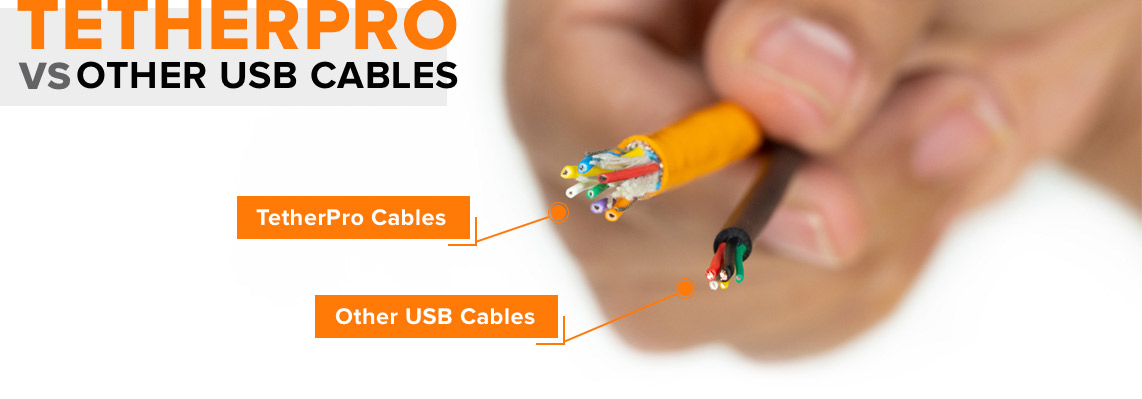
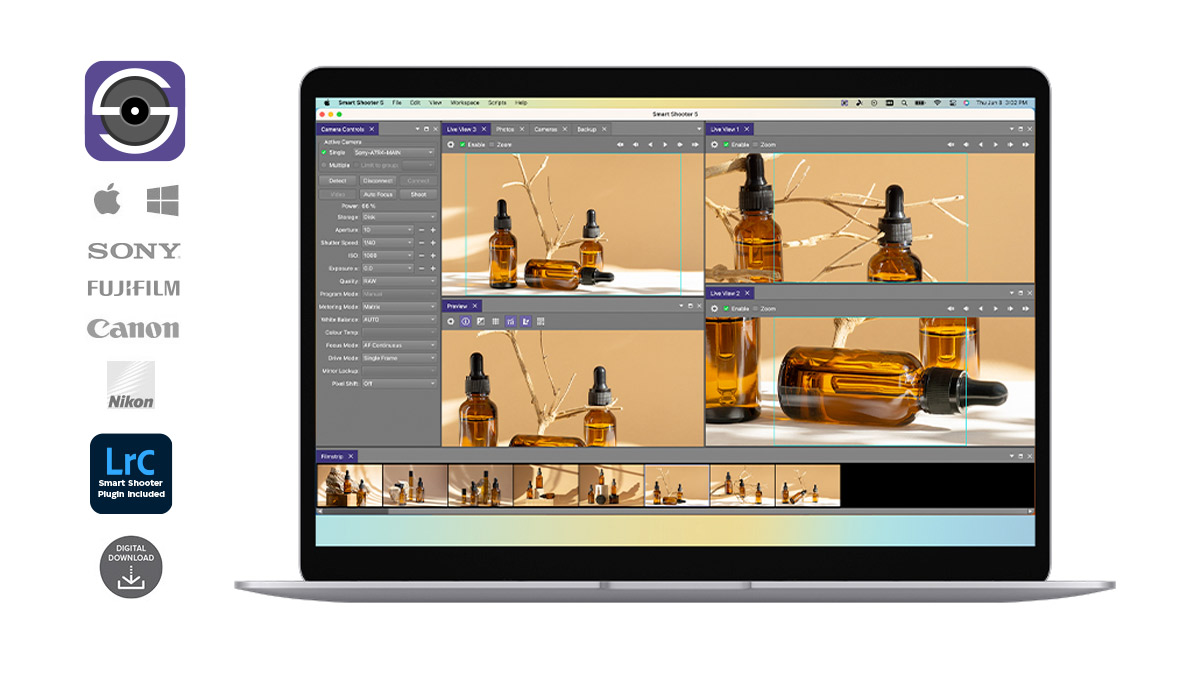
### Looking for software?
Tethering your camera to your computer does requires software. Tether Tools recommends using [Smart Shooter 5](/product/smart-shooter/) to transfer images from your camera to your computer. Smart Shooter's high-performing tethering engine will allow for quick and effiencent transfer along with advanced features to make your next shoot go flawless.
[Learn more](/product/smart-shooter/)
Professional technical support is provided for all TetherPro users: Connect at <technicalsupport@tethertools.com> or [1-888-854-6565](tel:+18888546565)<a>.</a>
Made in Vietnam
California residents **WARNING**: Cancer and reproductive harm - [www.P65Warnings.ca.gov](https://www.P65Warnings.ca.gov)
**Cable Tips:** Right, Straight
**Cables Color:** High-Visibility Orange
**Cables Gen:** Gen 1
**Lengths:** 15' (4.6m)
**Product categories:** Fall Sale, USB-C Cables
**Product Cable Color:** High-Visibility Orange, Non-Reflective Black
---
### [RapidMount Cold Shoe Elbow](https://tethertools.com/product/rapidmount-cold-shoe-baby-elbow-speedlight-mount/)
**Published:** June 8, 2015
**Author:**
**Excerpt:** A versatile cold shoe mount that allows photographers to mount a speedlight to any lightstand, arm, mount or grip that has a baby stud mount or using the included baby stud adapter, any 1/4" 20 or 3/8" male thread.
**Content:**
## RapidMount Cold Shoe Elbow
A versatile cold shoe mount that allows photographers to mount any speedlight to a lightstand, arm, mount or grip that has a baby stud mount or using the included baby stud adapter, any 1/4″ 20 or 3/8″ male thread.
The umbrella mount allows for photographers to easy set up lighting scenes that include big soft lighting (umbrella not included).
The top head features both a lockable 360° swivel rotation as well as a 180° degree locking tilt control. These easily adjustable positions make it easy to quickly setup and adjust the lighting you need.
Works with all speedlites.
**Product categories:** Rock Solid Adapters
---
### [Rock Solid Low Boy Roller](https://tethertools.com/product/rock-solid-low-boy-roller/)
**Published:** June 9, 2017
**Author:** Adam Gonzales
**Excerpt:** The Low Boy Roller Stand meets the height requirements of today’s hard working photographers, whether that’s a sitting workstation or a high overhead studio strobe setup. The smooth rolling, 3″ non-marring hardened rubber locking wheels make it easy to move around the studio and its heavy duty, chrome-plated steel and aluminum spring-loaded risers are great for mounting monitors.
This product does not qualify for free shipping.
**Content:**
## Rock Solid Low Boy Roller
### Key Features:
- Smooth rolling wheels make this stand studio mobile
- Low to high adjustment allows for waist level to overhead support
- Collapsible legs for quick and easy storage and transportation
- Stable, sturdy base provides confident mounting of the AeroTrac Workstation System, monitors, lights, and other gear
The Low Boy Roller pairs perfectly with an AeroTrac Workstation to create the ultimate rolling laptop stand that is indispensable for tethered shooting. Incredibly smooth rolling, and just the right height, the roller stand works great in studio and on location.
Raise the two spring-loaded risers to a max height of 5′11″ (1.8m) and mount a monitor using a Rock Solid VESA Monitor Mount, tablets using an X Lock Case or AeroTab, as well as strobes, studio lights, and other gear on the 5/8″ knurled baby stud, then lock everything down using the large, ergonomically-designed grip knobs. Cushioned rubber rings on the risers safeguard your gear from unnecessary bumps and vibration, and the optimal wingspan on the base and locking wheels ensure that this stand will remain stable and upright.
Folding legs with locking pins allow for the Low Boy Roller to be setup or folded down in seconds. Featuring all-metal construction and the highest quality manufacturing.
**Product categories:** AeroTrac Accessories, AeroTrac Modular Studio Workstation System, Components, Components, Tripods, Light Stands & Mounts
---
### [LeverLock® Plus & Cable Kit, Optima 10G, Straight to Right Cable](https://tethertools.com/product/leverlock-plus-cable-kit-optima-10g-straight-to-right-cable/)
**Published:** July 9, 2026
**Author:** Tyler O'Casey
**Excerpt:** Professional tethering kit built for secure, reliable tethered capture workflows.
The LeverLock Plus & Cable Kit combines the TetherGuard LeverLock Plus Tripod Plate with the TetherPro Optima 10G USB-C Straight to Right Angle Cable to create a secure, streamlined tethered workflow. Redesigned with customer feedback and real world productions in mind, LeverLock Plus features an extended Arca-compatible dovetail for more secure tripod mounting, increased surface friction to help reduce unwanted camera movement, and integrated quick connect and disconnect (QD) capabilities for faster transitions between set ups. Additional mounting flexibility comes from a built-in 1/4"-20 thread and integrated strap loop slot, making it easy to adapt your gear to any workflow. Paired with the high-performance Optima 10G cable, this kit helps prevent accidental disconnects, reduce strain on sensitive camera ports, and deliver immediate camera connection and recognition for reliable performance on active sets and demanding productions.
**Content:**
The **LeverLock Plus & Cable Kit** is built to create a more secure, reliable, and efficient tethered workflow from camera connection to capture.
Combining the **TetherGuard LeverLock Plus Tripod Plate** with the **TetherPro Optima 10G USB-C Straight to Right Angle Cable**, this kit helps photographers and digital techs reduce one of the most common causes of interrupted tethered shooting: unstable cable connections and port strain during active production.
The **TetherGuard LeverLock Plus Tripod Plate** secures the tether cable directly to the camera while redirecting strain away from sensitive camera ports. Whether working handheld, moving between tripod setups, or navigating busy production environments, LeverLock Plus helps minimize accidental disconnects and maintain a stable connection throughout the shoot.
Its refined “S” channel cable path and integrated 5-Point Protection System work together to stabilize the cable connection while supporting cleaner cable management and faster transitions between tethered and untethered workflows.
Paired with the **TetherPro Optima 10G USB-C Straight to Right Angle Cable**, the system delivers immediate camera recognition and reliable high-speed data transfer without Power Delivery interference — one of the leading causes of dropped connections and delayed camera detection in modern USB-C workflows.
Integrated TetherBoost technology supports stable performance over extended distances while reinforced construction, advanced shielding, and weather-resistant housing help maintain signal integrity in demanding studio and location environments.
Together, LeverLock Plus and Optima 10G create a professional tethered workflow built for movement, collaboration, and dependable capture.
### Key Features:
- **Secure Camera Connection & Port Protection:** The LeverLock Plus secures the tether cable directly to the camera while helping redirect strain away from sensitive camera ports to reduce accidental disconnects and equipment damage.
- **Immediate Camera Recognition & Reliable Data Transfer:** The Optima 10G cable delivers immediate camera connection and recognition with high-speed 10Gbps data transfer optimized for professional tethered workflows.
- **Eliminates Power Delivery Interference:** Dedicated data-only cable architecture removes Power Delivery interference to help prevent dropped connections and delayed camera detection.
- **Built for Active Production Workflows:** Designed for handheld shooting, tripod transitions, studio production, and location work where movement and reliability matter most.
- **Long-Distance Stable Performance:** Integrated TetherBoost technology supports stable signal transmission over extended cable lengths while reinforced construction protects performance on set.
- **Cleaner, More Professional Workflow:** Replaces improvised cable management solutions with a purpose-built tethering system designed to keep workflows organized, secure, and efficient.
- **Rugged Professional Construction:** All-metal plate construction, reinforced cable shielding, weather-resistant cable housing, and Soft-Grip cable tips are built to withstand demanding production environments.
**Cable Tips:** Right, Straight
**Cables Color:** High-Visibility Orange, Non-Reflective Black
**Cables Gen:** Gen 2
**Lengths:** 15' (4.6m), 31' (9.4m)
**Power Delivery:** Dedicated Data Transfer
**Product categories:** Cables, Kits, LeverLock®, LeverLock® Kits, TetherGuard® Cable Management, USB-C 10G Cables, USB-C Cables
**Product Length:** 15 Feet (4.6m), 31 Feet (9.4m)
**Product Cable Color:** High-Visibility Orange, Non-Reflective Black
---
### [Rock Solid Tablet + Phone Mounting System](https://tethertools.com/product/rock-solid-tablet-phone-mounting-system/)
**Published:** February 25, 2026
**Author:** Tyler O'Casey
**Excerpt:** Securely mount your tablet or phone for capture support, monitoring, reference, and organization. Designed for creators on the go, this system positions essential devices exactly where you need them and integrate with grip gear you may already have.
**Content:**
The **Rock-Solid Tablet + Phone Mounting System** provides a dependable way to integrate mobile devices into your digital capture workflow. Built for professionals who rely on tablets and phones for monitoring, tethering support, content capture, production coordination and more, it mounts your device using ¼”-20 attachments, baby pin arms & adapters and is Arca-Compatible.
Extending from 3.5″ to 9.3″, the mount fits most devices including mini and pro iPads, tablets and phones, with non-slip interior padding to protect your devices. Multiple mounting options, dual Arca dovetails, and a quick-release lever enable fast positioning adjustments in dynamic environments.
Lightweight yet durable and secure, it’s an essential addition for creators who demand flexibility without sacrificing stability.
### Key Features:
- Versatile & secure
- Fits most tablets & phones including mini & pro versions
- Easy to use with quick-release levers
- Folds flat and most compact holder
- Cable pass-through for charging and streaming
- Attach to camera straps for mobility, security and hands free use
**Product categories:** Tablet & Phone Mounts
---
### [TetherPro Optima 10G USB-C, Straight to Right Angle Cable](https://tethertools.com/product/tetherpro-optima-10g-usb-c-straight-to-right-angle-cable/)
**Published:** November 8, 2024
**Author:** Tyler O'Casey
**Excerpt:** Keep your tethered connection stable at extended lengths with TetherPro Optima 10G, an active USB-C camera tethering cable engineered for dedicated data transfer and immediate camera recognition. Its data-only architecture intentionally separates image transfer from charging, helping avoid the communication conflicts newer camera bodies can experience when power and data share one connection. The result is consistent cable performance, dependable recognition, and fewer connection interruptions at transfer speeds up to 10Gbps. A straight-to-right-angle layout helps direct the cable cleanly at the selected device end. Available in 20 in, 3 ft, 6 ft, 10 ft, 15 ft, or 31 ft in orange or black. Use Tether Tools Cable Finder to confirm the correct connection for your camera.
**Content:**
When reliability matters, most TetherPro Optima 10G cables deliver.
The **TetherPro Optima 10G USB-C Straight to Right Angle Cable** is engineered with a dedicated data-only architecture that removes Power Delivery interference—the leading cause of dropped connections and delayed camera recognition in modern USB-C workflows.
The result is immediate connection and consistent performance without adjusting camera power settings. Built for professional photographers and digital techs, TetherPro Optima 10G Cables support workflows across all camera systems.
Integrated signal optimization supports stable data transfer over extended distances, while reinforced construction and advanced shielding protect signal integrity in active production environments.
From connection to capture, this is professional-grade reliability you can trust.
### Key Features:
- **Immediate Camera Recognition & Use:** No camera or computer power setting adjustments or connection lag.
- **Dedicated Data Transfer:** High-speed image data transfer at 10 Gbps with optimum performance and the fastest and most reliable connection between cameras and computers.
- **Long-Distance Reliability:** Built-in TetherBoost technology amplifies signals for fast and stable data transfer over long distances. Reinforced dual TetherBoosts with high impact ridges protect the TetherBoost Pro IC Chipsets within. The octagonal casing shape withstands pressure from shoes, carts, and other obstacles.
- **Rugged Design & Quality Materials:** Built to handle real on-set movement and use. Shielding and internal components preserve throughput. The new Soft-Grip cable tips with camera/computer labels make setup easy and secure, and the cables’ custom weather-resistant housing prevents kinks, improves durability, and is easy to clean.
- **Satisfaction & Warranty:** Comes with a 1-year Tether Tools cable warranty and access to professional customer and technical support.

**Cable Tips:** Right, Straight
**Cables Color:** High-Visibility Orange, Non-Reflective Black
**Cables Gen:** Gen 2
**Lengths:** 10' (3m), 15' (4.6m), 3' (1m), 31' (9.4m)
**Power Delivery:** Dedicated Data Transfer
**Product categories:** Black Friday 25, Fall Sale, USB-C 10G Cables, USB-C Cables
**Product Length:** 10 Feet (3m), 10 Feet (3m) (without inline TetherBoost), 15 Feet (4.6m), 20 Inches (51cm), 20 Inches (51cm) (without inline TetherBoost), 3 Feet (1m), 31 Feet (9.4m), 6 Feet (1.8m), 6 Feet (1.8m) (without inline TetherBoost)
**Product Cable Color:** High-Visibility Orange, Non-Reflective Black
---
### [TetherGuard® LeverLock® Plate](https://tethertools.com/product/tetherguard-leverlock-plate/)
**Published:** February 26, 2024
**Author:** Tyler O'Casey
**Excerpt:** Take cable strain off the camera port and reduce accidental disconnects during tethered capture. The all-metal TetherGuard LeverLock works as a secure camera cable clamp and port protection plate, absorbing on-set movement before it reaches the data port. Its 5-Point Protection system combines the CamCleat Lever, Anti-Slip Speed Bump, two retention ridges, and S-Channel to manage cable movement and keep the connection secure. It fits Arca-style mounts, includes a 1/4"-20 thread for an additional tripod plate, accepts cables up to 6.5 mm (0.26 in) in diameter, and lets you connect or remove the cable while the plate stays mounted.
**Content:**
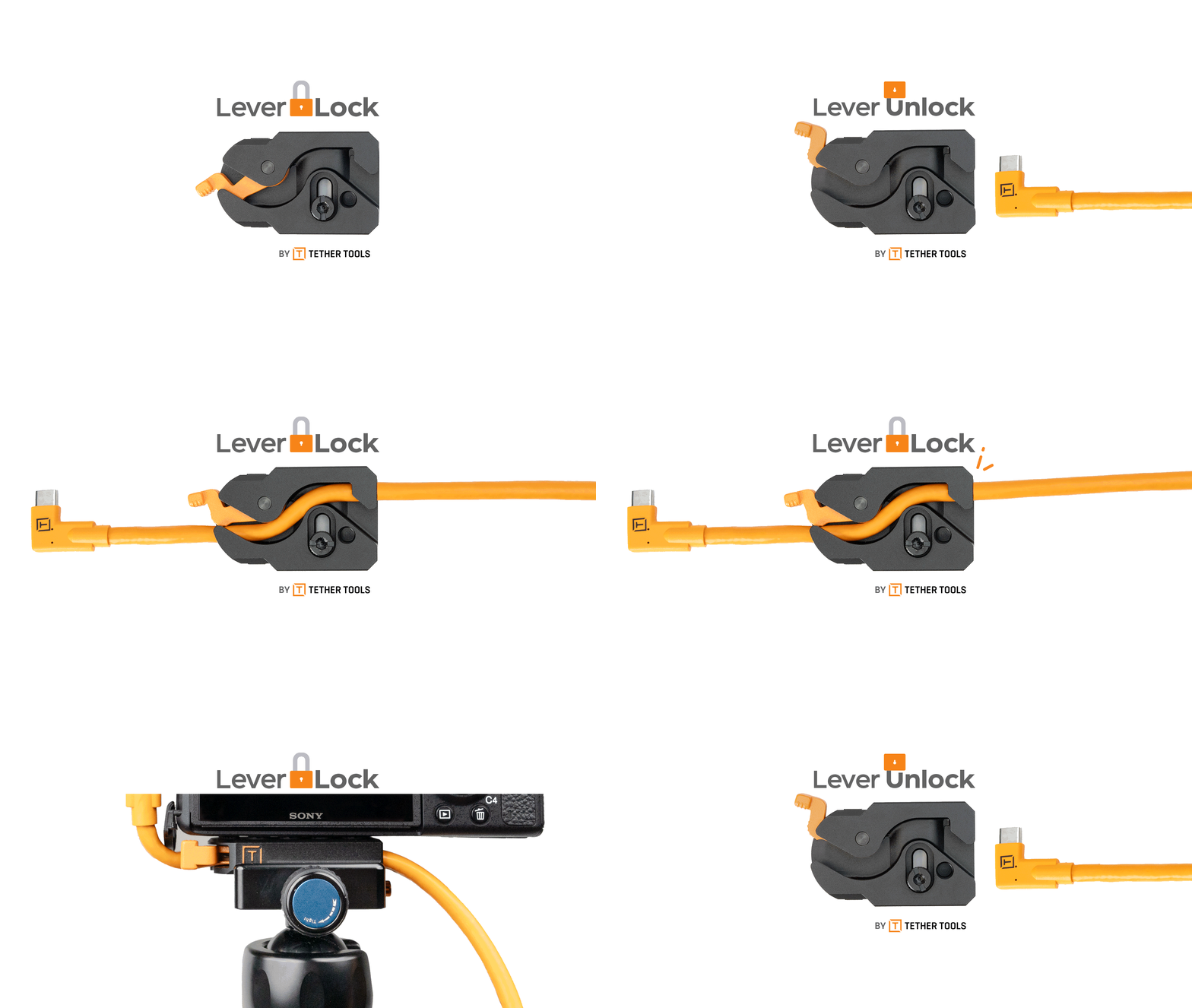
The TetherGuard LeverLock Plate allows you to effortlessly connect or remove a cable from the camera without having to remove the plate from the camera, making setup and break-down a breeze. By locking the cable to the camera, you ensure a secure connection and protect the camera port and cable from damage. The LeverLock’s 5-Point Protection system offers unsurpassed reliability.
### What makes the LeverLock unique?
LeverLock’s 5-Point Protection securely locks a cable or lead and prevents it from moving and coming out of the data port. This prevents disconnects or potential damage to the cable and camera port.
### Key Features:
- **Easy Set Up:** connect or remove cable without having to remove the plate from your camera
- **5-Point Protection:** featuring a CamCleat Lever, Anti-Slip Speed Bump, two Retention Ridges and a cable S-Channel to secure the connection and protect equipment
- **Quality Build:** Lightweight, durable, all metal construction
- **Versatile Design:** Streamlined design for use with small and larger cameras
- **Universal Tripod Compatibility:** Includes Arca compatibility and a 1/4″ – 20 thread for additional tripod plates and accepts any cable up to 6.5mm/.26″ in diameter
- **Added Protection:** Rubber non-slip pads keep the LeverLock Plate aligned on your camera
- **Lifetime Warranty**
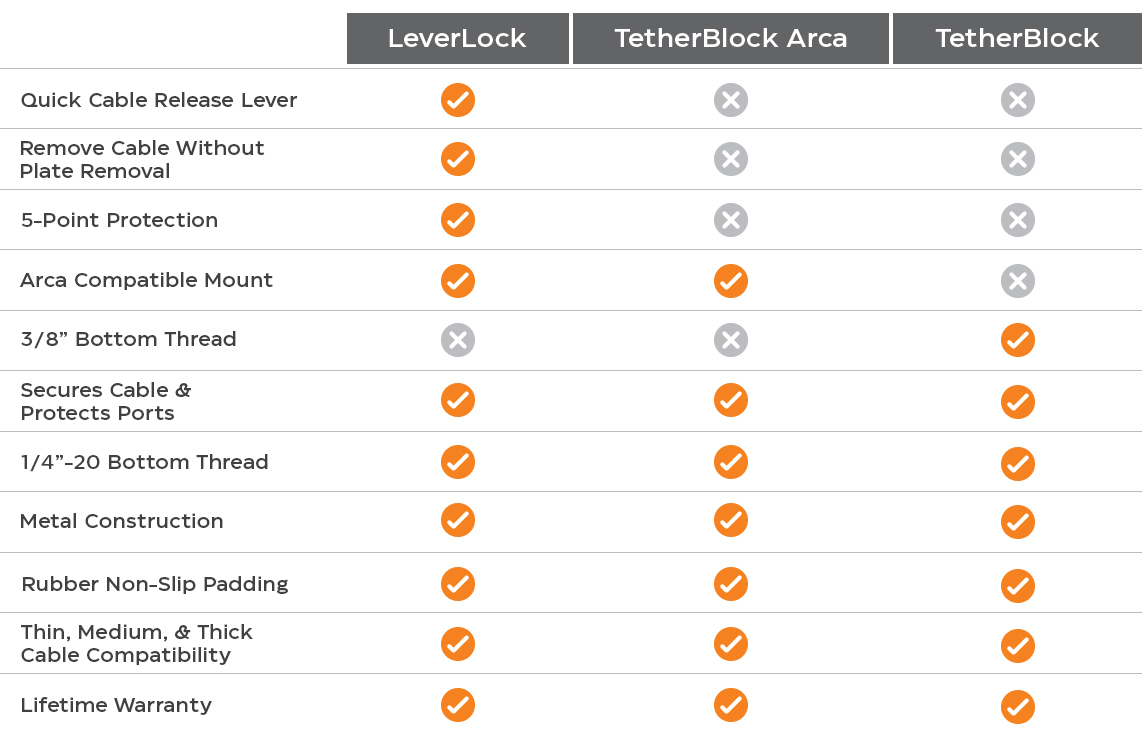
**Product categories:** Dads & Grads, Holiday Deals 25, LeverLock®, TetherBlock®, TetherGuard® Cable Management
---
### [TetherBoost Pro USB 3.0 Core Controller](https://tethertools.com/product/tetherboost-pro-core-controller/)
**Published:** June 27, 2016
**Author:**
**Excerpt:** Strengthen a USB 3.0 tethered connection when your camera, digital back, or computer needs added signal support. TetherBoost Pro conditions the line, regulates USB-port power, and provides a TrueConnect LED so you can confirm communication at a glance. It supports transfer rates up to 5Gbps and can help build tethering runs from 15 ft to 65 ft with compatible USB 3.0 cables and additional controllers. An included TetherGuard Extension Lock secures the joined cable ends.
**Content:**
## Make Tethering Your Camera with USB 3.0 More Reliable
The TetherBoost Pro USB 3.0 Core Controller alleviates a common problem amongst USB 3.0 camera and digital back users who are experiencing dropped tethering connections or are unable to get a tethered connection started at all. These challenges are affecting some of the most popular cameras on the market, including USB 3.0 cameras from Nikon, Canon, Phase One, Mamiya Leaf, and Pentax.
### Computer Manufacturers
The core issue is that computer manufacturers, often in an attempt to be as efficient with power as possible, are either under-powering or dynamically-powering their USB 3.0 ports. These manufacturers are not currently considering the unique needs of photographers and this is causing these connectivity issues.
The TetherBoost Pro USB 3.0 Core Controller conditions the line and regulates the power from DSLR/Digital Backs to the computer, eliminating these limitations and allowing your tethered connection to operate up to full USB3 speeds for tethering connections from 15 to 65 feet without any loss in signal. The TetherBoost Pro also features the TrueConnect LED indicator which ensures signal connectivity between a photographer’s DSLR, Mirrorless or Digital Back camera and a computer.
[](https://tethertools.com/wp-content/uploads/2021/08/2021-08-tetherboost-pro-connection-diagram.jpg)
Tethering connections rely on power from your camera and/or computer to transfer images successfully. Read this helpful article to understand more: [Why Does My Connection Fail?](https://tethertools.com/plugging-in/why-does-my-usb-3-0-connection-fail/)
### TetherGuard Extension Lock
Included in the TetherBoost Pro Kit is a TetherGuard Extension Lock, an effective locking device that keeps cable ends protected from frustrating disconnects, damage, and electrical hazards. The simple clam-shell design enables you to close the TetherGuard Extension Lock around each end of the TetherBoost Pro and USB 3.0 cable, then twist to lock the cords securely and safely together. The TetherGuard Extension Lock comes with two included rubber washers that waterproof your connection, further protecting your connection and holding the cable in place.

**Cable Tips:** Straight
**Cables Color:** Non-Reflective Black
**Cables Gen:** Gen 1
**Product categories:** Extension Cables, TetherBoost Extension Pro, USB 3.0 Cables
**Product Cable Color:** Non-Reflective Black
**Work Styles:** Commercial Photographers, Fashion Photographers, Portrait Photograpers
---
### [TetherPro USB-C to USB-A Female Adapter](https://tethertools.com/product/tetherpro-usb-c-to-usb-a-female-adapter/)
**Published:** January 10, 2018
**Author:**
**Excerpt:** The TetherPro USB-C to USB-A Female Adapter allows you to connect your existing USB TetherPro Cable to the new USB-C port on your computer. This extension cable will give photographers added reach when combined with their existing cables.
Note: Cable data transfer only. Not intended for charging.
**Content:**
## Extend Your Reach
### Key Features:
- Utilize your existing TetherPro USB Cable
- Available in high-visibility orange
The TetherPro USB-C to USB-A Female Adapter allows you to utilize your existing USB cables with your new USB-C port on your computer. At 15’ / 4.6m, this cable will give photographers added reach when combined with their existing cables.
TetherPro USB cables are constructed to the highest USB specifications and incorporate all of the latest technology ensuring consistent and reliable conductivity, and the fastest and most reliable transfers.
As technology innovation marches forward, computers, cameras, and storage devices are converging and require significantly more bandwidth to maintain the interactive experience users have come to expect.
Designed to the highest USB specifications to filter out signal noise and reduce transmission errors, all cables are fully shielded and plated to protect against external signal interference.
**Note:** Cable data transfer only. Not intended for charging.


### Looking for software?
Tethering your camera to your computer does requires software. Tether Tools recommends using [Smart Shooter 5](/product/smart-shooter/) to transfer images from your camera to your computer. Smart Shooter's high-performing tethering engine will allow for quick and effiencent transfer along with advanced features to make your next shoot go flawless.
[Learn more](/product/smart-shooter/)
California residents **WARNING**: Cancer and reproductive harm - [www.P65Warnings.ca.gov](https://www.P65Warnings.ca.gov)
**Cable Tips:** Straight
**Cables Color:** High-Visibility Orange
**Cables Gen:** Gen 1
**Lengths:** 15' (4.6m)
**Product categories:** Extension Cables, Fall Sale, USB-C Cables
**Product Cable Color:** High-Visibility Orange, Non-Reflective Black
---
### [TetherPro USB 2.0 to Micro-B 5-Pin](https://tethertools.com/product/tetherpro-usb-2-0-a-male-to-micro-b-5-pin/)
**Published:** March 16, 2015
**Author:**
**Excerpt:** The TetherPro USB 2.0 to Micro-B 5-Pin Cable (15ft/4.6m) has a reinforced Ferrite core to filter out signal noise and reduce transmission errors and full-lined shielding to protect against external signal interference.
**Content:**
## Constructed to the Highest USB Specifications
The choice of professional photographers and videographers everywhere, high-visibility orange TetherPro cables have become synonymous with tethered photography.
TetherPro USB cables are constructed to the highest possible USB specifications and incorporate all of the latest technology ensuring consistent and reliable conductivity, and the fastest and most reliable transfers.
The TetherPro USB 2.0 to Micro-B 5-Pin Cable (15ft/4.6m) with gold plated connectors for corrosion resistance ensures consistent and reliable conductivity. The cable has a reinforced Ferrite core to filter out signal noise and reduce transmission errors and full-lined shielding to protect against external signal interference.

The TetherPro cable connects to a camera using a Micro-B 5-Pin port. This cable is designed and manufactured to the highest USB specifications ensuring delivery of excellent performance in speed and reliability.
For tethering distances greater than 15 feet, per [USB specifications](https://www.usb.org/home), consider a [USB 2.0 Active Extension](https://tethertools.com/product/tetherpro-usb-2-0-active-extension-cable-16-32-49-or-65-feet/) to preserve signal integrity and minimize noise. Extension cables, available in 16, 32, 49 or 65ft (5, 9.7, 15 or 20m) lengths, are active devices and allow distances up to a total of 80ft (24m) before any drop-off in signal or quality is detected.
For additional cable management be sure to check out the JerkStopper Tethering Kit and our complete line of JerkStopper Cable Retention Devices.
Available in [High-Visibility Orange](https://tethertools.com/tetherpro-high-visibilty-orange-usb-active-extension-and-cat6-network-cable/) or Black.

### Looking for software?
Tethering your camera to your computer does requires software. Tether Tools recommends using [Smart Shooter 5](/product/smart-shooter/) to transfer images from your camera to your computer. Smart Shooter's high-performing tethering engine will allow for quick and effiencent transfer along with advanced features to make your next shoot go flawless.
[Learn more](/product/smart-shooter/)
California residents **WARNING**: Cancer and reproductive harm - [www.P65Warnings.ca.gov](https://www.P65Warnings.ca.gov)
**Cable Tips:** Straight
**Cables Color:** High-Visibility Orange
**Cables Gen:** Gen 1
**Lengths:** 15' (4.6m)
**Product categories:** USB 2.0 Cables
**Product Cable Color:** High-Visibility Orange, Non-Reflective Black
---
### [Rock Solid Tripod for AeroTrac™ Workstation Systems](https://tethertools.com/product/rock-solid-tripod-for-aerotrac-workstation-systems/)
**Published:** June 23, 2025
**Author:** Tyler O'Casey
**Excerpt:** The Rock-Solid Tripod for AeroTrac Workstation System, is purpose built to support your workstation. This lightweight yet heavy-duty tripod has an adjustable height range that makes it ideal as a sitting or standing desk and a weight capacity to hold your most robust buildout of the AeroTrac workstation. The compact 4-section legs are easy to transport, and the adjustable center column with hook lets you hang a sandbag or other accessories for rock-solid support in studio or on location.
**Content:**
Designed to pair seamlessly with **AeroTrac Workstation System**, the **Rock-Solid Tripod** ensures your tethering setup is as mobile as your creativity. Built from durable aluminum, it adjusts from 18.5″ to 59″ (47–150cm) and features a center column extension for fine-tuned height control. The four-section legs and twist-lock system offer fast adjustments, while its 45 lbs. (20.4kg) weight capacity keeps your workstation stable in any environment.
Equipped with both 1/4″-20 and 3/8″-16 reversible mounting thread, it easily connects to the AeroTrac Workstation.
Add the **Rock Solid Arca Quick Release Adapter + Plate** to quickly connect the AeroTrac Workstation to and from the Tripod. Whether you’re working in-studio or on the go, this tripod is your foundation for a streamlined, professional workstation.
The **AeroTrac Workstation System** has been honored with the **Red Dot Award for Product Design**, recognizing its innovation, functionality, and precision engineering. This distinction reflects Tether Tools’ commitment to building professional, laptop-centric workflow solutions designed to perform in real-world environments.
### Key Features:
- **Built for AeroTrac:** Designed to integrate directly with AeroTrac Workstation System.
- **Universally Compatible:** fits any tripod ballhead (sold separately) for use with cameras.
- **Height Adjustable:** Extends from 18.5″ to 59″ to support sitting or standing use.
- **Heavy-Duty Yet Lightweight:** Weighs just 2.9 lbs. but supports up to 45 lbs. of gear.
- **Versatile Mounting:** Reversible 1/4″-20 and 3/8″-16 thread for universal compatibility.
- **Travel-Ready:** Comes with a compact carrying case for easy transport.
**Product categories:** AeroTrac Accessories, AeroTrac Modular Studio Workstation System, Tripods, Light Stands & Mounts
---
### [Rock Solid Baby Ballhead Adapter - 5/8" (16mm) to 3/8"-16](https://tethertools.com/product/rock-solid-baby-ballhead-adapter-5-8-16mm-to-3-8-16/)
**Published:** June 23, 2025
**Author:** Tyler O'Casey
**Excerpt:** The Rock-Solid Baby Ballhead Adapter transforms any 5/8” baby pin or junior receiver stand into a 3/8"-16 thread to connect compatible gear. Built from all-metal components with a large ergonomic knob, it's the reliable adapter you’ll want to convert arms or stands into a streamlined mounting option. Attach your favorite ballhead, AeroTrac workstation, or other accessories.
**Content:**
Maximize your gear flexibility with the **Rock-Solid Baby Ballhead Adapter**, designed to connect your AeroTrac Workstation—or any 3/8″-16 gear—to light stands, C-stands, production carts or grip arms with a 5/8″ baby pin or 1-1/8″ receiver. Built with all-metal construction, this adapter offers rugged, reliable support in both studio and field environments.
The 3/8″-16 thread creates a lot of versatility and mounting options, while the ergonomic knob ensures a secure lock with easy, tool-free adjustments. Whether you’re working with a traditional grip setup or building a compact mobile rig, this adapter delivers trusted performance every time.
The **AeroTrac Workstation System** has been honored with the **Red Dot Award for Product Design**, recognizing its innovation, functionality, and precision engineering. This distinction reflects Tether Tools’ commitment to building professional, laptop-centric workflow solutions designed to perform in real-world environments.
### Key Features:
- **Ultimate Grip Compatibility:** Mount AeroTrac’s built in 3/8”-16 thread to baby pins, C-stands, production carts or junior receiver stands
- **Versatile Thread Options:** Includes 3/8″-16 stud
- **Professional Grade:** Built with all-metal construction for rugged, long-term use
- **Quick & Secure Locking:** Large ergonomic knob makes tightening fast, easy and secure
**Product categories:** AeroTrac Accessories, AeroTrac Modular Studio Workstation System, Black Friday 25, Cyber Monday 25, Holiday Deals 25, Rock Solid Adapters, Tripod Accessories
---
### [ProTab Cable Ties (10pk)](https://tethertools.com/product/jerkstopper-protab-cable-ties-small-set-of-10/)
**Published:** March 16, 2015
**Author:**
**Excerpt:** The ProTab Cable Ties are ideal for wrapping cables and cords such as A/C, USB, HDMI and music cables.
**Content:**
## ProTab Cable Ties
ProTab Cable Ties are designed for durability and convenience. Keeping cables organized and well maintained increases a cable’s lifespan and saves time trying to locate or untangle mismanaged cords.
**Product categories:** Adapters, Bags & Accessories, Dads & Grads
---
### [AeroTrac™ Workstation Legs](https://tethertools.com/product/aerotrac-workstation-legs/)
**Published:** June 23, 2025
**Author:** Tyler O'Casey
**Excerpt:** Deploy your AeroTrac on any flat surface using the Workstation Legs. Conveniently keep your workstation accessories such as batteries, harddrive, card readers, etc attached to the AeroTrac for convenient work desk you can take anywhere. Open all four legs for a flat surface or only 2 legs for an angle platform.
**Content:**
The AeroTrac Workstation Legs are the ideal support solution for using your workstation on desks, tables, carts, or vehicles. Use two legs for angled positioning or four legs for a flat surface. When not in use, they fold and lock in place for easy travel.
The **AeroTrac Workstation System** has been honored with the **Red Dot Award for Product Design**, recognizing its innovation, functionality, and precision engineering. This distinction reflects Tether Tools’ commitment to building professional, laptop-centric workflow solutions designed to perform in real-world environments.
### Key Features:
- Create freestanding setups without a tripod
- Raise accessories attached to AeroTrac above work surface
- Flexible configurations: flat or angled
- Fold flat when not in use
- Non marring feet
**Product categories:** AeroTrac Accessories, AeroTrac Modular Studio Workstation System, Summer Sale
---
### [TetherBlock® Arca](https://tethertools.com/product/tetherblock-arca/)
**Published:** September 28, 2017
**Author:**
**Excerpt:** The TetherBlock® Arca locks your tethered cable into place, keeping your cable or cord plugged in and your camera’s sensitive data port protected from damage. The integrated Arca-style tripod mount makes it simple to attach to arca-compatible tripods.
**Content:**
## Stay Connected and Protect Sensitive Ports with TetherBlock®
### Key Features:
- Keeps tether cables connected and secured to camera
- Protects expensive camera ports from damage
- Constructed from precision milled T5 aerospace aluminum alloy
- Lightweight and extremely durable
- Multiple routing channels accept thick, medium or thin cables
- Rubber non-slip pads keep the TetherBlock from moving once attached to the camera
- Additional 1/4″-20 female threads allow mounting non Arca-compatible tripod plates
- TetherBlock Arca has a built in Arca-compatible mount
Camera data ports are fragile and expensive to repair. When shooting tethered in studio or on location, a trip or tug can cause your tether cable to become dislodged or cause serious damage to your camera’s data ports. The TetherBlock is a must-have for photographers shooting tethered both handheld or using a tripod.
The TetherBlock is designed to prevent accidental removal of a cable from your camera’s data ports by snaking a USB, FireWire, or HDMI cable through one of TetherBlock’s three channels. A 1/4″-20 slotted screw attaches the plate to the camera, and can be tightened with a screwdriver or coin.
From there, either shoot handheld or attach the TetherBlock to your camera’s tripod mount and you’ll be able to shoot tethered to a computer without fear of your tethered cable becoming unplugged. TetherBlock Arca simply connects to any Arca compatible tripod head and TetherBlock mates with your favorite plate to connect to any existing tripod head.
Easy to mount, the TetherBlock and TetherBlock Arca have a 1/4″-20 male thread to attach directly to the bottom of your camera.
### TetherBlock Arca
This Arca-style connection is compatible with all Arca compatibile ballheads with the standard 35mm wide connection. This is not compatible with the Arca-Swiss Monoball Fix Series. The bottom of the TetherBlock Arca features two 1/4″-20 female threads.
There is not a centered 1/4″-20 female thread on the TetherBlock Arca, so if you need to mate this to a non-arca plate, we recommend the non-arca [TetherBlock](https://tethertools.com/product/tetherblock/).
Constructed from a single piece of precision milled T5 aerospace aluminum alloy, the TetherBlock is extremely durable while remaining lightweight and is covered by Tether Tools Lifetime Warranty.

**Product categories:** TetherBlock®
---
### [TetherPro Optima 10G USB-C, Straight to Straight Cable](https://tethertools.com/product/tetherpro-optima-10g-usb-c-straight-to-straight-cable/)
**Published:** November 8, 2024
**Author:** Tyler O'Casey
**Excerpt:** Create a stable, high-speed USB-C connection for tethered capture at extended lengths with an active camera tethering cable and straight connectors on both ends. TetherPro Optima 10G’s dedicated data architecture intentionally separates image transfer from charging, helping avoid communication conflicts on newer camera bodies while supporting immediate recognition and consistent performance at up to 10Gbps. Choose 3 ft, 6 ft, 10 ft, 15 ft, or 31 ft in orange or black. For Fujifilm GFX-series USB-C cameras, choose the 3 ft, 10 ft, 15 ft, or 31 ft version, or pair the 6 ft cable with inline TetherBoost for a stable configuration. Use the Tether Tools Cable Finder to confirm the correct connection for your camera.
**Content:**
When reliability matters, most TetherPro Optima 10G cables deliver.
The **TetherPro Optima 10G USB-C Straight to Straight Cable** is engineered with a dedicated data-only architecture that removes Power Delivery interference—the leading cause of dropped connections and delayed camera recognition in modern USB-C workflows.
The result is immediate connection and consistent performance without adjusting camera power settings. Built for professional photographers and digital techs, TetherPro Optima 10G Cables support workflows across all camera systems.
Integrated signal optimization supports stable data transfer over extended distances, while reinforced construction and advanced shielding protect signal integrity in active production environments.
From connection to capture, this is professional-grade reliability you can trust.
### Key Features:
- **Immediate Camera Recognition & Use:** No camera or computer power setting adjustments or connection lag.
- **Dedicated Data Transfer:** High-speed image data transfer at 10 Gbps with optimum performance and the fastest and most reliable connection between cameras and computers.
- **Long-Distance Reliability:** Built-in TetherBoost technology amplifies signals for fast and stable data transfer over long distances. Reinforced dual TetherBoosts with high impact ridges protect the TetherBoost Pro IC Chipsets within. The octagonal casing shape withstands pressure from shoes, carts, and other obstacles.
- **Rugged Design & Quality Materials:** Built to handle real on-set movement and use. Shielding and internal components preserve throughput. The new Soft-Grip cable tips with camera/computer labels make setup easy and secure, and the cables’ custom weather-resistant housing prevents kinks, improves durability, and is easy to clean.
- **Satisfaction & Warranty:** Comes with a 1-year Tether Tools cable warranty and access to professional customer and technical support.

**Cable Tips:** Straight
**Cables Color:** High-Visibility Orange, Non-Reflective Black
**Cables Gen:** Gen 2
**Lengths:** 10' (3m), 15' (4.6m), 3' (1m), 31' (9.4m), 6' (1.8m)
**Power Delivery:** Dedicated Data Transfer
**Product categories:** Black Friday 25, Fall Sale, USB-C 10G Cables, USB-C Cables
**Product Length:** 10 Feet (3m), 10 Feet (3m) (without inline TetherBoost), 15 Feet (4.6m), 3 Feet (1m), 31 Feet (9.4m), 6 Feet (1.8m), 6 Feet (1.8m) (without inline TetherBoost)
**Product Cable Color:** High-Visibility Orange, Non-Reflective Black
---
### [TetherBlock®](https://tethertools.com/product/tetherblock/)
**Published:** September 8, 2017
**Author:**
**Excerpt:** The TetherBlock® locks your tethered cable into place, keeping your cable or cord plugged in and your camera’s sensitive data port protected from damage.
If you have a Arca-style ball head, we recommend the TetherBlock Arca.
**Content:**
## Stay Connected and Protect Sensitive Ports with TetherBlock®
### Key Features:
- Keeps tether cables connected and secured to camera
- Protects expensive camera ports from damage
- Constructed from precision milled T5 aerospace aluminum alloy
- Lightweight and extremely durable
- Multiple routing channels accept thick, medium or thin cables
- Rubber non-slip pads keep the TetherBlock from moving once attached to the camera
- Additional 1/4-20″ female threads allow mounting non Arca-compatible tripod plates
Camera data ports are fragile and expensive to repair. When shooting tethered in studio or on location, a trip or tug can cause your tether cable to become dislodged or cause serious damage to your camera’s data ports. The TetherBlock is a must-have for photographers shooting tethered both handheld or using a tripod.
The TetherBlock is designed to prevent accidental removal of a cable from your camera’s data ports by snaking a USB, FireWire, or HDMI cable through one of TetherBlock’s three channels. A 1/4″-20 slotted screw attaches the plate to the camera, and can be tightened with a screwdriver or coin.
From there, either shoot handheld or attach the TetherBlock to your camera’s tripod mount and you’ll be able to shoot tethered to a computer without fear of your tethered cable becoming unplugged.
Easy to mount, the TetherBlock has a 1/4″-20 male thread to attach directly to the bottom of your camera.
### TetherBlock
The bottom of the TetherBlock features both a 1/4″-20 and a 3/8″ female tripod thread, allowing it to be mounted directly onto a tripod plate or head. If you are mating it with your tripod plate, you will be able to center your plate on the TetherBlock giving you a secure connection.
If you have an Arca-style ball head for your tripod, we recommend the [TetherBlock Arca](https://tethertools.com/product/tetherblock-arca/).
Constructed from a single piece of precision milled T5 aerospace aluminum alloy, the TetherBlock is extremely durable while remaining lightweight and is covered by Tether Tools Lifetime Warranty.

**Product categories:** Components, TetherBlock®
---
### [TetherPro Optima 10G USB-C 20” Straight to Right Angle Adapter](https://tethertools.com/product/tetherpro-optima-10g-usb-c-20-straight-to-right-angle-adapter/)
**Published:** December 10, 2025
**Author:** Tyler O'Casey
**Excerpt:** Experience faster, more reliable image transfers with the TetherPro Optima 10G USB-C 20” (51cm) Straight to Right Angle Adapter “Pigtail” Cable. Delivering blazing-fast 10 Gbps data transfer speeds, this rugged, right-angle adapter “pigtail” cable ensures seamless connectivity between your camera and your tethering device, whether computer, tablet, phone, or external monitor. The 20" right angle adapter “pigtail” cable is great for close setups or connecting it to the TetherPro Optima TetherBoost Locking Extension Cable for longer distances. Pigtails give you the freedom to un-tether and re-tether with ease. Pairs great with Capture One and other software's re-tether feature. Engineered for professional tethering performance, it eliminates power interruptions and guarantees the most stable connection possible.
**Content:**
Accelerate your workflow with the TetherPro Optima 10G USB-C 20” (51cm) Straight to Right Angle Adapter “Pigtail” Cable. Designed for photographers and digital techs who demand speed, reliability, and durability, the Optima 10G cable line delivers a dedicated 10Gbps data transfer connection without power delivery interference—ensuring zero dropped frames or interruptions.
Its compact 20-inch length and right-angle connector make it ideal for streaming to external viewing monitors attached to your camera, iPad tethering, or tethering to your iPhone, keeping your setup clean and your ports protected during handheld or on-the-go shooting. The custom-formulated, weather-resistant outer housing prevents kinks and increases lifespan, while full shielding eliminates signal noise for consistent, uninterrupted performance.
Pair it with the TetherPro Optima 10G USB-C Locking Extension Cable for longer runs while maintaining top transfer speeds. Plug-and-play simplicity, rugged reliability, and professional-grade construction make the Optima 10G the ultimate solution for fast, stable tethered connections.
### Key Features:
- **Dedicated Data Transfer:** High-speed image data transfer at 10 Gbps with optimum performance and the fastest and most reliable connection between cameras and computers.
- **Rugged Design & Quality Materials:** The thin flexible outer casing of the cable is insulated, shielded, and braided to prevent signal interference. The new Soft-Grip cable tips with camera/computer labels make setup easy and secure, and the cables’ custom weather-resistant housing prevents kinks, improves durability, and is easy to clean.
- **Backward Compatible:** Works with all USB-C devices, including prior USB-C protocols.
- **Satisfaction & Warranty:** Comes with a 1-year Tether Tools cable warranty and access to professional customer and technical support.
**Product categories:** USB-C 10G Cables, USB-C Cables
---
### [TetherPro USB 2.0 to Mini-B 5-Pin](https://tethertools.com/product/tetherpro-usb-2-0-a-male-to-mini-b-5-pin-15ft-4-6m-gold-plated/)
**Published:** March 16, 2015
**Author:**
**Excerpt:** Connect a USB-A computer directly to a compatible USB 2.0 Mini-B 5-Pin camera with a cable built for consistent tethered transfer. Gold-plated connectors support corrosion resistance, a reinforced ferrite core filters signal noise, and full shielding helps protect the 480Mbps connection from outside interference. Choose 1 ft, 3 ft, 6 ft, or 15 ft in orange or black. Use Tether Tools Cable Finder to confirm the camera connector.
**Content:**
## Constructed to the Highest USB Specifications
The choice of professional photographers and videographers everywhere, high-visibility orange TetherPro cables have become synonymous with tethered photography.
TetherPro USB cables are constructed to the highest possible USB specifications and incorporate all of the latest technology ensuring consistent and reliable conductivity, and the fastest and most reliable transfers.
The TetherPro Premium version USB 2.0 A to Mini-B 5-Pin cable with gold plated connectors for corrosion resistance ensures consistent and reliable conductivity. The cable has a reinforced Ferrite core to filter out signal noise and reduce transmission errors and full-lined shielding to protect against external signal interference.

The TetherPro cable connects to a camera using a Mini-B 5-Pin port. This cable is designed and manufactured to the highest [USB specifications](https://www.usb.org/home) ensuring delivery of excellent performance in speed and reliability.
For tethering distances greater than 15 feet, per USB specifications, consider a [USB 2.0 Active Extension](https://tethertools.com/product/tetherpro-usb-2-0-active-extension-cable-16-32-49-or-65-feet/) to preserve signal integrity and minimize noise. Extension cables, available in 16, 32, 49 or 65ft (5, 9.7, 15 or 20m) lengths, are active devices and allow distances up to a total of 80ft (24m) before any drop-off in signal or quality is detected.
Be sure to consult your equipment manufacturer’s specifications to ensure correct cable type and connections or review our partial list of compatible devices in our [Camera Compatibility Guide.](https://tethertools.com/plugging-in/usb-compatibilty/)
For additional cable management be sure to check out the JerkStopper Tethering Kit and our complete line of JerkStopper Cable Retention Devices.
Available in [High-Visibility Orange](https://tethertools.com/tetherpro-high-visibilty-orange-usb-active-extension-and-cat6-network-cable/) or Black.
\*Listing is for TetherPro Cable only. Cable case, camera and other items pictured sold separately.

### Looking for software?
Tethering your camera to your computer does requires software. Tether Tools recommends using [Smart Shooter 5](/product/smart-shooter/) to transfer images from your camera to your computer. Smart Shooter's high-performing tethering engine will allow for quick and effiencent transfer along with advanced features to make your next shoot go flawless.
[Learn more](/product/smart-shooter/)
California residents **WARNING**: Cancer and reproductive harm - [www.P65Warnings.ca.gov](https://www.P65Warnings.ca.gov)
**Cable Tips:** Straight
**Cables Color:** High-Visibility Orange, Non-Reflective Black
**Cables Gen:** Gen 1
**Lengths:** 1' (30cm), 15' (4.6m)
**Product categories:** USB 2.0 Cables
**Product Length:** 1 Foot (30cm), 10 Feet (3m), 15 Feet (4.6m), 3 Feet (1m), 6 Feet (1.8m)
**Product Cable Color:** High-Visibility Orange, Non-Reflective Black
---
### [AeroTrac™ VersaMounts with Straps](https://tethertools.com/product/aerotrac-versamounts-with-straps/)
**Published:** June 23, 2025
**Author:** Tyler O'Casey
**Excerpt:** Mount and secure accessories with AeroTrac VersaMounts, featuring VersaGrooves, 1/4"-20 threads and flexible strap tie-downs.
**Content:**
AeroTrac VersaMounts are the ultimate connection points for additional accessories. Mount them in each corner of the AeroTrac’s workstation to integrate additional accessories using the VersaGrooves, built-in 1/4″-20 thread or included straps.
The **AeroTrac Workstation System** has been honored with the **Red Dot Award for Product Design**, recognizing its innovation, functionality, and precision engineering. This distinction reflects Tether Tools’ commitment to building professional, laptop-centric workflow solutions designed to perform in real-world environments.
### Key Features:
- Adds secure anchor points for additional AeroTrac accessories
- Includes VersaGrooves, 1/4″-20 threads and adjustable straps
- Easy to install
**Product categories:** AeroTrac Accessories, AeroTrac Modular Studio Workstation System
---
## Product categories
### [Cables](https://tethertools.com/product-category/cables-adapters/)
**Description:** Shop camera tether cables and adapters designed for fast, reliable tethered photography with Canon, Nikon, Sony, Fuji, and more.
---
### [Camera Cable Management Accessories](https://tethertools.com/product-category/cable-management/)
**Description:** Shop camera cable management accessories, including cable holders, clamps, and straps to keep tethered setups organized and secure.
---
### [Tethering Software & Camera Workflow Solutions](https://tethertools.com/product-category/software/)
**Description:** Professional tethering software and workflow solutions designed to streamline shooting, enable real-time image review, and support collaboration across teams. Improve your photography experience with the right software. From free solutions that may be included with your camera to super-charged applications that incorporate all your post-production needs in one.
---
### [Monitor Mounts](https://tethertools.com/product-category/monitor-mounts/)
**Description:** Secure mounting solutions designed to position monitors for optimal viewing during tethered photography and video workflows. Rock Solid VESA Monitor Mounts provide a streamlined way to mount monitors on stands and tripods for video productions, large photo shoots, weddings, events and workshops.
---
### [Tablet & Phone Mounts](https://tethertools.com/product-category/tablet-phone-mounts/)
**Description:** Secure, adjustable tablet mounts designed for tethered photography, image review, and remote camera control in studio or on location. Seamlessly integrate your tablet, iPad, or phone for tethering and many other uses. With Mobile Tablet Tethering Kits or Rock Solid Tablet/Phone Holder, you have multiple mounting options to connect to a tripod, lightstand, arms, clamps, or other grip gear.
---
### [HDMI Cables](https://tethertools.com/product-category/cables-adapters/hdmi-only/)
**Description:** TetherPro HDMI cables are manufactured to the highest HDMI specifications and designed to connect digital devices, audio components, and video cameras to other components such as TVs, monitors and AV receivers.
---
### [Arms, Clamps & Grips](https://tethertools.com/product-category/arms-clamps-grips/)
**Description:** The Rock Solid™ line is a versatile collection of professional grade mounting solutions designed to give you complete control over your gear placement. Our arms, clamps, and grips are engineered for precise positioning of cameras, monitors, lights, and accessories, helping you build a stable and efficient digital capture workflow for creative production.
---
### [Rock Solid Arms](https://tethertools.com/product-category/arms-clamps-grips/arms-only/)
**Description:** The Rock Solid line of arms allows photographers to mount cameras, lights, tablets, and other gear where they need it quickly and securely. This convenience allows for more efficient and creative shoots.
---
### [USB 2.0 Cables](https://tethertools.com/product-category/cables-adapters/usb-2-0/)
**Description:** TetherPro USB 2.0 cables are designed and manufactured using the latest USB technology to ensure consistent and reliable conductivity.
---
### [USB 3.0 Cables](https://tethertools.com/product-category/cables-adapters/usb-3-0/)
**Description:** TetherPro USB 3.0 SuperSpeed cables are designed and manufactured using the latest USB technology to ensure consistent and reliable conductivity.
---
### [Rock Solid Clamps/Grips](https://tethertools.com/product-category/arms-clamps-grips/clamps-only/)
**Description:** The Rock Solid line of clamps allows photographers to secure arms to to round and flat surfaces like C-stands, lightstands, rails or just about anything found on set. This freedom can create setups unimaginable with a stand alone.
---
### [Rock Solid Adapters](https://tethertools.com/product-category/arms-clamps-grips/adapters-only/)
**Description:** The Rock Solid line of adapters can change one mounting option into another. Whether a photographer needs to go from Baby Stud to 3/8″, from hot shoe to 1/4-20″, or something even more complex, Tether Tools has the adapter.
---
### [External Photography Power Solutions](https://tethertools.com/product-category/power-management/)
**Description:** Reliable external camera power solutions designed to keep gear powered and running during professional photography shoots and product . Whether you’re in-studio or on location, Tether Tools power solutions make keeping your gear powered one less thing to worry about.
---
### [Tripods, Light Stands & Mounts](https://tethertools.com/product-category/tripods-lightstands-supports/)
**Description:** Professional support systems designed to deliver stability, strength, and reliability for photography and video production. Tripods, accessories, and stands work together to create versatile setups that maximize your performance when using cameras, lighting, and workflow tools. Tether Tools digital capture workflow solutions allow you to build a custom workstation tailored to your specific production needs.
---
### [ONsite Relay Camera Power](https://tethertools.com/product-category/power-management/onsite-relay-camera-power/)
**Description:** The ONsite Relay Camera Power System is the first uninterruptible power system that consistently powers a camera via any common USB external battery pack or wall power.
---
### [Adapters, Bags & Accessories](https://tethertools.com/product-category/cable-management/adapters-bags/)
**Description:** Tether Tools cases and bags provide additional organization to keep your gear secure and tidy when in the studio or on-the-go. Made of durable black Cordura nylon and built rugged using double-stitching for increased strength.
---
### [TetherBoost Extension Pro](https://tethertools.com/product-category/power-management/tetherboost-pro/)
**Description:** The TetherBoost Pro provides consistent power to maintain high transfer rates and exceptional connection stability when using a DSLR or medium-format digital back system connected to a computer via USB 3.0 cables.
---
### [Apparel](https://tethertools.com/product-category/apparel/)
---
### [USB-C Cables](https://tethertools.com/product-category/cables-adapters/usb-c-cables/)
**Description:** Shop TetherPro USB-C cables built for reliable camera tethering, fast data transfer, and professional photography workflows.
---
### [Replacement Parts](https://tethertools.com/product-category/replacement-parts/)
---